11
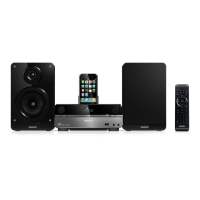
1 Connect a composite video cable to:
the • iPhone/iPod socket on this unit.
the video input socket on the TV.•
Note
To play audio only through the speakers of this •
apparatus, mute the TV and other connected
audio devices.
See “Play iPhone/iPod” for how to control the
•
play.
See the user manual of your TV for how to
•
selecte the correct viewing channel.
Connect an external audio
device (optional)
You can also listen to an external audio device
through this unit.
• Option 1: Connect through the AUX IN
sockets
• Option 2: Connect through the MP3-
LINK socket
Option 1: Connect through the AUX
IN sockets
1 Connect audio cables (red/white) to:
the • AUX IN ( L and R ) sockets on
this unit.
the audio output sockets on the •
external audio device.
TV
Option 3: Connect through
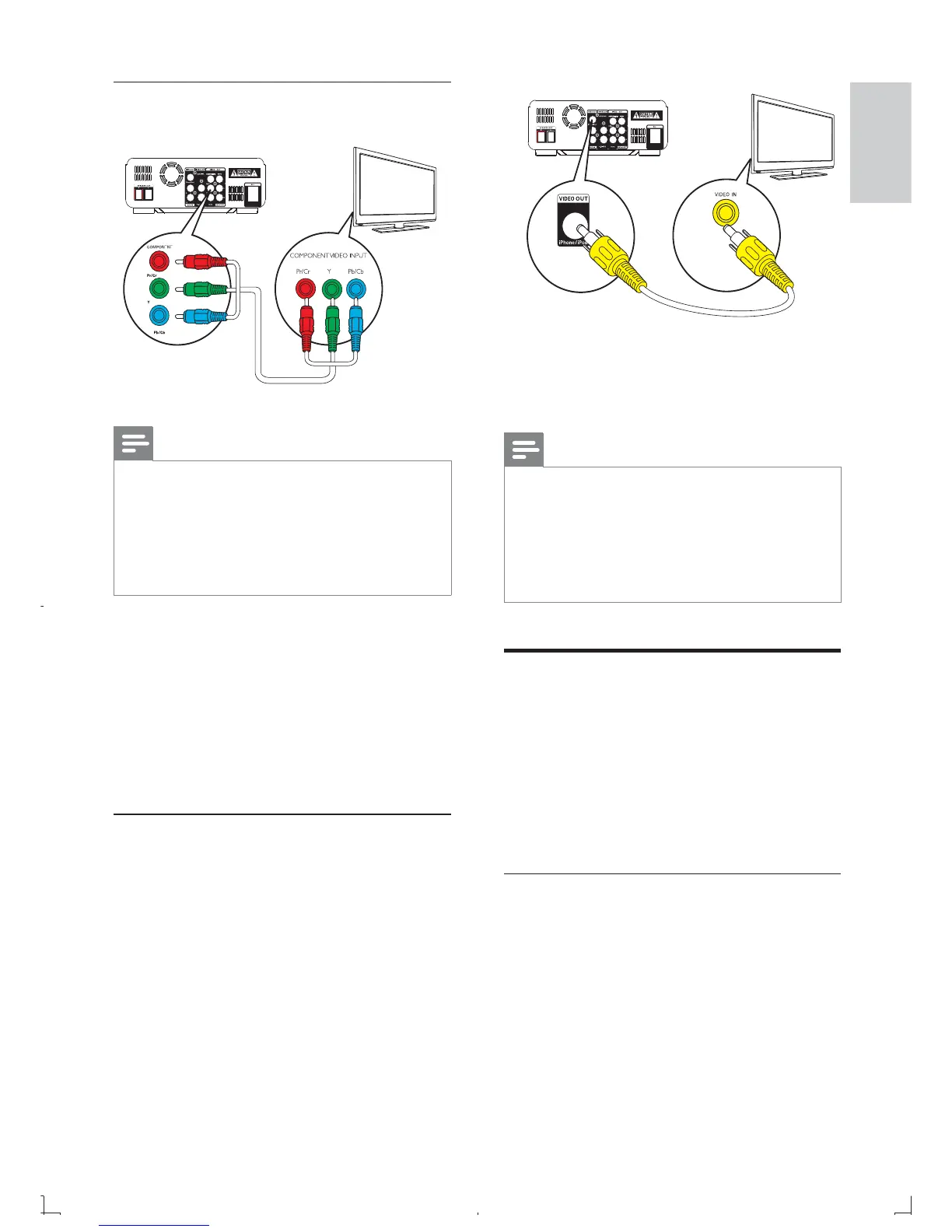
component video cables
Note
The progressive scan video quality is only •
available when a progressive scan TV is
connected.
If your TV does not support progressive scan,
•
you cannot view the picture.
For how to activate progressive scan on your
•
TV, refer to the TV user manual.
Connect a progressive scan TV through
component video for higher quality video.
1 Connect component video cables (red/
blue/green - not supplied) to:
the • COMPONENT ( Pr/Cr Pb/Cb Y )
sockets on this unit.
the component input sockets on the •
TV.
Option 4: Connect through the
iPhone/iPod socket
You can view video les that are stored on
your iPhone/iPod on your TV.
TV
English
EN



 To Next Page