19
Charge the iPhone/iPod
When the unit is connected to power, the
docked iPhone/iPod begins to charge.
Remove the iPhone/iPod
1
Pull the iPhone/iPod out of the dock.
2 Press down to hide the dock.
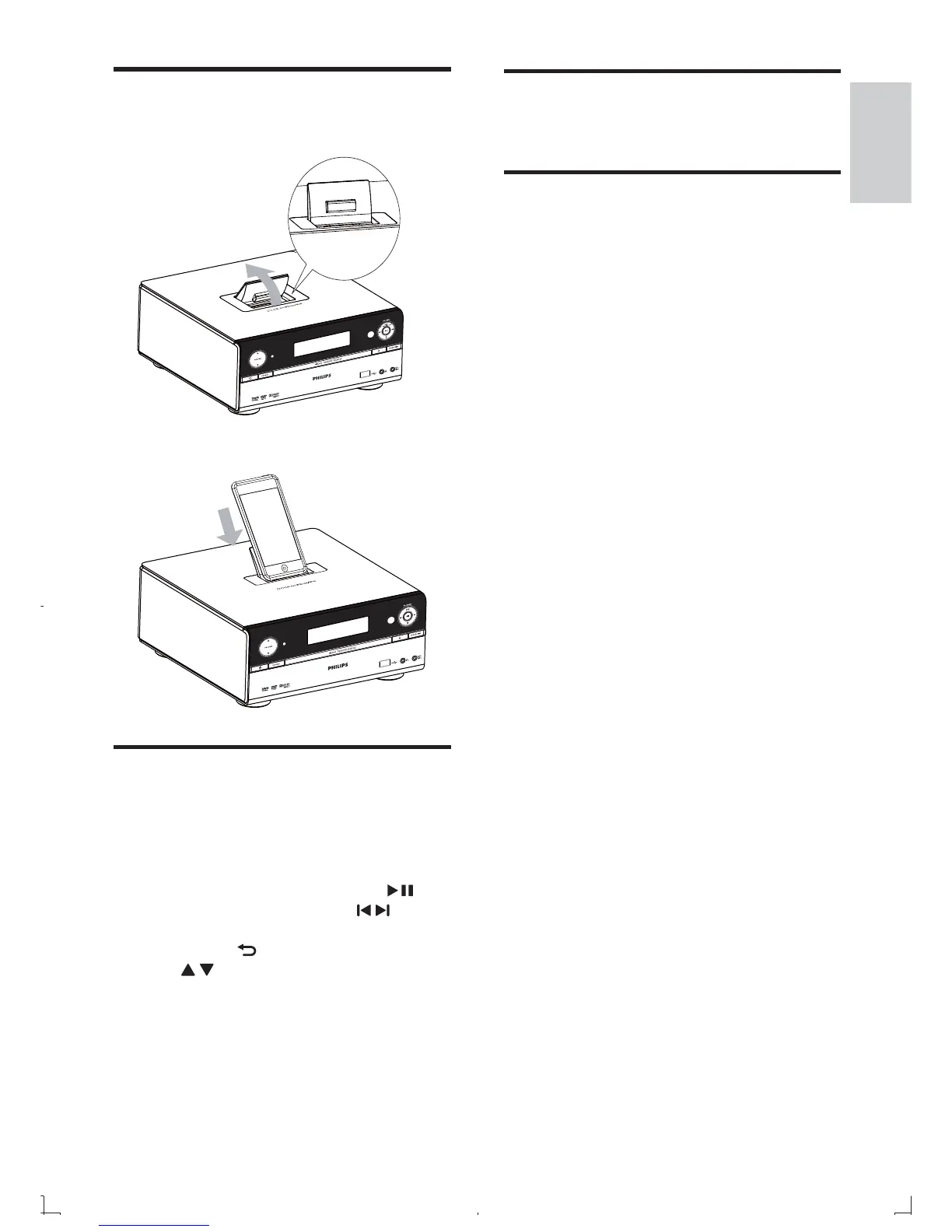
Load the iPhone/iPod
1
Lift up the iPhone/iPod dock on top panel
until you hear a click.
2 Place the iPhone/iPod in the dock.
Listen to the iPhone/iPod
1
Press iPhone/iPod to select iPhone/iPod
source.
2 Load your iPhone/iPod onto this apparatus.
3 Play the desired le on your iPhone/iPod.
To pause/resume play, press •
.
To skip to a track, press •
/ .
To navigate the menu: press •
MENU/
to access the menu, press
/ to select an item, and then
press OK to con rm.
English
EN



 To Next Page