14 EN
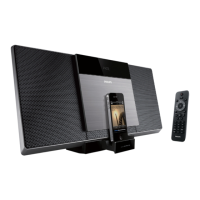
Listen to the iPod/iPhone
1 Make sure that the iPod/iPhone is loaded
correctly.
2 Press
SOURCE
repeatedly or
DOCK
on
the remote control to select iPod/iPhone
source.
3 Play tracks in the iPod/iPhone.
To pause/resume play, press
.
To skip to a track, press
/ .
To search during play, press and hold
/ , then release to resume
normal play.
To go back to the previous iPod/
iPhone menu, press MENU.
To scroll through the menu, press
/
.
OK.
Remove the iPod/iPhone
Pull the iPod/iPhone out of the dock.
Charge the iPod/iPhone
When the unit is connected to power, the
docked iPod/iPhone begins to charge.
Tip
For certain iPod models, it may take up to a minute
before the charging indication appears.
Play options
Pause/resume play
During play, press to pause/resume play.
1 During play, press
REPEAT
/
SHUFFLE
repeatedly to select:
: play the current track repeatedly.
(for MP3/WMA only): play all
tracks in this album repeatedly.
: play all tracks repeatedly.
: play all tracks randomly.
2 To resume normal play, press
REPEAT
/
SHUFFLE
repeatedly until the
above icons disappear.
Skip to a track
For CD:
Press
/ to select another track.
For MP3 disc and USB:
1 Press / to select an album or a folder.
2 Press /
Tip
To select a track directly, you can also press a key on
the numerical keypad.
Search within a track
1 During play, press and hold / .
2 Release to resume normal play.
Program tracks
You can program a maximum of 20 tracks.
1 In CD or USB mode, press to stop
playback.
2 Press PROG to activate the programming mode.
» [PROG] (program) is displayed.
3 For MP3/WMA tracks, press /
repeatedly to select an album.
Downloaded From Disc-Player.com Philips Manuals



 To Next Page