8
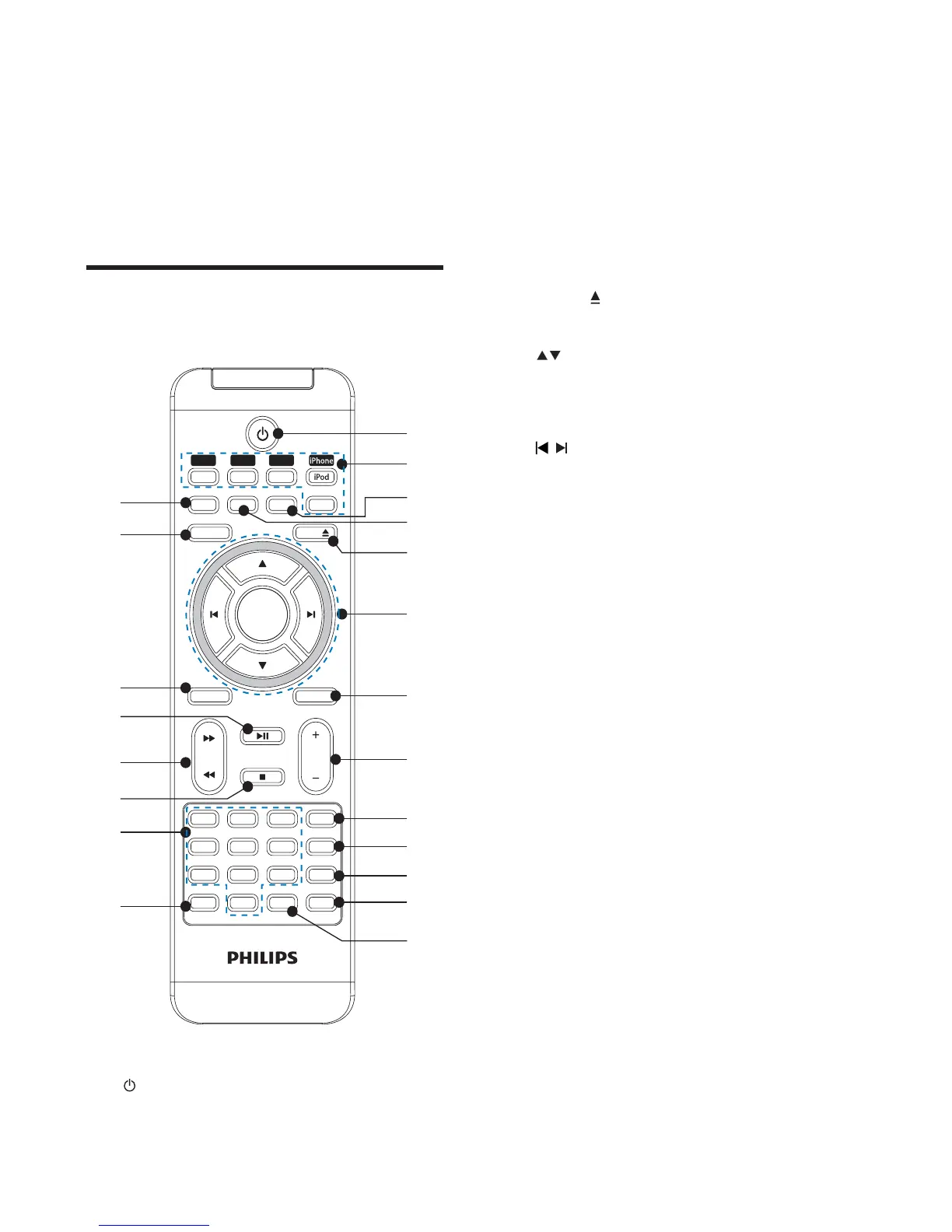
b Source selection keys (CD, USB,
781(5L3KRQHL3RG03/,1.
Select a source: CD, USB, TUNER,
iPhone/iPod or MP3 LINK.
c SHUFFLE
Play tracks randomly.
d REPEAT
Select a repeat play mode.
e EJECT
Eject the disc.
f
Skip to the previous/next album.
Navigate through the iPod/iPhone
menu.
/
Skip to the previous/next track.
Navigate through the iPod/iPhone
menu.
Tune to a radio station.
OK
&RQÀUPDVHOHFWLRQ
g MUTE
Mute volume.
h VOL +/-
Adjust volume.
i SUB.VOL
Adjust subwoofer volume.
j DISPLAY
During play, select display
information.
k TIMER
Set the alarm timer.
Activate or deactivate the timer.
l DBB
Turns on or off dynamic bass
enhancement.
m DSC
Select a preset sound setting.
n PROG/CLOCK
Program tracks.
Program radio stations.
Set the clock.
m - PRESET +
Select a preset radio station.
Skip to the previous/next album.
n SUB VOLUME
Adjust subwoofer volume.
o Disc compartment
Overview of the remote
control
a
Turn on the apparatus, or switch to
standby mode.
VOL
SLEEP
MUTE
TUNER
MP
3
LINK
MENU
EJECT
DSC
DISPLA Y
OK
LIVING SOUND
DBB
TIMER
SUB.VOL
SHUFFLEREPEA TPROG
USBCD
8
5
2
7
4
1
0
6
3
9
CLOCK
a
c
n
o
p
t
u
r
s
q
e
d
f
b
g
h
i
j
k
l
m
EN



 To Next Page