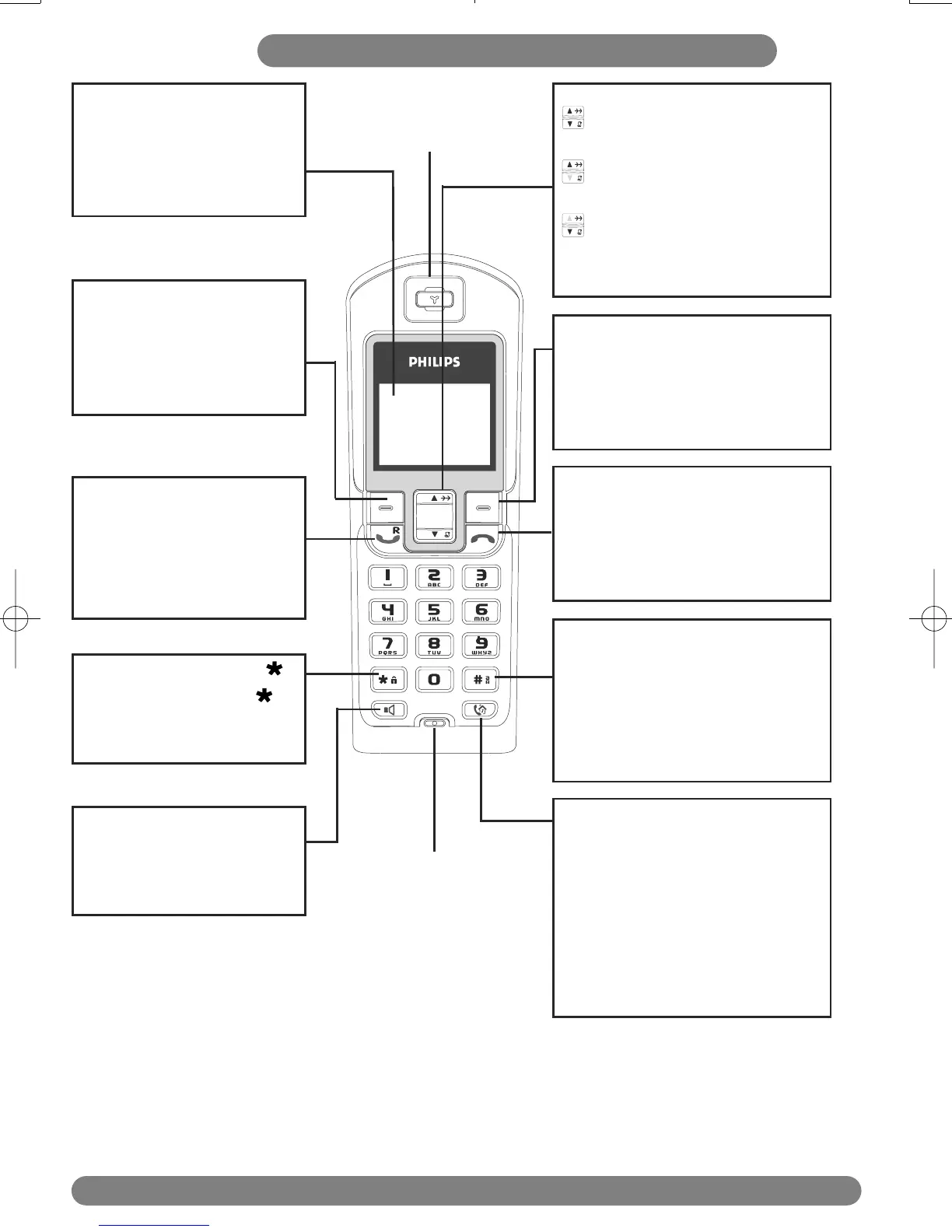
DECT 623 / DECT 627 handset
2
Colour Display
Headline : shows icons and
current menu operation.
Soft key line : shows
contextual menus.
Earpiece
Loudspeaker*
- Short press to take the line
and to activate the handset
loudspeaker during a call.
Keypad lock & insert
- Short press to insert
- Long press to lock/unlock
the keypad in idle mode.
Case mode & insert #
- Short press to insert #.
- Press to change case mode when
editing.
- Long press to insert a pause (P)
when dialling.
Intercom / Call transfer
- Short press to initiate an internal
call.
- Short press during internal call to
transfer the call or switch between
internal call and external call.
- Short press to answer an internal
call.
Right Soft key
- Short press to access the
Phonebook from idle mode.
- Short press to select contextual
menu.
DECT 623/DECT 627 Handset
Pick-up & Recall key
- Press to take the line and
answer a call.
- To insert R for operator
services when on line.
Hang-up key
- A short press to hang-up the line
or to exit (return to idle mode).
- A long press to power off the
handset.
Left Soft key
- In idle mode, short press to
access the main menu.
- Short press to select
contextual menu.
Navigation keys
Scroll to move through the
menus & options
Scroll up to access the Redial
list from idle mode
Scroll down to access the
Call log/SMS messages from idle
mode
*Warning : Handsfree activation could suddenly increase the volume in the earpiece to a very high
level. Make sure the handset is not too close to your ear.
Microphone



 To Next Page