
 Need help?
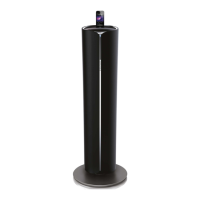
Do you have a question about the Philips DTM5095 and is the answer not in the manual?
Essential safety guidelines for operating the apparatus.
Guidance on environmentally responsible product disposal and recycling.
Lists all the components included in the product package.
Overview of the unit's capabilities and sound enhancement features.
Instructions for connecting the FM antenna to the main unit.
Instructions on how to play audio from a CD.
How to play audio content from Apple devices via the docking system.
How to pause and resume music playback.
How to stop music playback.
Instructions for navigating between tracks on CDs and USB devices.
How to fast forward or rewind within a playing track.
How to enable repeat or shuffle playback modes for tracks.
Steps to manually tune into radio stations and find optimal reception.
How to save radio stations to preset memory slots.
Instructions for automatically scanning and storing available radio stations.
How to recall and play a previously saved radio station.
How to view Radio Data System (RDS) information for FM stations.
How to increase or decrease the main volume level.
How to control the bass level via the subwoofer volume.
How to choose from various EQ presets like Jazz, Pop, or Rock.
How to activate or deactivate the Dynamic Bass Boost (DBB) feature.
How to enable or disable the Living Sound effect for an immersive audio experience.
How to set the unit to automatically switch to standby after a set time.
How to turn off the sleep timer function.
Instructions for using the unit as an alarm clock.
How to turn the alarm timer on or off.
Technical details of the amplifier, disc, tuner, speakers, and general information.
Details on compatible USB devices and supported file formats.
Steps to diagnose and resolve issues related to the unit not powering on.
Troubleshooting steps for audio playback problems.
Solutions for when the unit is unresponsive to controls.
Steps to troubleshoot issues with the remote control not functioning.
 General
| Brand | Philips |
|---|---|
| Model | DTM5095 |
| Category | Docking entertainment system |
| Language | English |

 To Next Page