8 EN
• Set the alarm timer.
m DSC
• Select a preset sound setting.
n DBB
• Turn the Dynamic Bass Boost (DBB)
on/off.
o REPEAT/SHUFFLE
• Select repeat/shufe play mode.
p Living Sound
• Turn the Living Sound effect on/off.
q DOCK/BT
• Select iPod/iPhone/iPad source.
• Select Bluetooth source.
r PRESET/ALBUM /
• Select a preset radio station.
• Skip to previous/next album.
• Navigate through the iPod/iPhone/iPad
menu.
s TUNER/RDS
• Select FM source.
• Display Radio Data System (RDS)
information.
3 Get started
Caution
• Use of controls, or adjustments or performance of
procedures other than herein may result in hazardous
radiation exposure or other unsafe operation.
Always follow the instructions in this chapter in
sequence.
If you contact Philips, you will be asked for the
model and serial number of this device. The
model number and serial number are on the
back of the device. Write the numbers here:
Model No. __________________________
Serial No. ___________________________
Connect FM antenna
Tip
• For optimal reception, fully extend and adjust the
position of the antenna.
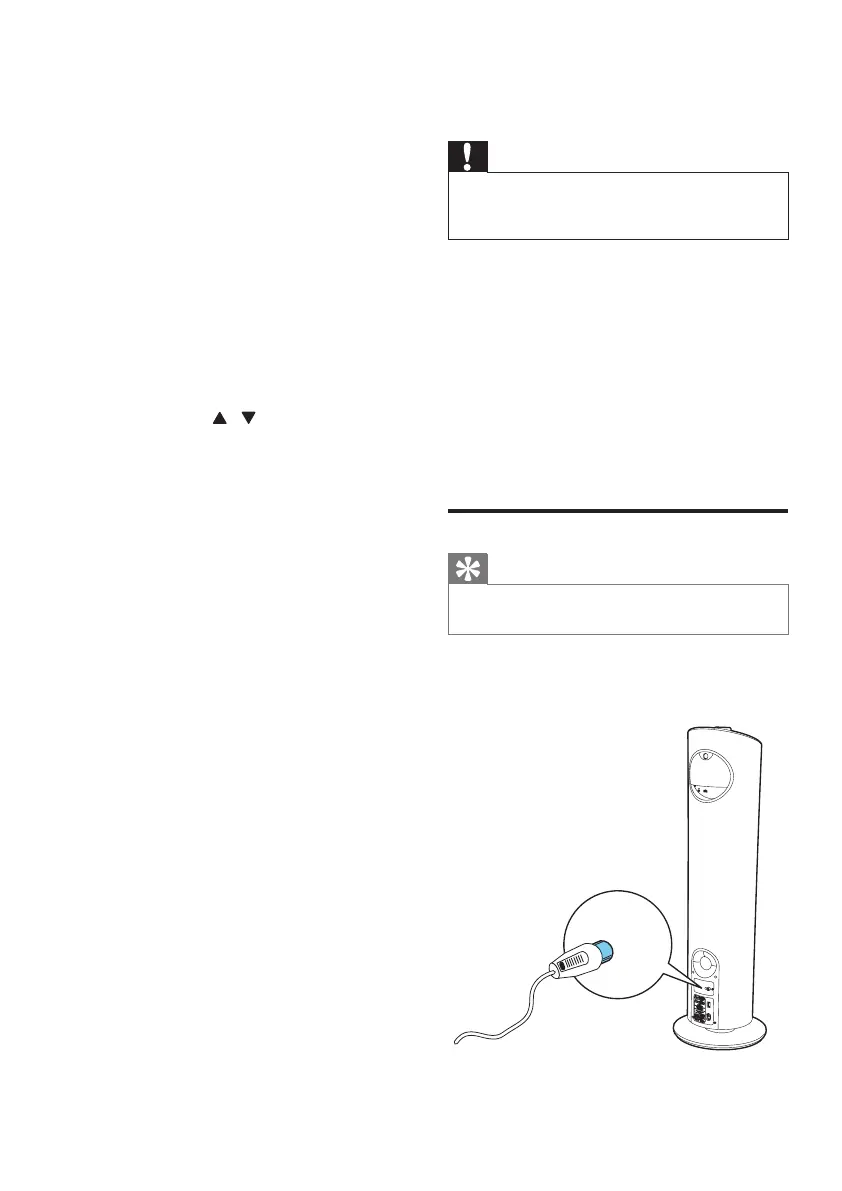
Connect the supplied FM antenna to the FM
AERIAL jack on the back of the main unit.


 To Next Page