English
19
Connections (Continued)
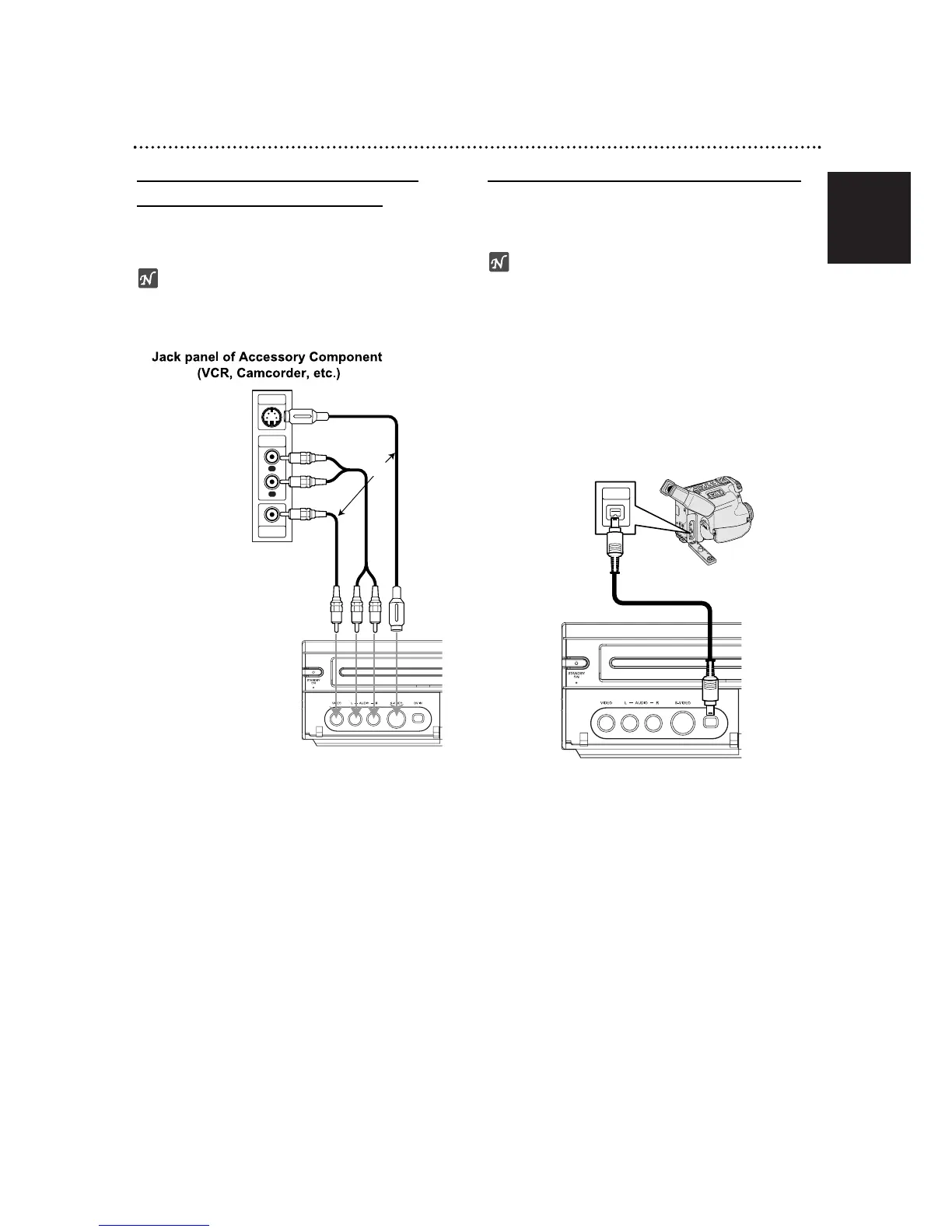
Accessory Audio/Video (A/V)
Connections to Recorder
Connect the input jacks (AV3) on the Recorder to the
audio/video out jacks on your accessory component,
using audio/video cables.
ote
If you use the S-VIDEO IN jack on the front panel, the
VIDEO IN jack on the front panel is not available.
Connecting a Digital Camcorder
Use a DV cable (not supplied) to connect the DV in/out
jack of your DV camcorder/video deck to the front panel
DV IN jack of this recorder.
ote
This jack is for connection to DV equipment only. It is
not compatible with digital satellite tuners or D-VHS
video decks.













 To Next Page