11
Note
For disc recorded in multiple sessions, only the first •
session is played.
For a WMA file that is protected by Digital Rights
•
Management (DRM), it cannot be played on this product.
This product does not support MP3PRO audio format.
•
For any special character that is present in the MP3 track •
name (ID3) or album name, it might not be displayed
correctly on the screen because these characters are not
supported.
Folders/files that exceed the supported limit of this
•
product cannot be displayed or played.
Play photo
Play photo as slideshow
You can play JPEG photos (files with .jpeg or .jpg
extensions).
1 Insert a disc or USB flash drive that contains
the JPEG photos.
For USB, press • .
Slideshow begins (for Kodak disc), or a »
contents menu (for JPEG disc) is displayed.
2 Select a photo, and then press OK to start
slideshow.
For a photo recorded with the “exif ” »
format, the display orientation is
automatically optimized.
To display photos in color (fun mode) or in black •
and white (simple mode), press DISC MENU.
To preview the photos in thumbnail, press •
INFO.
To select a photo, press the • Navigation
buttons.
To enlarge the selected photo and start •
slideshow, press OK.
To return to the menu, press • BACK.
Note
It may require longer time to display the disc content •
on the TV due to the large number of songs/photos
compiled onto one disc/USB flash drive.
If the JPEG photo is not recorded with an ‘exif’ type file, the
•
actual thumbnail picture cannot be shown on the screen. It
is replaced by a ‘blue mountain’ thumbnail picture.
This product can only display digital camera pictures
•
according to the JPEG-EXIF format, typically used by
almost all digital cameras. It cannot display Motion JPEG,
or pictures in formats other than JPEG, or sound clips
associated with pictures.
Folders/files that exceed the supported limit of this
•
product cannot be displayed or played.
Control photo play
1
Play a photo slideshow.
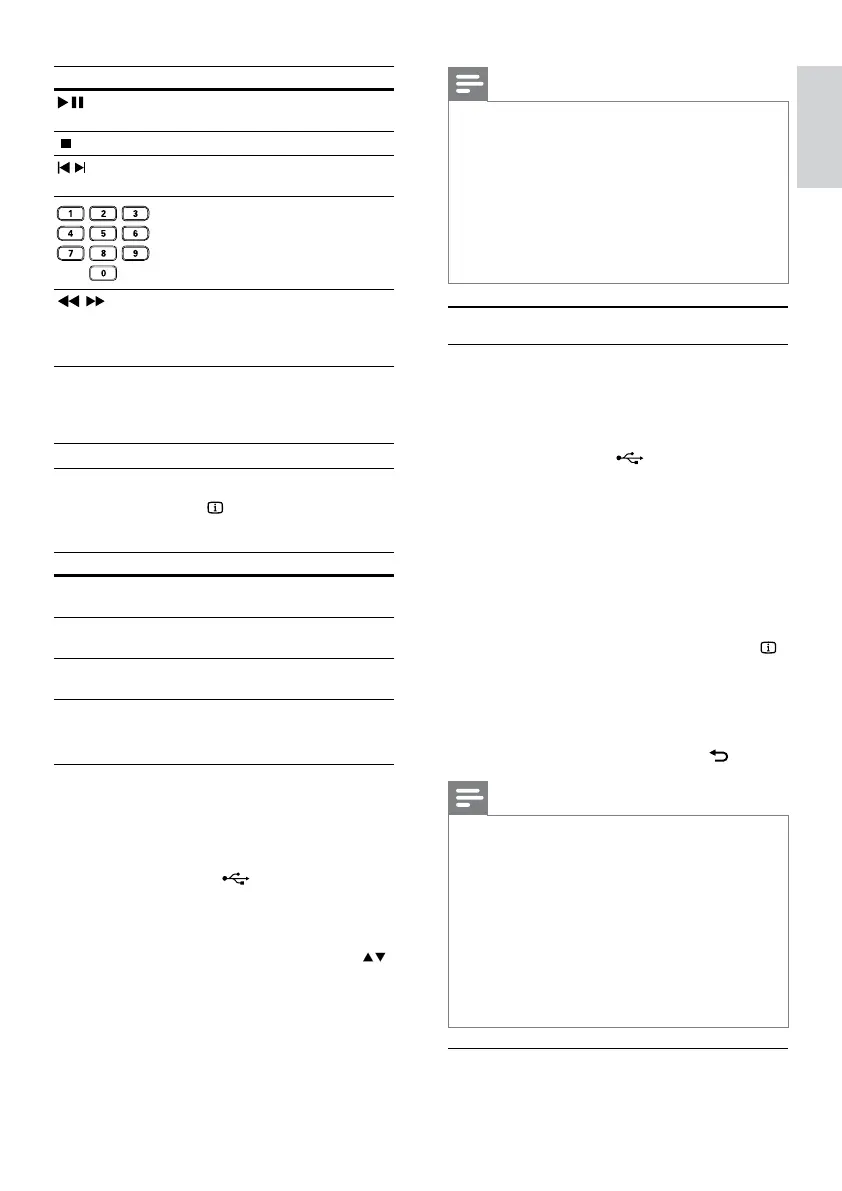
Button Action
Start, pause or resume disc
play.
Stop disc play.
,
Skip to a previous/next
track.
Select an item to play.
,
Searches fast-backward
or fast-forward. Press
repeatedly to change the
search speed.
REPEAT Select or turn off repeat
mode.
Repeat options may vary
from disc type.
Quick skip play
1
During play, press INFO repeatedly to
select an option.
Display Action
[Disc Go To] Skip play to a specific time
within the disc.
[Track Go To] Skip play to a specific time
within a track.
[Select Track] Skip play to a specific track
number.
2 Press the numeric buttons to change the time/
number to skip to.
Play MP3/WMA music
MP3/WMA is a type of highly compressed audio file
(files with .mp3, .wma extensions).
1 Insert a disc or USB flash drive that contains
the MP3/WMA music.
For USB, press • .
A contents menu is displayed. »
2 If play does not automatically start, select a
track to play.
To select another track/folder, press • ,
then press OK.
English
EN


 To Next Page