English
17
Product Overview
Front and Rear Panels
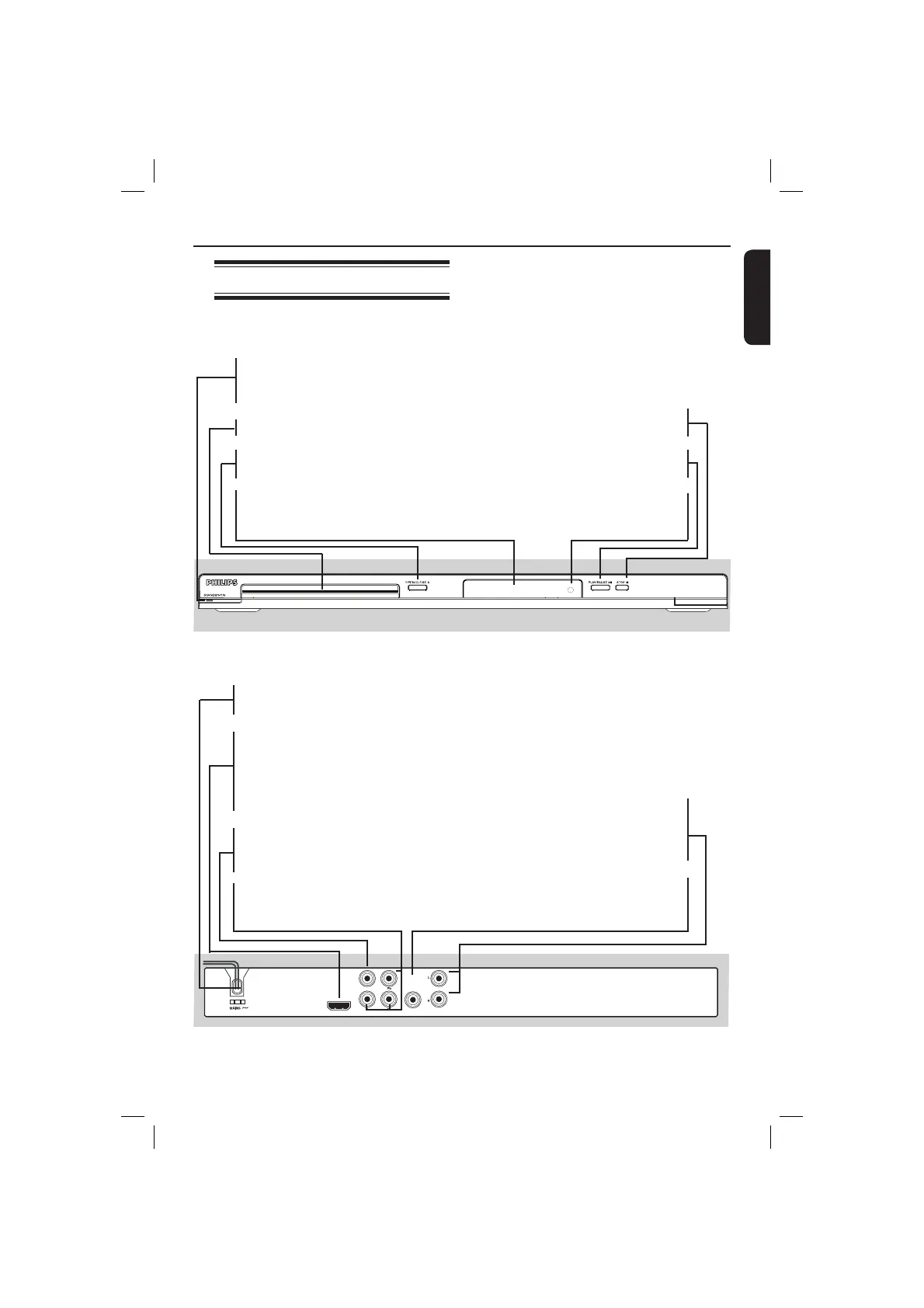
STANDBY-ON 2
– Turns on the player or switches
to standby mode
Disc Tray
OPEN/CLOSE
ç
– Opens or closes the disc tray.
Display panel
– Shows information about the
current status of the DVD player.
STOP
– Stops playback
PLAY/PAUSE u
– Starts or pauses playback.
IR Sensor
– Point the remote control towards
this sensor
AUDIO OUT
DIGITAL
OUT
TV OUT
COAXIAL
COMPONENT VIDEO OUT
HDMI OUT
Mains ~ (AC Power Cord)
– Connect to a standard AC outlet
HDMI OUT
– Connect to HDMI compatible
device (example: LCD/Projector/
Plasma/Projection TV, HDTV or
receiver)
TV OUT (CVBS)
– Connect to CVBS Video input of
a television
YPbPr (Component Video Out)
– Connect to YPbPr input of a
television
Audio Out (Left/Right)
– Connect to AUDIO inputs of an
ampli er, receiver or stereo
system
COAXIAL (Digital audio out)
– Connect to coaxial AUDIO input
of a digital audio equipment
01-53_dvp3960_37_eng2.indd 1701-53_dvp3960_37_eng2.indd 17 2006-12-28 11:24:42 AM2006-12-28 11:24:42 AM



 To Next Page