65BDL4052E/75BDL4052E/86BDL4052E
35
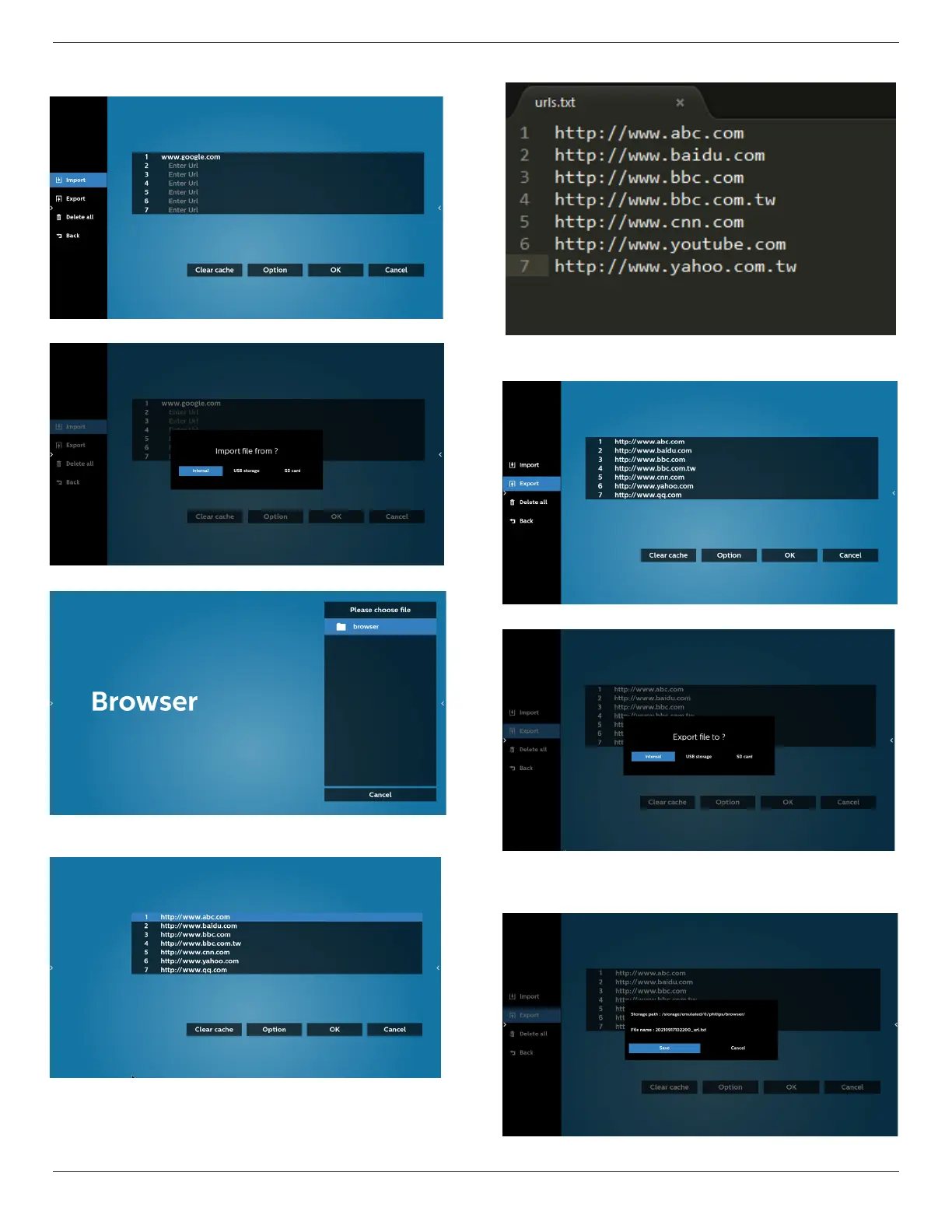
5.1 Import
• Select import.
• Select the storage where the le will be imported from.
• Select a browser le
• Import the browser le and the URL will be listed on the
screen.
• The le format supported for import is “.txt”.
5.2 Export:
• Select export
• Select the storage where the le will be exported to.
• A dialog box displays the path of the le to be saved as
well as the le name. Press the “Save” button to save the
URL.







 To Next Page