EasyManua.ls Logo

Philips EP4010 - User Manual

Philips EP4010
25 pages
Print Icon
To Next Page IconTo Next Page
Loading...
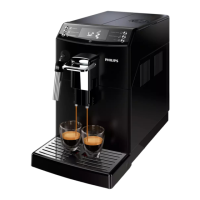
4000 series
Super automatic
espresso machine
EN
USER MANUAL
EP4010
4219.460.3764.1 PHILIPS4000 CMF_FRONT-BACK_A5_WE.indd 1 22-11-16 11:16

Questions and Answers

  • A
    Amber LewisAug 30, 2025
    What to do if my Philips Coffee Maker dispenses no hot water or steam?
    • M
      Margaret RobertsAug 30, 2025
      If no hot water or steam is dispensed from your Philips Coffee Maker, the hole of the steam/hot water wand may be clogged. Clean the hole of the steam wand using a pin. Descale the machine.
  • L
    Lawrence Obrien MDSep 8, 2025
    What to do if I cannot pull out the key from Philips Door locks?
    • K
      Karen BakerSep 8, 2025
      If you cannot pull the key out from the Keyhole of your Philips Door locks, disassemble the lock, then rotate to pull out the key and re-install the lock. Do not insert the key when you are installing.
  • J
    Jerry PittmanAug 29, 2025
    Why is there no picture on my Philips Monitor?
    • M
      michelemartinezAug 29, 2025
      There are several reasons why your Philips Monitor might not be displaying a picture: 1. The power cord might be disconnected; plug it in. 2. The main power switch on the back of the display might not be switched on; ensure it is on. 3. The selected input might have no connection; connect a signal to the display. 4. The display might be in standby mode.
  • J
    Jessica WilliamsSep 18, 2025
    Why does my Philips soundbar keep turning off?
    • J
      Jessica FischerSep 18, 2025
      If your Philips soundbar turns off unexpectedly, and the unit’s external input signal level is too low, the unit will turn off automatically after 15 minutes. Increase the volume level of your external device.
  • C
    Carl BlevinsSep 9, 2025
    Why Philips Door locks does not smoothly lock or unlock while using the Thumb Turn?
    • S
      Sarah WallaceSep 9, 2025
      If the Philips Door locks does not smoothly lock or unlock while using the Thumb Turn, conžrm the Mounting Screws are properly installed.
  • J
    jordansawyerSep 12, 2025
    How to resolve Error Code 5 on my Philips Coffee Maker?
    • S
      samantha11Sep 13, 2025
      If your Philips Coffee Maker displays Error Code 5, it indicates a water circuit error. This can be due to air in the water circuit. To resolve this, remove and reinsert the water tank a few times, ensuring it's properly seated and that the compartment is clean. If you have an Intenza+ filter installed, remove it, turn the machine off and back on, and then reinsert the filter when prompted.
  • H
    hmorganSep 18, 2025
    Why is the Bluetooth audio quality poor on my Philips Speaker System?
    • A
      Amanda LopezSep 18, 2025
      If the audio quality from a connected Bluetooth device to your Philips Speaker System is poor, it could be due to poor Bluetooth reception. Try moving the device closer to the soundbar or removing any obstacles between the device and the soundbar.
  • J
    Jason ArnoldAug 27, 2025
    How to reset Master PIN Code on Philips Door locks?
    • L
      Leroy WelchAug 27, 2025
      If you forgot your Master PIN Code for your Philips Door locks, perform a factory reset. This will clear all PIN codes, and the Master PIN Code will revert to the default: 12345678.
  • M
    Miss Jessica SmithAug 26, 2025
    Why can't my device connect to my Philips Speaker System soundbar?
    • B
      Brian GallowayAug 26, 2025
      If a device cannot connect with your Philips soundbar, it might be due to several reasons. The device may not support the compatible profiles required for the soundbar. Ensure you have enabled the Bluetooth function of the device (refer to the device's user manual). Also, check if the device is correctly connected. If the soundbar is already connected to another Bluetooth device, disconnect that device and try again.
  • K
    kayla45Aug 25, 2025
    How to fix a Philips Coffee Maker that does not turn on?
    • F
      Fred ChenAug 26, 2025
      If your Philips Coffee Maker doesn't turn on, ensure it's properly connected to the electric network and that the power button is switched to the “I” position.

Philips EP4010 Specifications

General IconGeneral
BrandPhilips
ModelEP4010
CategoryTV
LanguageEnglish

Related product manuals