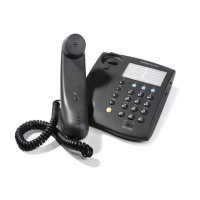
ErgoLine D310/320
Customer Engineer Manual
Page 5-10
Programming
For full programming instructions, see the userguide.
It is also possible for the system engineer to protect the D320 against unauthorised
programming. This is done as described below:
Terminal (Un)locking of the D320
Terminal locking offers the possibility to block
•
programming of the EAZ only, or
•
programming of any parameters of the terminal by unauthorised users.
Locking of EAZ:
•
press PROGRAM key
•
press “159”
•
press PROGRAM key
•
press “1” to lock EAZ programming
•
press PROGRAM key.
It is now not possible to change the EAZ.
Unlocking of EAZ:
•
press PROGRAM key
•
press “159”
•
press PROGRAM key
•
press “0” to unlock EAZ programming
•
press PROGRAM key.
Locking of all programming
•
press PROGRAM key
•
press “159”
•
press PROGRAM key
•
press “9” to lock all programming
•
press PROGRAM key.
It is now not possible to change any setting of the terminal.
Unlocking of all programming:
•
disconnect terminal
•
press ‘4’ and ‘6’ key simultaneously while reconnecting the terminal.


 To Next Page