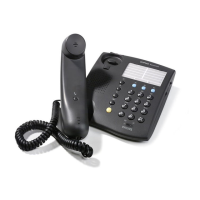
ErgoLine D330/D340
Customer Engineer Manual
Page 1-3
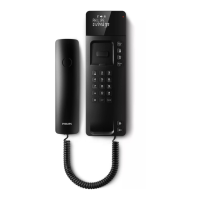
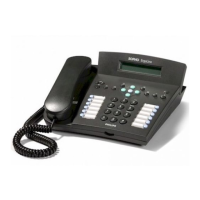
ErgoLine D340
User Features
•
Tiltable 4x40 alphanumeric display
•
Handset volume control
•
12 key numeric keypad, all of which can also be used as speed-dial keys
•
Last number redial (10 numbers)
•
Last unanswered calls (15 numbers)
•
Loudspeaker (for hands free)
•
Microphone (for hands free)
•
Loudspeaker volume control
•
Ringer volume and ringer pitch control
•
Context sensitive soft keys near the display
•
Headset mode (the headset is connected via a splitter, which can be
ordered)
•
Off-line number preparation
•
Executive / secretary group functionality
•
Status monitoring of group members
•
Auto-answering mode
•
Intercom operation
•
Personal name and number directory (100 names)
•
Messaging
•
Real time charging info (in currency)
•
136 memories consisting of
•
100 name/number directory
•
12 dual level memory keys
•
Keypad keys
•
Help (context sensitive)
Keys
•
Fixed function keys
•
volume control keys
•
hold (including LED)
•
loudspeaker (including LED)
•
microphone mute (including LED)
•
last number redial
•
shift key (including LED) for second level memory access
•
help key
•
exit key
•
backspace key
•
4 cursor keys for scrolling through information up/down and horizontally
•
OK key
•
12 programmable keys, each of which can be programmed with 2 speed-dial
numbers or 2 functions, or 1 function and 1 speed-dial number. Each key has
an associated LED (Note: The LED indication is only used with Level 0.)
•
12 key numeric keypad


 To Next Page