Diagnostic software
EN 21S/SD/HD 3.1 PDP 5.
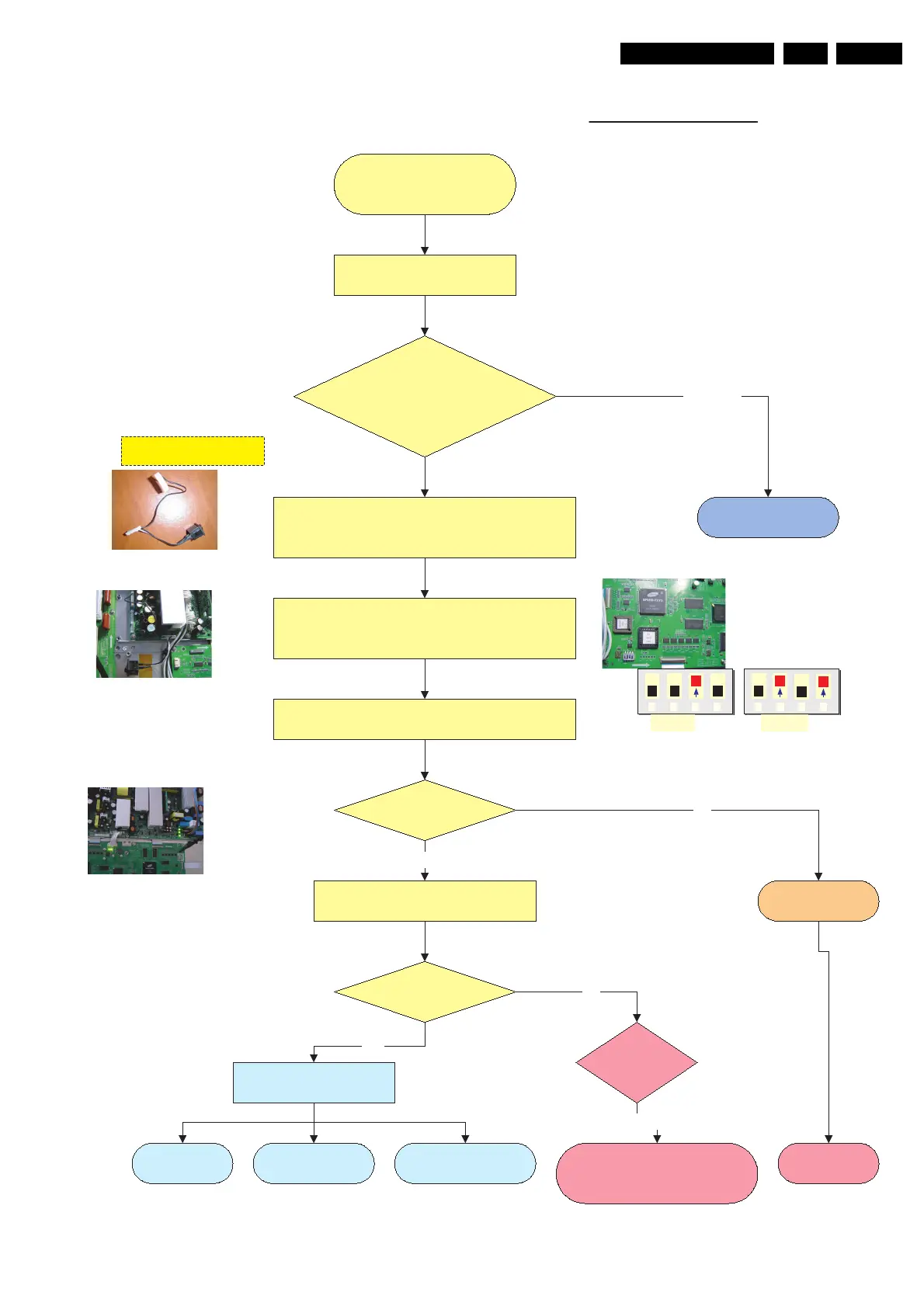
Figure 5-8
Repair 42" & 50" SDV3
as Stand alone
Check PDP type number
PDP identification =
S37SD-YD02 or YB01?
S42SD-YD05 or YB03?
S42AX-XD02 or XB01?
S50HW-XD03 or XB02?
Disconnect and remove SSB FTP2.2
or LC4.7 board.
Remove plastic Frame to have acces to all boards
Connect Jig connector with switch to Sub Supply
CN9004 / CN9005
Set DIP switch 3 to internal mode
Position of DIP Switch Int or Ext is indicated on board
Repair Scenario SDI PDP panels as stand alone V3 & V4 versions
Connect set to Mains
CN8001 on Power Supply (use mains filter)
Switch Jig connector switch on
Green Stby LED
8003 is on ?
Green LED 8001
& 8002 are on?
Ye s
Go to V2 repair scenario
Other PDP
type
Standby Supply
is defective
Replace Power
supply board
No
Go to fault finding part
Ye s
Go to operating voltages
don´t exist repair procedure for V3/V4
Versions.
Switch on via Jig connector switch.
Protection
LED8004 is on?
Ye s
No
No Display Abnormal Display
Some horizontal or
Vertical Lines don´t exist
1 2 3 4 1 2 3 4
Internal External
1 2 3 4 1 2 3 4
Internal External
3122 785 90770





 To Next Page