EasyManua.ls Logo

Philips FR 940 - Remote Control

Philips FR 940
14 pages
Print Icon
To Next Page IconTo Next Page
To Previous Page IconTo Previous Page
Loading...
REMOTE
CONTROL
ysij6uq
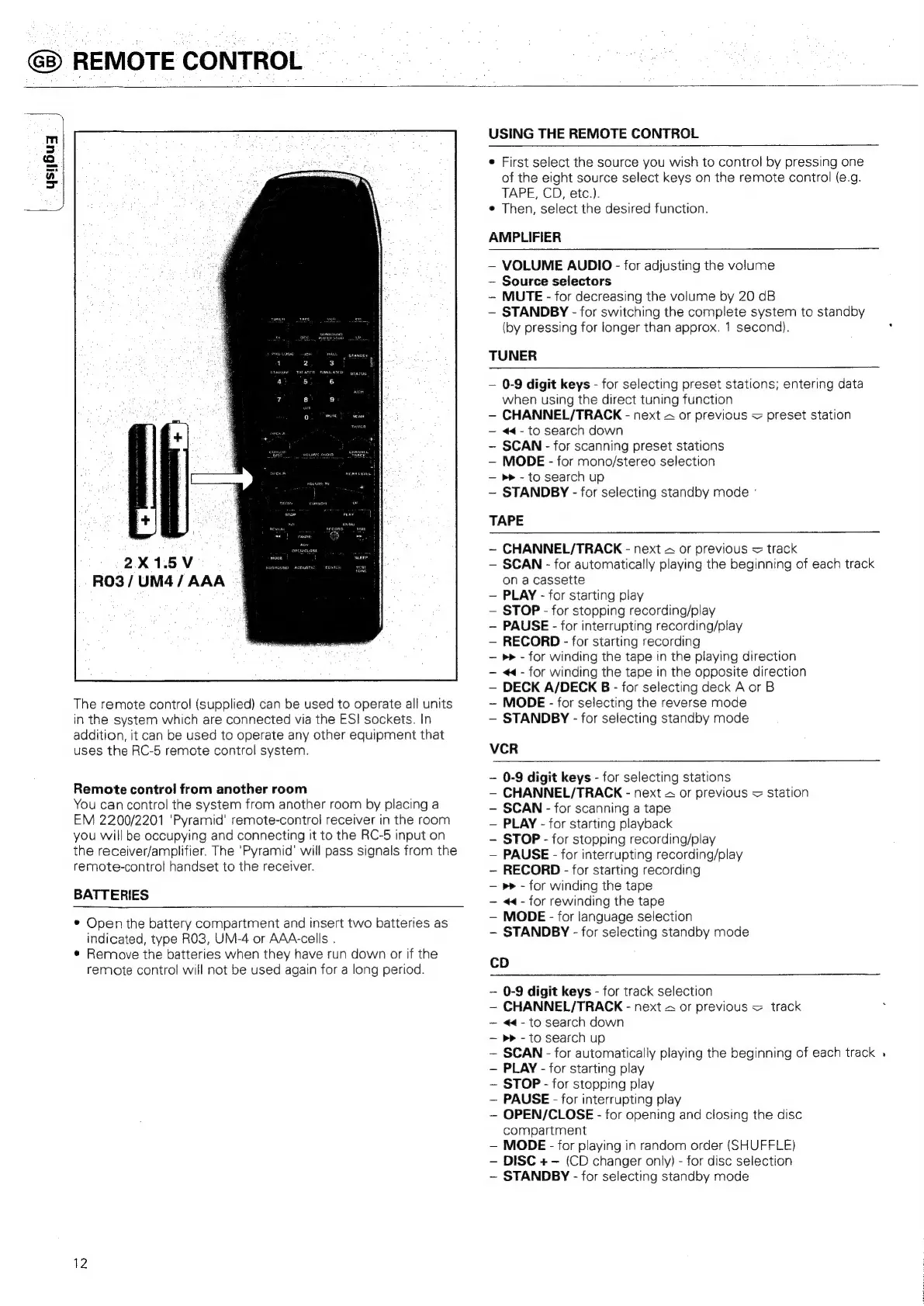
2X1.5V
RO3
/UM4/
AAA
The
remote
control
(supplied)
can
be
used
to
operate
all
units
in
the
system
which
are
connected
via
the
ES!
sockets.
In
addition,
it
can
be
used
to
operate
any
other
equipment
that
uses
the
RC-5
remote
control
system.
Remote
control
from
another
room
You
can
control
the
system
from
another
room
by
placing
a
EM
2200/2201
‘Pyramid’
remote-control
receiver
in
the
room
you
will
be
occupying
and
connecting
It
to
the
RC-5
input
on
the
receiver/amplifier.
The
'Pyramid'
will
pass
signals
from
the
remote-control
handset
to
the
receiver.
BATTERIES
©
Open
the
battery
compartment
and
insert
two
batteries
as
indicated,
type
RO3,
UM-4
or
AAA-cells
.
¢
Remove
the
batteries
when
they
have
run
down
or
if
the
remote
control
will
not
be
used
again
for
a
long
period.
12
USING
THE
REMOTE
CONTROL
e
First
select
the
source
you
wish
to
control
by
pressing
one
of
the
eight
source
select
keys
on
the
remote
control
(e.g.
TAPE,
CD,
etc.).
e
Then,
select
the
desired
function.
AMPLIFIER
VOLUME
AUDIO
-
for
adjusting
the
volume
Source
selectors
MUTE
-
for
decreasing
the
volume
by
20
dB
STANDBY
-
for
switching
the
complete
system
to
standby
(by
pressing
for
longer
than
approx.
1
second).
TUNER
0-9
digit
keys
-
for
selecting
preset
stations;
entering
data
when
using
the
direct
tuning
function
CHANNEL/TRACK
-
next
~
or
previous
=
preset
station
<4-
to
search
down
SCAN
-
for
scanning
preset
stations
MODE
-
for
mono/stereo
selection
>>
-
to
search
up
STANDBY
-
for
selecting
standby
mode
°
TAPE
~
CHANNEL/TRACK
-
next
&
or
previous
=
track
SCAN
-
for
automatically
playing
the
beginning
of
each
track
on
a
cassette
PLAY
-
for
starting
play
STOP
-
for
stopping
recording/play
PAUSE
-
for
interrupting
recording/play
RECORD
-
for
starting
recording
»»
-
for
winding
the
tape
in
the
playing
direction
<<-
for
winding
the
tape
in
the
opposite
direction
DECK
A/DECK
B
-
for
selecting
deck
A
or
B
~
MODE
-
for
selecting
the
reverse
mode
STANDBY
-
for
selecting
standby
mode
VCR
-
0-9
digit
keys
-
for
selecting
stations
CHANNEL/TRACK
-
next
&
or
previous
=
station
SCAN
-
for
scanning
a
tape
PLAY
-
for
starting
playback
STOP
-
for
stopping
recording/play
PAUSE
-
for
interrupting
recording/play
RECORD
-
for
starting
recording
»»
-
for
winding
the
tape
<«<-
for
rewinding
the
tape
MODE
-
for
language
selection
STANDBY
-
for
selecting
standby
mode
CD
0-9
digit
keys
-
for
track
selection
CHANNEL/TRACK
-
next
&
or
previous
=
track
44-
to
search
down
>>
-
to
search
up
SCAN
-
for
automatically
playing
the
beginning
of
each
track
.
PLAY
-
for
starting
play
STOP
-
for
stopping
play
PAUSE
-
for
interrupting
play
OPEN/CLOSE
-
for
opening
and
closing
the
disc
compartment
MODE
-
for
playing
in
random
order
(SHUFFLE)
DISC
+
-
(CD
changer
only)
-
for
disc
selection
~
STANDBY
-
for
selecting
standby
mode