25
English
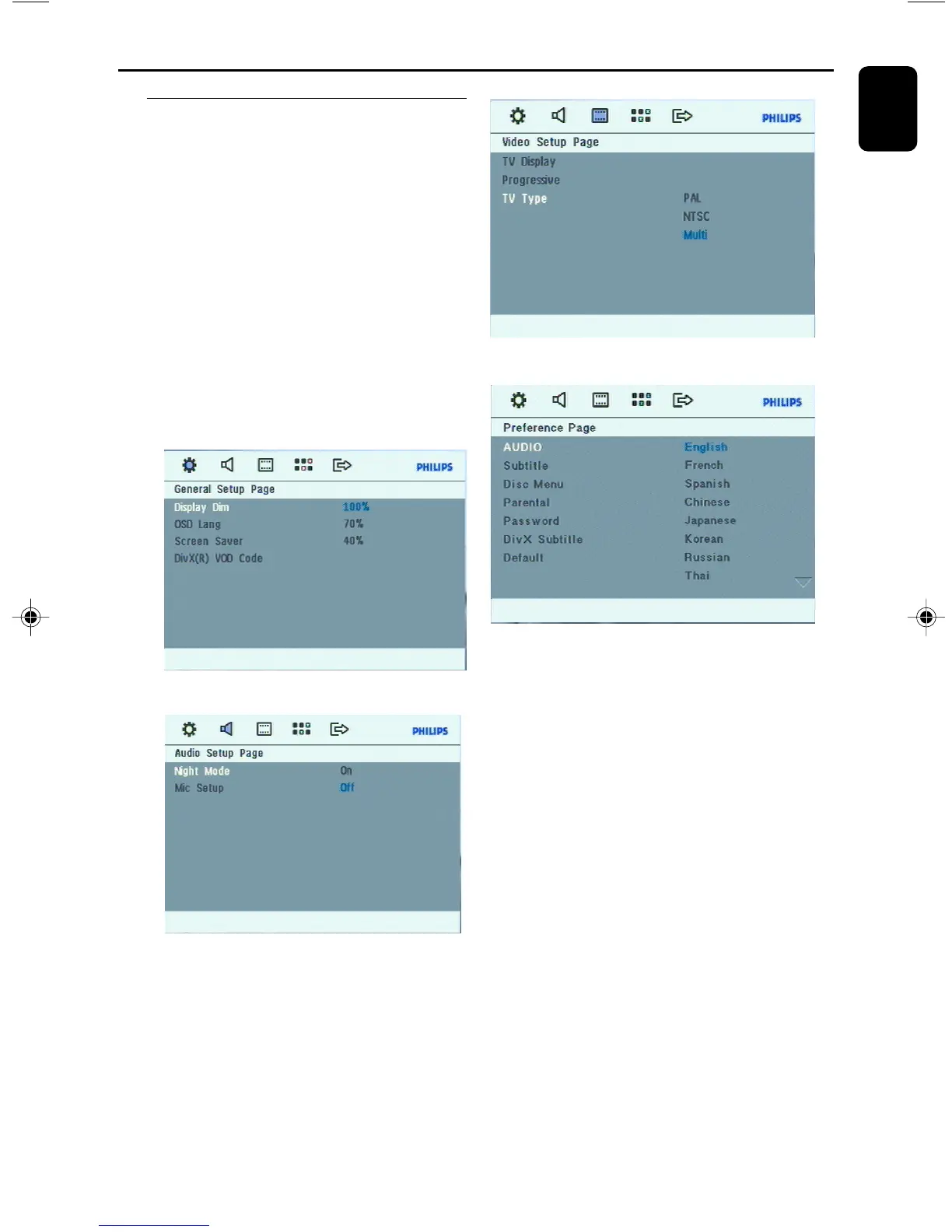
DVD Menu Operations
Using the menu (user preference
settings)
This DVD setup is carried out via your TV set,
enabling you to customize the DVD Mini Hi-Fi
System to suit your particular requirements.
1 In disc mode, press SETUP.
➜ The setup menu will appear on the TV
screen.
2 Use 5 / 4 keys to select one of the setup
menu options and press OK.
3 Press 1 / 2 / 5 / 4 on the remote control
to navigate in the menu.
4 Press OK to confirm your selection.
To remove the menu
Press SETUP again.
FWD185 final IFU ( v1.1) 1/1/32, 3:24 AM25


 To Next Page