35
English
Other Functions
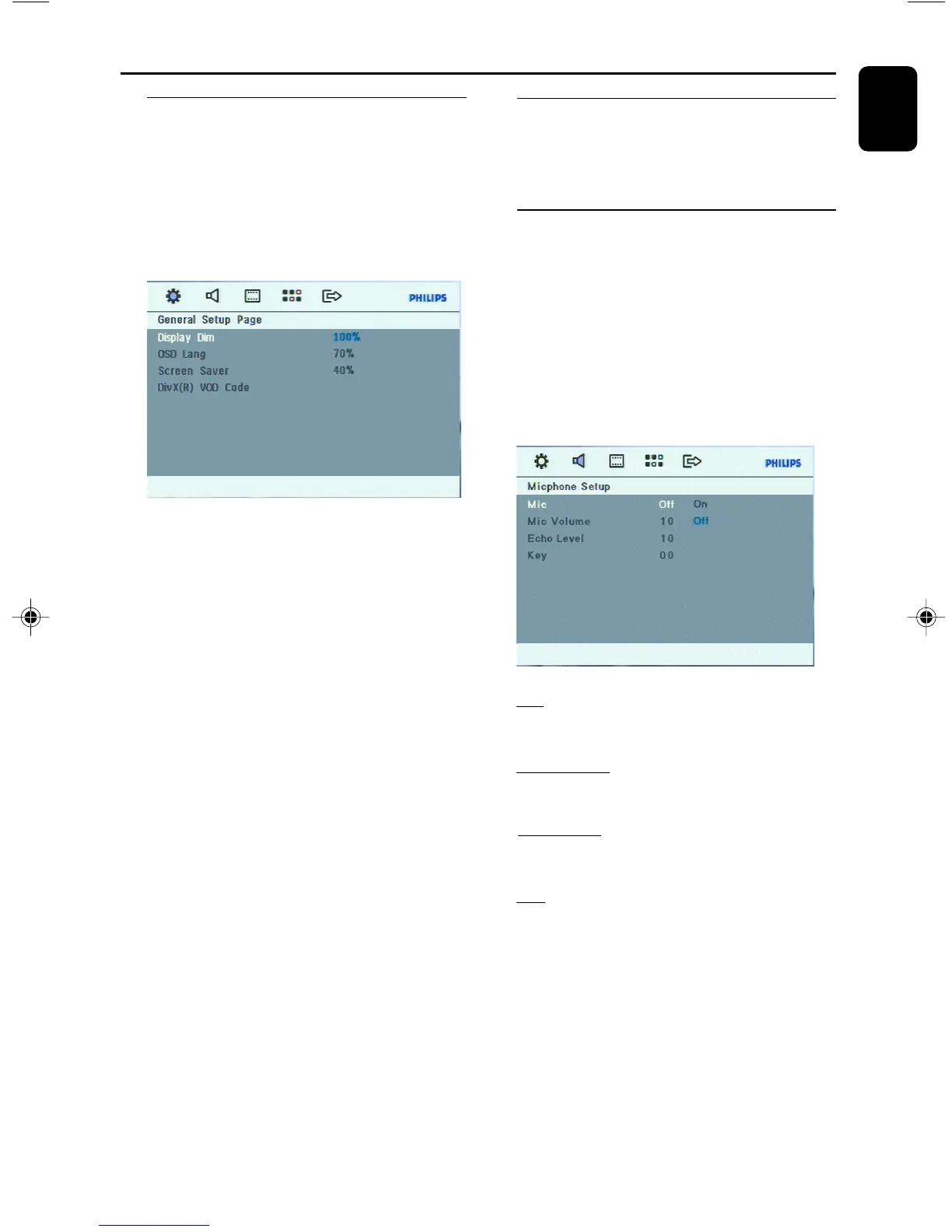
Dimming the display
● Press DIM repeatedly to select different levels of
brightness for the display: HIGH(100%),
MID(70%) or LOW(40%).
1 In disc / USB mode, press SETUP on the
remote control ,
➜ { General Setup Page } appears.
2 Press 4 to highlight {Display Dim}
3 Press 2 and 5 / 4 keys to select display .
4 press OK.
To remove the SETUP
Press SETUP again.
Vocal
This function allows you to fade out the original
vocal from a karaoke. Press AUDIO key
repeatedly to select different audio modes.
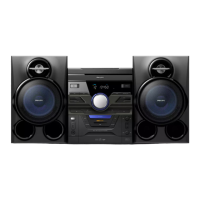
Micphone Setup
In DISC/USB source, you are allowed to enter
teh Micphone menu for setup.
1 In disc / USB mode, press SETUP on the
remote control ,
2 Press 2
➜ { Audio Setup Page } appears.
3 Press 4 to highlight {Mic Setup}
4 Press OK to enter {Micphone Setup}
Mic
- This feature allows you to turn microphone on/
off .
Mic Volume
- This feature allow you to increase/decrease
microphone volume (ranging from 00~+20).
Echo Level
- This feature allows you to add echo while
singing or talking through a microphone.
Key
- This feature allows you to change the key tone
when you play a DVD or VCD disc.
5 Press 2 and 5 / 4 keys on the remote control
to navigate in the menu .
6 Press OK to confirm your selection.
To r emove {Micphone Setup}
Press SETUP again.
FWD185 final IFU ( v1.1) 1/1/32, 3:24 AM35


 To Next Page