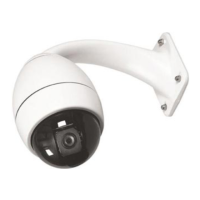
AutoDome Security
The AutoDome has password protection capability
for Advanced Menu access and "On/Off-90-Enter"
commands.
To set a password, after entering the "Off-90-Enter"
command, enter "Set-802-Enter" and follow the
instructions on the screen to set or change the
password. Passwords are four (4) digits in length and
are selected using the joystick.
The 0000 password <four zeros> is the
AutoDome's default password and allows "Off-90-
Enter" to directly unlock the Advanced Menu com-
mands.
If the 9999 password is used, the AutoDome is
totally unlocked so that all AutoDome commands
can be executed (no "Off-90-Enter" is required to
use Advanced Commands).
If any other 4-digit password is set, the AutoDome
will prompt for the entry of a password when the
unlock command, "Off-90-Enter," is entered.
33
Installation Guide
AutoDome Security



 To Next Page