34
Installation Guide
Troubleshooting Guide
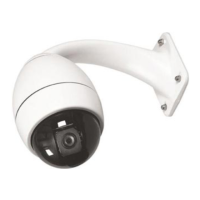
G3 Pendants and EnviroDomes
include a diagnostic board.To
access, you must remove the
lower half of the dome. Remove
the lower bubble with the plastic
tool provided.This board allows
you to check video (BNC), con-
firm input power (red LED), con-
firm internal power (green LED),
and cycle the dome (test button),
all without removing the dome
or disconnecting power or video.
Problem: No Video.
Make sure the AutoDome is
properly powered, and that all
cables are connected properly.
Problem: No Camera Control.
• Make sure the address is set
properly.
• Make sure the biphase or RS-
232 is connected.
• Make sure other cameras can
be controlled; if not, check the
control system.
Problem: Camera moves when
moving other cameras.
• Make sure the address is set
properly. If an address is set to
0000, it will respond to com-
mands for any address.
Problem: Picture Dark.
• Make sure the Gain Control is
set to AUTO (On-43-Enter).
• Make sure Iris level has not
changed; if so, adjust using IRIS
control on keyboard.To perma-
nently adjust, use “On-11-Enter.”
• Check to ensure proper termi-
nation.
Problem: Cannot access user
settings.
• Unlock commands (Off-90-
Enter; may require password).
NOTE: Commands will auto-
matically lock 30 minutes after
being unlocked.
Problem: Colors are not
correct.
1.Try resetting factory defaults
(On-40-Enter).
2. Position camera so the entire
view is white (piece of paper
or white wall).
3.Turn on white balance (Off-
30-Enter). Move joystick until
“one push W.G.” is selected.
Wait 10 seconds. Press the Iris
button to return.
4. If this does not work, restore
factory defaults (Set-899-
Enter). Note that this will
erase all presets and settings.
5. Once you have restored the
proper settings, it is recom-
mended to store them in
Preset #1 (Set-1-Enter) so
that they are recalled each
time the Preset is called.
Problem: Periodic loss of
control.
• Check that a 110 ohm resistor
is across the +/
–
biphase code
terminals at the last dome
being controlled.
Problem: Background is too
bright to see subject.
• Turn on backlight compensa-
tion (On-20-Enter).
Problem: Picture is rolling,
noisy, or distorted.
• Electronic AC power line noise
may distort the picture and
cause loss of Sync. If the pic-
ture is distorted, try switching
to Internal Crystal (Off-42-
enter). If this corrects the pic-
ture problems, there may be
excessive line noise on the
power supply.
Problem: Day/Night camera
will not automatically switch
when image is dark.
• Set Gain Control to AUTO to
enable this feature.
Problem: Moisture/dampness
on the lower housing of the
EnviroDome.
• If the lower housing is
equipped with desiccant bags,
they may need to be replaced
(Philips part #303 3804 003).
• For an older EnviroDome, you
should obtain the waterproofing
kit, Philips part #ENV-WPKIT.
TROUBLESHOOTING GUIDE



 To Next Page