14
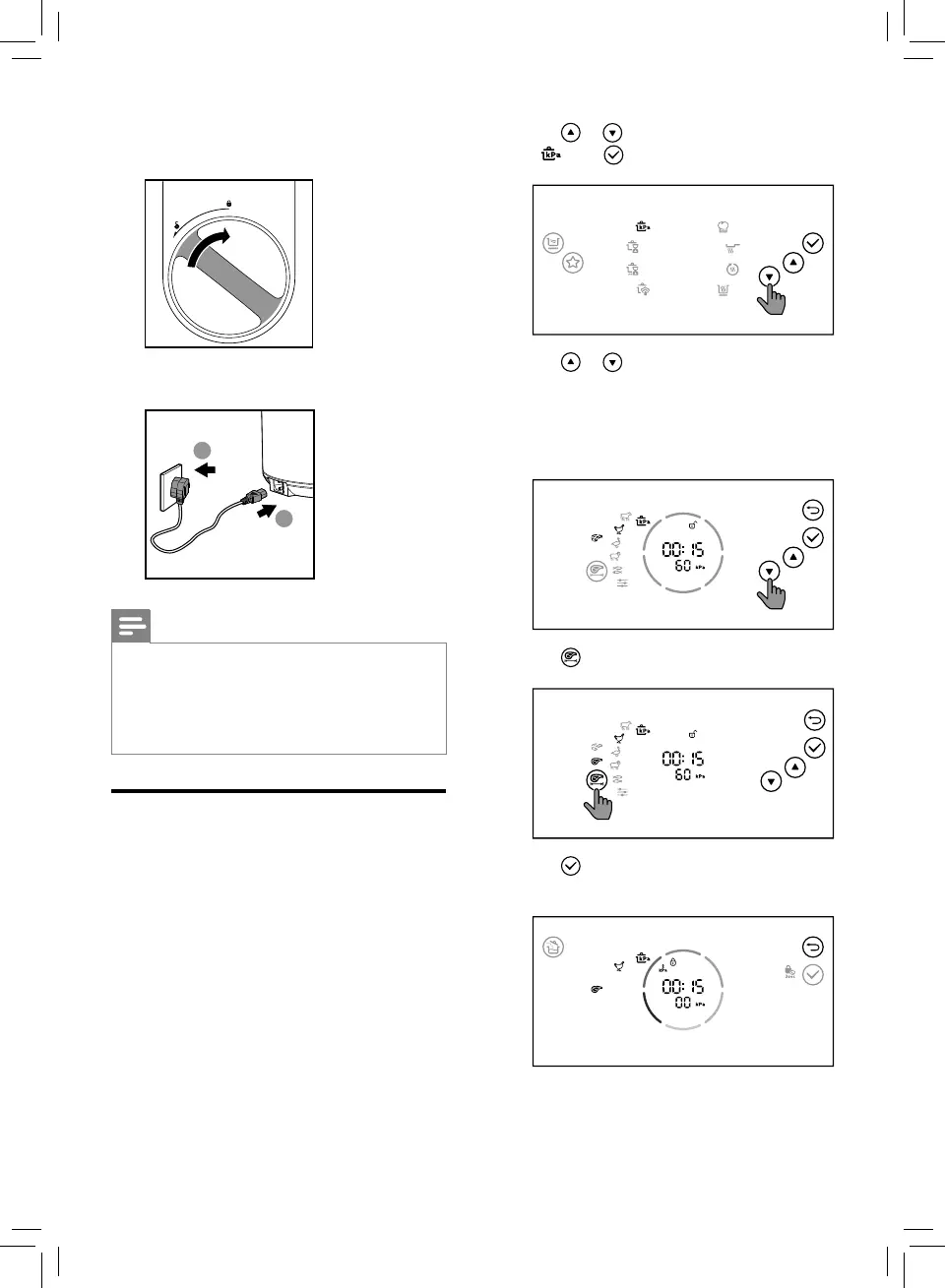
2 Tap or to select pressure cooking
( ), tap conrm.
3 Tap or to select one of the sub
menus.
» The chosen cooking function lights up,
the default pressure keeping time and
pressure are displayed on the screen.
4 Tap to select the size of the meat cubes.
5 Tap to conrm, the All-in-One cooker
starts working in the selected mode.
5 Turn the handle clockwise to lock the top
lid.
6 Put the plug into the power socket.
2
1
Note
• Make sure the outside of the inner pot is
dry and clean, and that there is no foreign
residue on the heating element.
• Make sure the inner pot is in proper
contact with the heating element.
Pressure cooking
There are 6 sub menus available. For pressure
cooking time and pressure regulating range,
refer to Chapter “Functions Overview”.
1 Follow the steps in “Preparations before
cooking”.


 To Next Page