31
ENGLISH
31
5
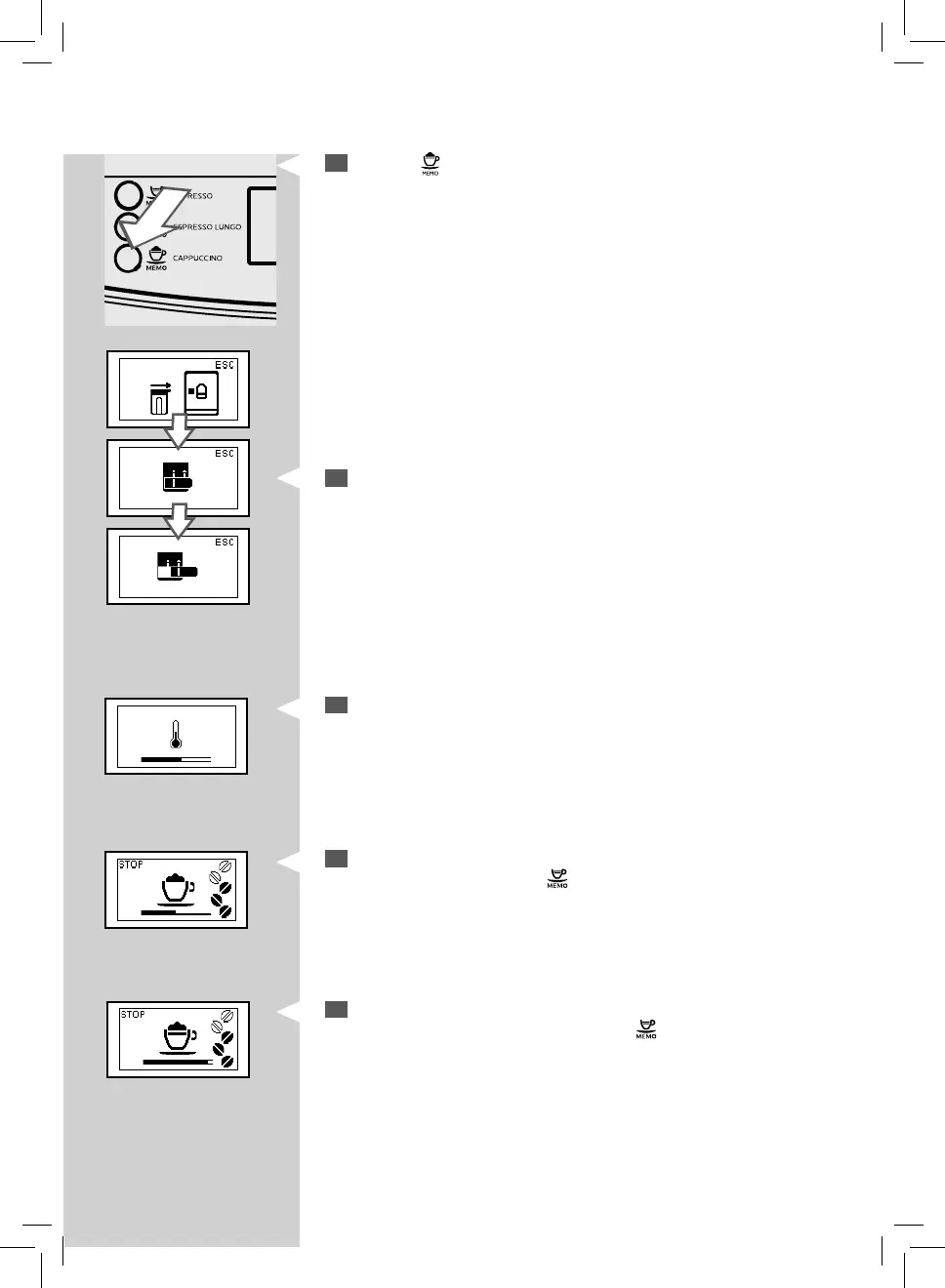
Press the “ ” button to start dispensing.
6
The machine reminds you to insert the carafe and pull out the carafe
dispensing spout by showing the following icons.
GreenGreenGreen
Green
Green
Green
7
This icon is displayed during the preheating time required by the
machine.
8
When this icon is shown, the machine dispenses milk. Dispensing can
be stopped by pressing the “
” button.
9
Once frothed milk has been dispensed, the machine brews co ee.
Brewing can be stopped by pressing the “
” button.


 To Next Page