39
ENGLISH
39
Green
5
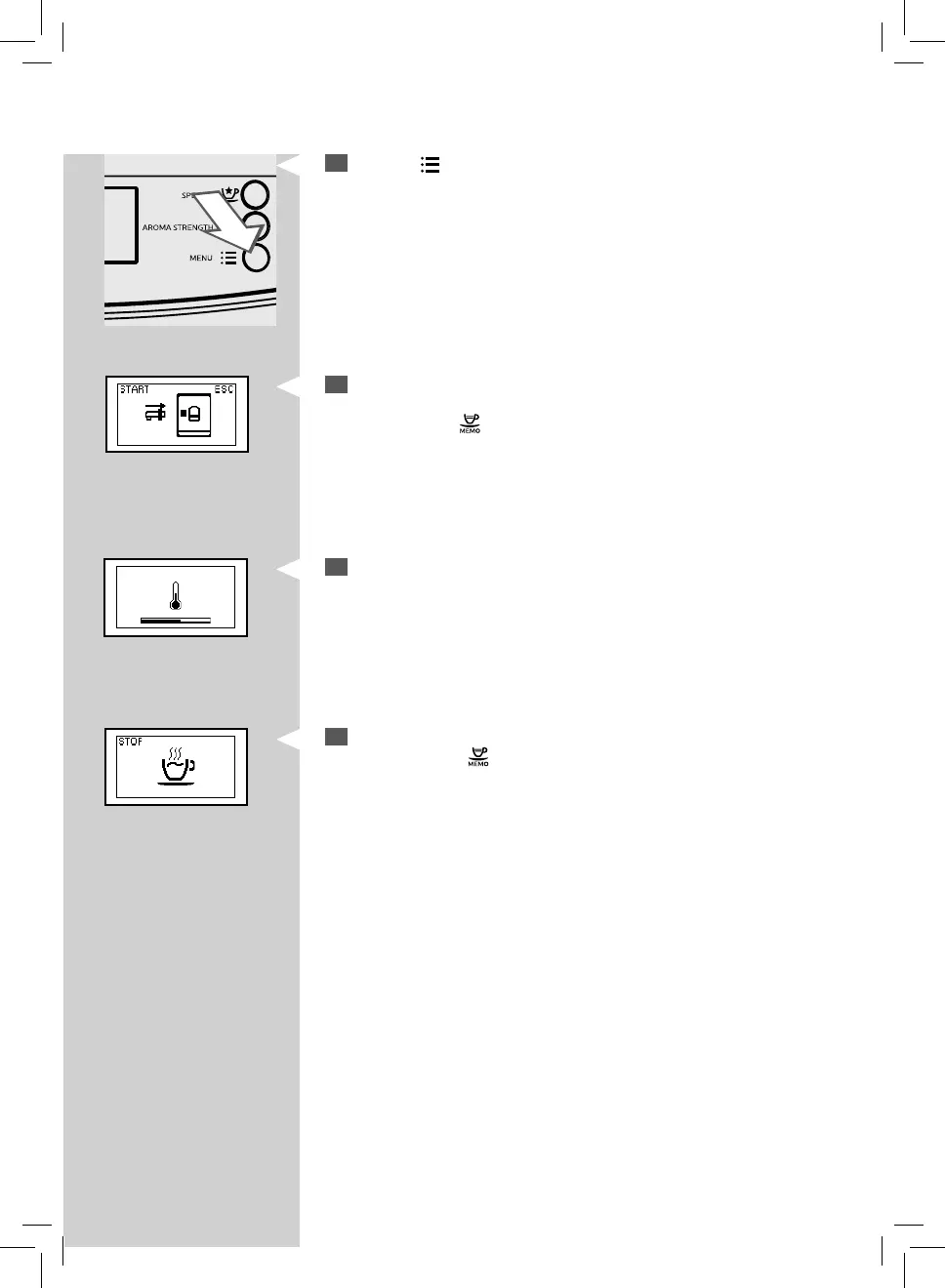
Press the “ ” button to start dispensing.
6
This icon is displayed. The machine reminds you to install the water
dispensing spout. Check that the water dispensing spout is correctly
installed. Press “
” to con rm. The machine will start dispensing hot
water.
7
This icon is displayed during the preheating time required by the
machine.
Green Green
8
Dispense the desired amount of hot water. To stop dispensing hot
water, press the "
" button.


 To Next Page