10 ENGLISH
Note
• Make sure to connect your Airfryer to a 2.4 GHz 802.11 b/g/n home
WiFi network.
• The easy WiFi set-up is needed to connect the Airfryer to your home
WiFi.
• The pairing process is to connect the NutriU App with your smart
Airfryer.
• The WiFi setup process can be cancelled via the App or by unplugging
the Airfryer.
• To start the pairing process, long press the temperature down button
and follow the instructions in the App, or start it from the settings in
the NutriU App.
Voice control
1 DownloadtheNutriUApp.
2 ConnecttheNutriUAppwithyourAirfryer.
3 Giveconsentto“remotecooking”.
4 ConnecttheNutriUAppwithyourvoiceassistantApp.This
connection can be done directly while onboarding or later
inthesettingsoftheNutriUApp.Incaseyoudonotsee
theoptiontoactivatevoicecontrolinNutriU,activatethe
Kitchen+skillthroughyourvoiceassistantApp.
Note
• If you do not have a voice control App, download it rst to send
commands to the Airfryer.
• Detailed voice commands are available in the App for voice control.
Preparing for use
1 Placetheapplianceonastable,horizontal,levelandheat-
resistantsurface.
Note
• Do not put anything on top or on the sides of the appliance. This
could disrupt the airow and aect the frying result.
• Do not place the operating appliance near or underneath objects that
could be damaged by steam, such as walls and cupboard.
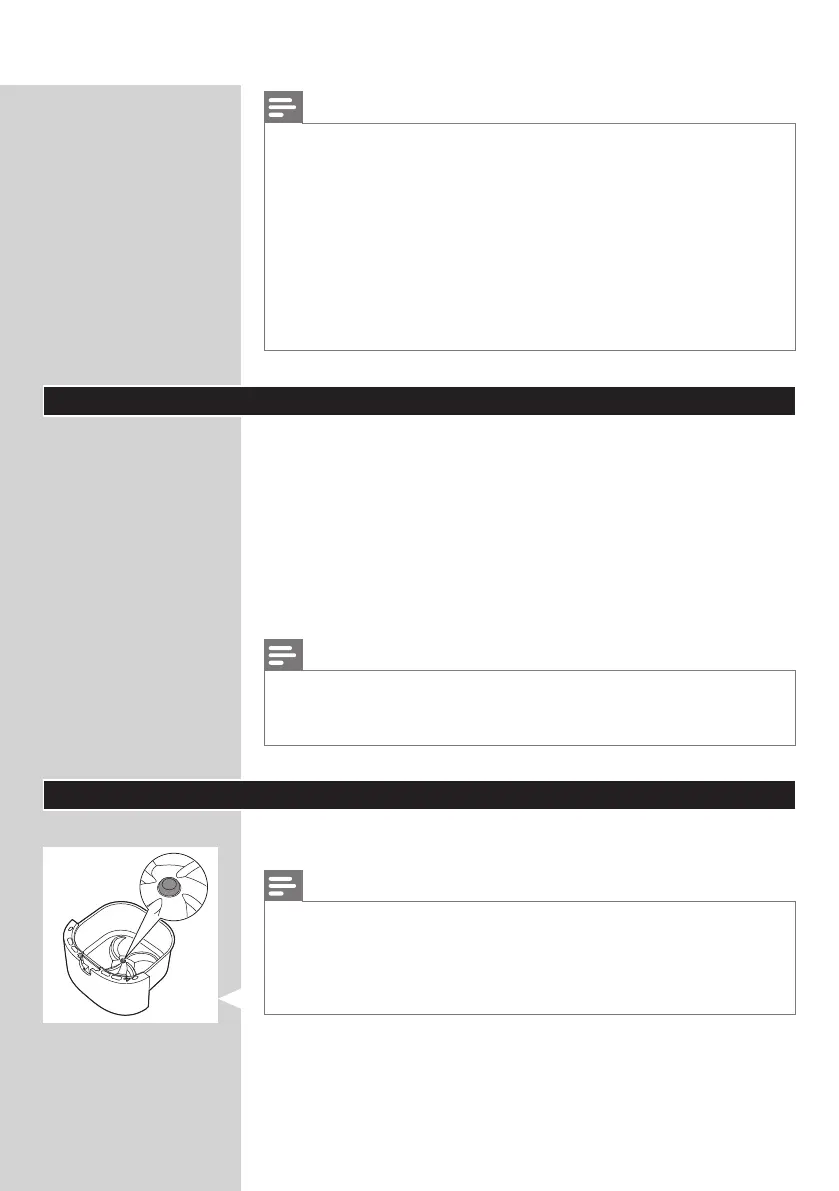
• Leave the rubber plug in the pan. Do not remove it before cooking.




 To Next Page