8239 300 38592
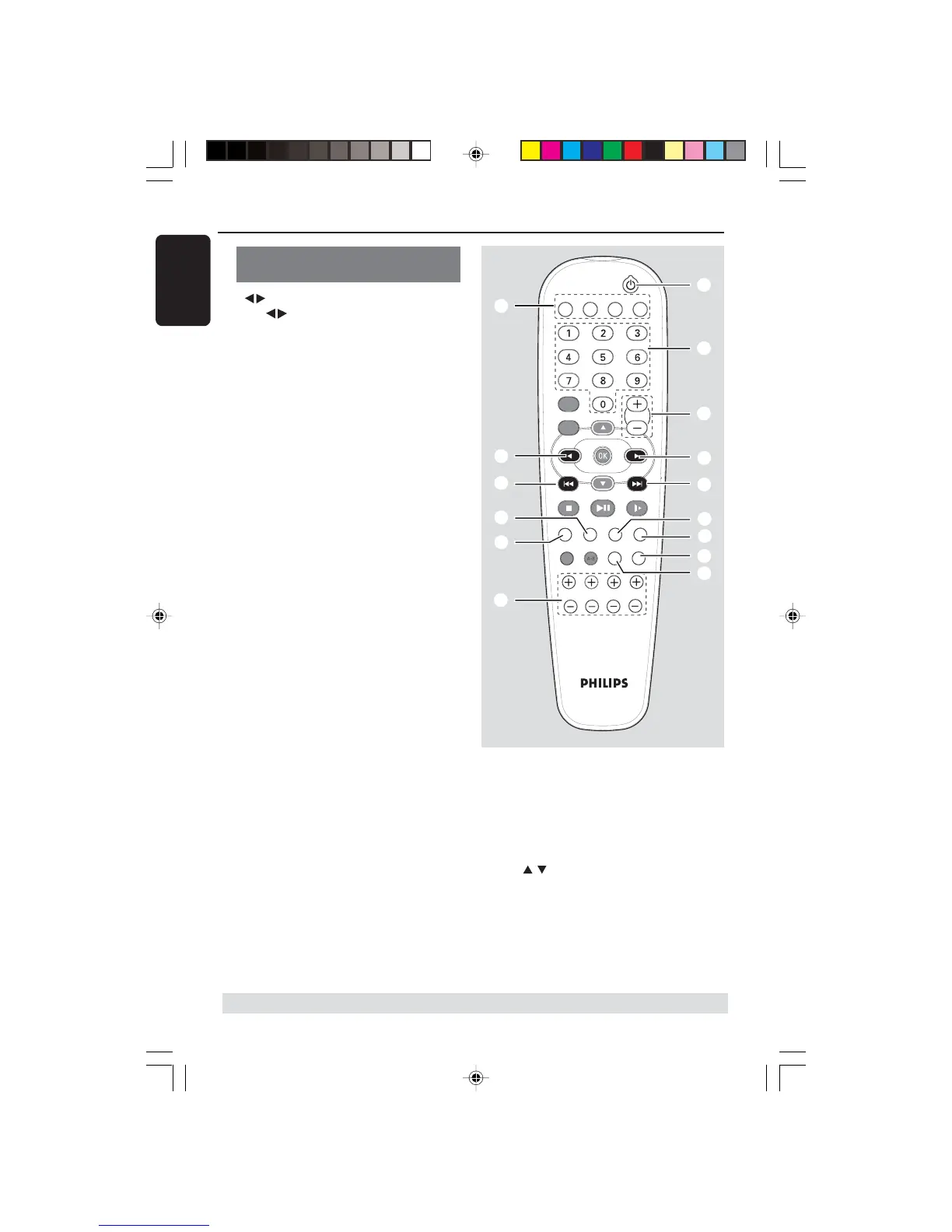
Control buttons available on the
remote only
0
– Use to select a preset radio station.
! SURROUND
– Selects multichannel surround or stereo
mode.
@ SUBW +-
– Adjusts subwoofer’s sound level.
REAR +-
– Adjusts rear speakers’ sound level.
CENTER +-
– Adjusts center speaker’s sound level.
TV VOL +-
– Adjusts TV volume (Philips TV only).
# SLEEP
– Sets the sleep timer function.
$ DIM
– Selects different levels of brightness for
display panel.
% MUTE
– Mutes or restores the volume.
^ NIGHT (in Dolby Digital mode only)
– Optimises for lower-level listening.
& Numeric Keypad (0-9)
– Enters a number of a preset radio station.
* B
– Switches to standby mode.
Functional Overview
TV
DISC TUNER AUX
DVD MENU
DISC
SYSTEM
VOL
PLAY/PAUSE
STOP RESUME
SUBW REAR CENTER TV VOL
REPEAT REPEAT SLEEP DIM
SURROUND SOUND NIGHT MUTE
5
*
0
3
7
!
@
&
9
0
^
%
$
#
3
* = Press and hold the button for more than five seconds.
The following keys only operate on a
Philips DVD player. For details, please
refer to a Philips DVD player owner’s
manual
–DVD MENU - DISC
–DVD MENU - SYSTEM
–
–OK
–STOP
– PLAY/PAUSE
– RESUME
– REPEAT
– REPEAT A-B
English
16





 To Next Page