EasyManua.ls Logo

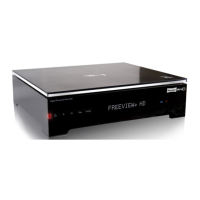
Philips HDT8520 - User Manual

Philips HDT8520
44 pages
Print Icon
To Next Page IconTo Next Page
Loading...
www.philips.com/support
For support call 0800 331 60 15
EN High-DenitionDigitalTerrestrialRecorder
HDT 8520
Question and Answer IconNeed help?

Do you have a question about the Philips HDT8520 and is the answer not in the manual?

Summary

Important Safety and Environmental Information

Safety Information

Crucial instructions for safe operation and maintenance.

Your HD Recorder

Product Overview

Identifies and describes front panel, rear panel, and remote control components.

Getting Started

Connecting Your HDTV

Steps for connecting the recorder to an HDTV.

Installing Your HD Recorder

Steps for the initial setup and installation process.

Troubleshooting Channel Issues

Steps to take if no channels are found during setup.

Using Your HD Recorder

Pausing Live TV

How to pause, rewind, and replay live television.

Recording Programmes

Instructions for recording live or scheduled TV programs.

Using More of Your HD Recorder

Remote Control Guide

Details the functions of each button on the remote control.

Maintenance

Accessories and Connections

Connecting Audio Equipment

How to connect various audio devices via optical, electrical, HDMI, or analogue.

Guarantee and Service

Technical Data

Frequently Asked Questions

Summary

Important Safety and Environmental Information

Safety Information

Crucial instructions for safe operation and maintenance.

Your HD Recorder

Product Overview

Identifies and describes front panel, rear panel, and remote control components.

Getting Started

Connecting Your HDTV

Steps for connecting the recorder to an HDTV.

Installing Your HD Recorder

Steps for the initial setup and installation process.

Troubleshooting Channel Issues

Steps to take if no channels are found during setup.

Using Your HD Recorder

Pausing Live TV

How to pause, rewind, and replay live television.

Recording Programmes

Instructions for recording live or scheduled TV programs.

Using More of Your HD Recorder

Remote Control Guide

Details the functions of each button on the remote control.

Maintenance

Accessories and Connections

Connecting Audio Equipment

How to connect various audio devices via optical, electrical, HDMI, or analogue.

Guarantee and Service

Technical Data

Frequently Asked Questions

Philips HDT8520 Specifications

General IconGeneral
TypeDigital TV Recorder
Video UpconversionYes
Output Resolution1080p
DVD PlayerNo
HDMI InputNo
HDMI OutputYes
BluetoothNo
Video OutputComposite
Audio OutputRCA
Supported Video FormatsMPEG2
USB PortYes
Supported FormatsMP3, JPEG
Dimensions360 x mm

Related product manuals