33Maintenance
ENGLISH
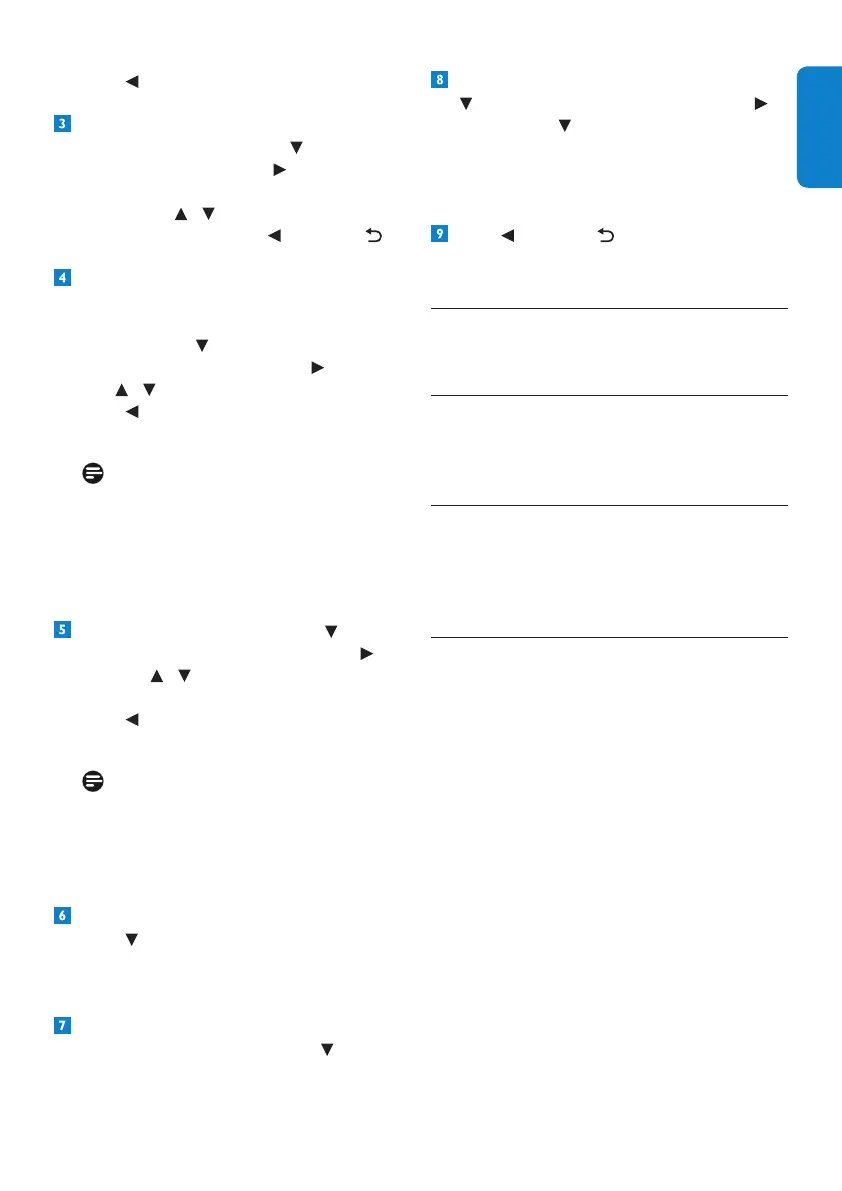
Press tosaveyourchangesandreturnto
thepreviousmenu.
Tocheckthesignalqualityofanychannel
thatyouarereceiving,press to highlight
Signal qualityandpress or OK.
IntheSignal quality testmenuthat
appears,use / toselectachannelthat
youwanttocheck.Press or BACK to
returntothepreviousmenu.
Toturnonoroffpoweringyouractive-
indoor antennausingtheAntenna IN
connectorontherearpanelofyourHD
recorder,press to highlight Portable
antenna poweringandpress or OK.
Use / to highlight Off or On.
Press tosaveyourchangesandreturnto
thepreviousmenu.
Note
Set Portable antenna powering to On
onlyifyouneedtopoweranactive-indoor
antennathatrequiresa5Vpowersupply
notexceeding50mAcurrentconsumption.
Besuretoreadyourindoorantenna’suser
manualbeforeturningthissettingon.
Tocontrolantennaoutput,press to
highlight Antenna outputandpress or
OK. Use / to highlight Inactive in eco
mode or Always active.
Press tosaveyourchangesandreturnto
thepreviousmenu.
Note
If Antenna output is set to Inactive
in ecomodewhilePortable antenna
powering is set to On,thedevice(s)
connectedtotheTo TV/VCR output will
notreceivetheantennasignal.
ToseeinformationaboutyourHDrecorder,
press andhighlightSystem information.
Detailssuchassoftwareversion,model
number,serialnumber,etc.,aredisplayedon
the right.
ToseetheavailablespaceonyourHD
recorder’shard-diskdrive,press and
highlight Hard disk drive information.
ToformatyourHDrecorder’sharddisk,press
to highlight Factory resetandpress
or OK. Press to highlight Format hard
diskandpressOK.Inthemenuthatpopsup,
press the greenbuttontoconrm,orthered
buttontocancelandreturntotheprevious
menu.
Press or BACK toreturntothe
Settingsmenu.
6 Maintenance
6.1 Cleaning
Forcleaning,useasoft,damp(notwet)cloth.
Neveruseanyabrasiveclothandaerosol
cleaners
6.2 Replacing
YourHDrecorderdoesnotcontainanyuser-
serviceableparts.Donotattempttoopenit.
Allmaintenanceworkmustbecarriedoutby
qualiedservicecentres.
6.3 Disposing
YourHDrecorderisdesignedandmanufactured
withhigh-qualitymaterialsandcomponents,
whichcanberecycledandreused.
Pleaseinformyourselfaboutthelocalseparate
collectionprocessforelectricalandelectronic
products.
Pleaseactaccordingtoyourlocalrulesand
donotdisposeofyouroldproductswithyour
normalhouseholdwaste.Thecorrectdisposal
ofyouroldproductwillhelppreventpotential
negativeconsequencesfortheenvironmentand
humanhealth.





 To Next Page