UsingmoreofyourHDrecorder32
Updating your HD recorder’s software
manually
YoucanmanuallyupdateyourHDrecorder
softwareusingaUSBmemorystick.
Downloadthelatestsoftwarelefromthe
Philipswebsite(www.philips.com/support),
unzipitandtransferittoaUSBmemory
stick.Besuretoplacethedownloadedle
inthetop-levelfolderofyourUSBmemory
stick.
ConnectyourUSBmemorysticktotheUSB
connectorontherearpanel(orontheside)
ofyourHDrecorder.
From the Settingsmenu,use / to
highlight Set-upandpress or OK.
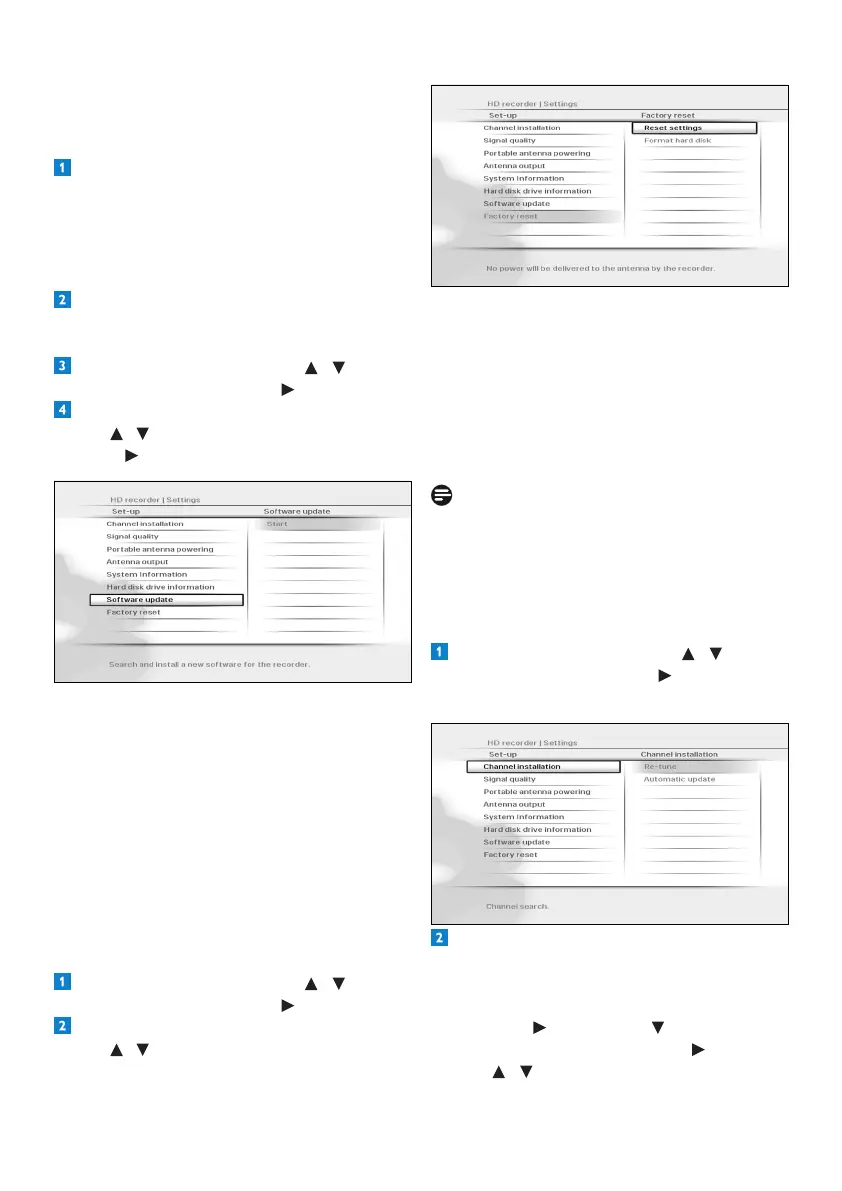
IntheSet-upmenuthatappears,
use / to highlight Software updateand
press or OK.
YourHDrecorderlocatesthesoftware
availableonyourUSBmemorystickand
displaysaconrmationmessage.Press
the greenbuttontoinstallthesoftware
immediately.Presstheredbuttontocancel
andreturntothepreviousmenu.Ifyou
press the greenbutton,yourHDrecorder
updatesthesoftwareandrestarts.Youmay,
dependingontheupdate,thenberequired
tocompletetherstinstallationsetup
(seepage11).
Restoring factory default settings
From the Settingsmenu,use / to
highlight Set-upandpress or OK.
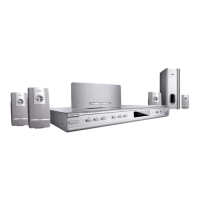
IntheSet-upmenuthatappears,
use / to highlight Factory resetand
press OK twice.
Amessageappearsaskingyoutoconrm.
Ifyouaresure,pressthegreenbutton,or
press the redbuttontocancelandreturn
tothepreviousmenu.Ifyoupressthe
greenbutton,yourHDrecorderrestores
thefactorydefaultsettingsandrestarts.You
willthenberequiredtocompletetherst
installationsetup(seepage11).
Note
ResettingyourHDrecordertothefactory
defaultsettingserasesallofyourpreferences
andsettings.Forexample,allofyourfavourite
listsandrecordingtimerswillbeerased.
Changing other system settings
From the Settingsmenu,use / to
highlight Set-upandpress or OK.
TheSet-upmenuappears.
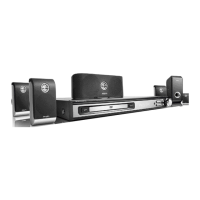
Toturnonoroffthechannelupdates
thatautomaticallyhappenwhenyourHD
recorderisintheactive-standbymode,make
sure Channel installationishighlighted
andpress or OK. Press to highlight
Automatic updateandpress or OK.
Use / to highlight On or Off.





 To Next Page