23
Quick skip to a specifi c time
1 During play, press OPTIONS.
The play options menu is displayed.»
2 Select [Time Search] in the menu, then
press OK.
3 Press the Numeric buttons to change
the time where you want to skip to, then
press OK.
Zoom in/out
1 During play, press OPTIONS.
The play options menu is displayed.»
2 Select [Zoom] in the menu, then press
OK.
3 Press the Navigation buttons ( )to
select a zoom factor, then press OK.
4 Press the Navigation buttons to pan
through the zoomed picture.
To cancel zoom mode, press •
BACK to display the zoom factor
bar, then press
repeatedly until
zoom factor [X1] is selected.
Repeat play for a specifi c section
1 During play, press OPTIONS.
The play options menu is displayed.»
2 Select [Repeat A-B] in the menu, then
press OK to set the starting point.
3 Forward the video play, then press OK to
set the ending point.
Repeat play starts.»
To cancel repeat play mode, press •
OPTIONS, select [Repeat A-B] and
press OK.
Note
The marked section for repeat play is only •
possible within a track/title.
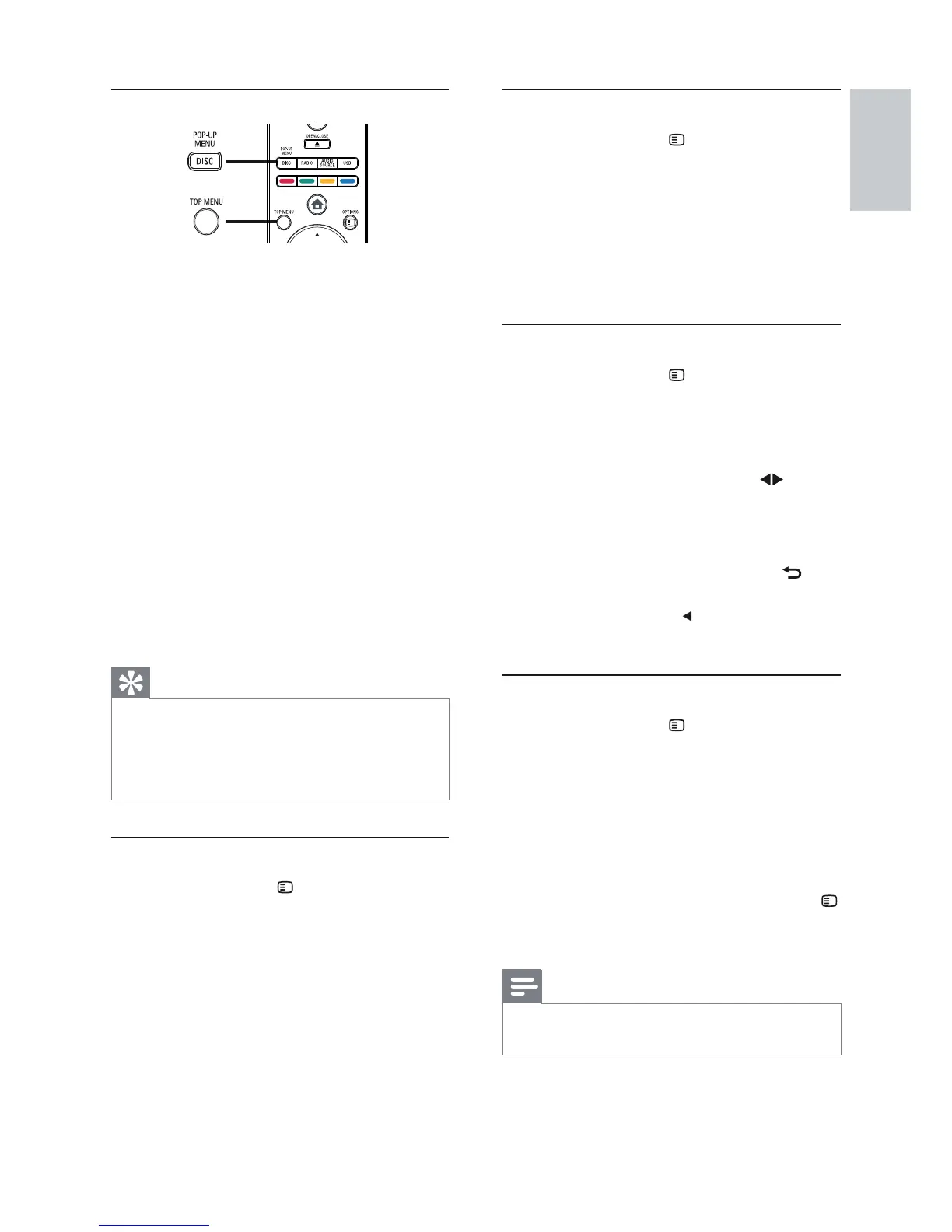
Display menu
BD-video disc
• TOP MENU stops the video play and
shows the disc menu. This feature is disc-
dependent.
• POP-UP MENU accesses the BD-video
disc menu without interrupting disc play.
DVD-video disc
• DISC MENU displays disc information
and guides you through the available
functions in the disc.
• TOP MENU displays the contents in the
disc.
VCD/SVCD disc:
• DISC MENU displays the content of the
disc.
Tip
If the PBC setting is off, the VCD/SVCD skips •
the menu and starts playing from the fi rst title.
To display the menu before play, turn on the
PBC setting (see chapter ‘Adjust settings’ >
‘Preference Setup’ > [PBC]).
Select title/chapter
1 During play, press OPTIONS.
The play options menu is displayed.»
2 Select [Titles] or [Chapters] in the menu,
then press OK.
3 Select the title or chapter number, then
press OK.
English
EN



 To Next Page