33
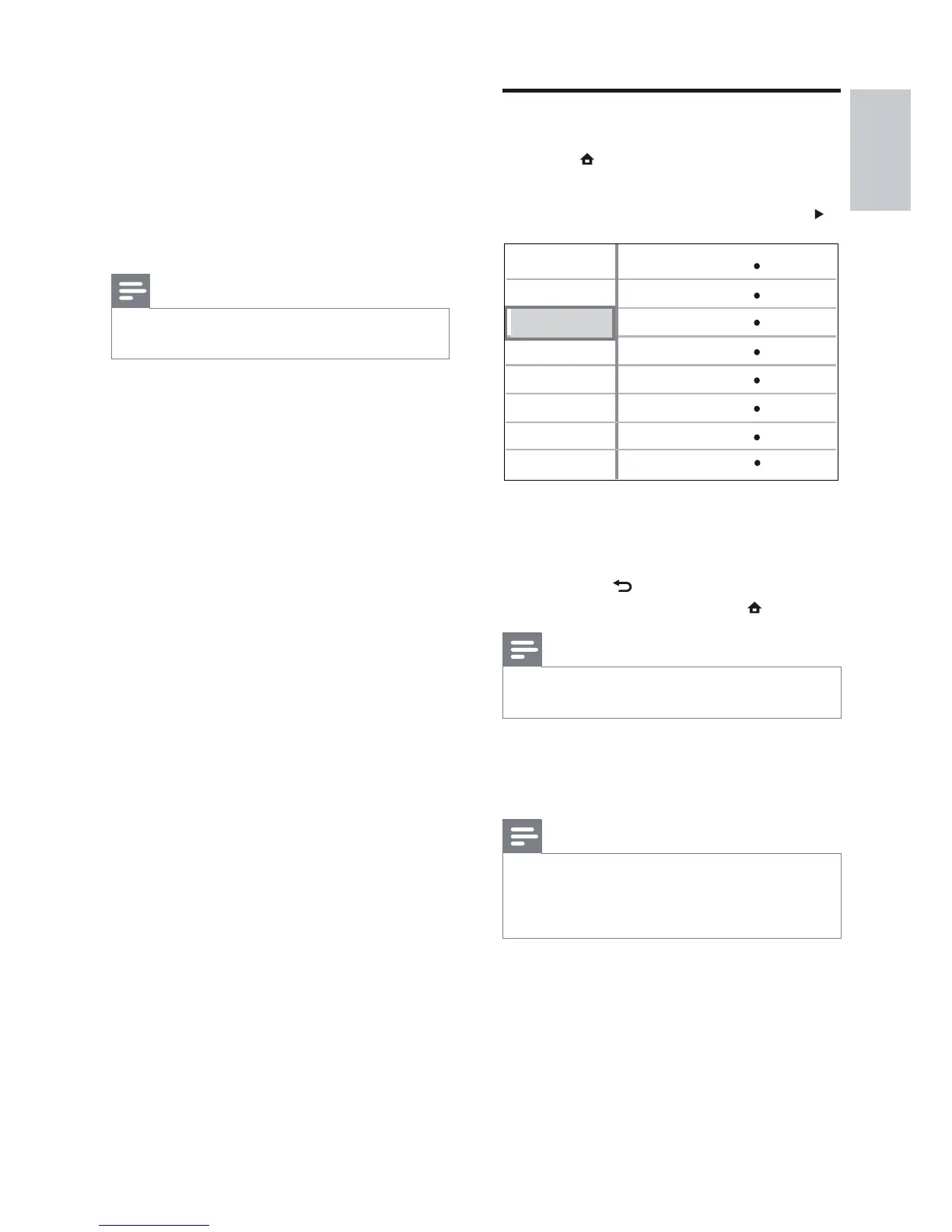
Preference Setup
1 Press .
2 Select [Settings], then press OK.
3 Select [Preference Setup], then press .
4 Select an option, then press OK.
5 Select a setting, then press OK.
To return to the previous menu, •
press
BACK.
To exit the menu, press •
.
Note
See the explanations of the above options in •
the following pages.
[OSD Language]
Selects the default on-screen menu language.
Note
If this product is connected to a HDMI CEC •
compliant TV using a HDMI cable, it switches
automatically to the same menu display
language as per your TV setting.
Video Setup
Advanced Setup
Audio Setup
Preference Setup
EasyLink Setup
OSD Language
Parental Control
Screen Saver
Display Panel
Auto Standby
PBC
Change PIN
English
On
100%
On
On
Sleep Timer
Off
Off
[Night Mode]
Makes the loud sound level softer and the
soft sound level louder so that you can watch
the disc at a low volume, without disturbing
others.
• [On] – For quiet viewing at night.
• [Off] – For surround sound with a full
dynamic range.
Note
Applicable only to Dolby encoded DVD-video •
or BD-video.
[HDMI Audio]
Selects the HDMI audio output when you
connect this Home Theatre System and the
TV/audio device with a HDMI cable.
• [As Source]– The audio format is not
converted. A secondary audio track on a
Blu-ray disc might not be available.
• [Auto] – Detects and selects the best
supported audio format automatically.
• [Off] - Disables audio from the TV.
English
EN



 To Next Page