20
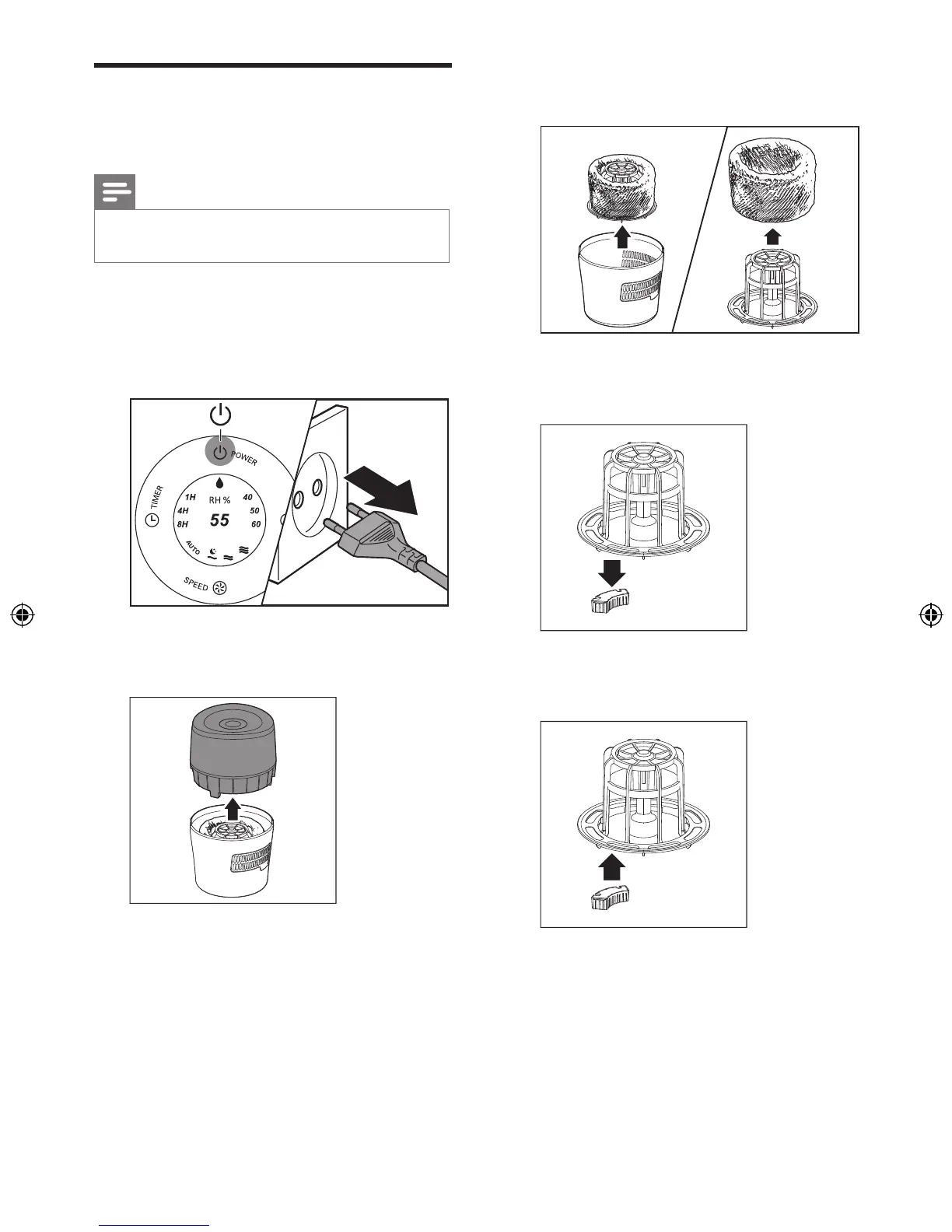
3 Take out the lter support from the water
tank and remove the lter.
4 Pull and remove the old anti-bacterial lter
from the lter support. Then, discard it.
5 Push the new anti-bacterial lter to the
lter support.
Replace the anti-bacterial
lter
Note
•
The anti-bacterial lter is only available for HU4803.
• Use only Philips original anti-bacterial lter HU4112.
Replace the anti-bacterial lter at least once a
year to prevent the bacteria from growing in the
water tank.
1 Switch off the humidier and unplug it.
2 Remove the upper unit by holding it at
both sides.


 To Next Page