33
English
3139 115 22741
System Setup Menu Options
Changing the password
You can change the four-digit code used
for Access Control.
3 5
,
7
2
,
4 6
,
1
,
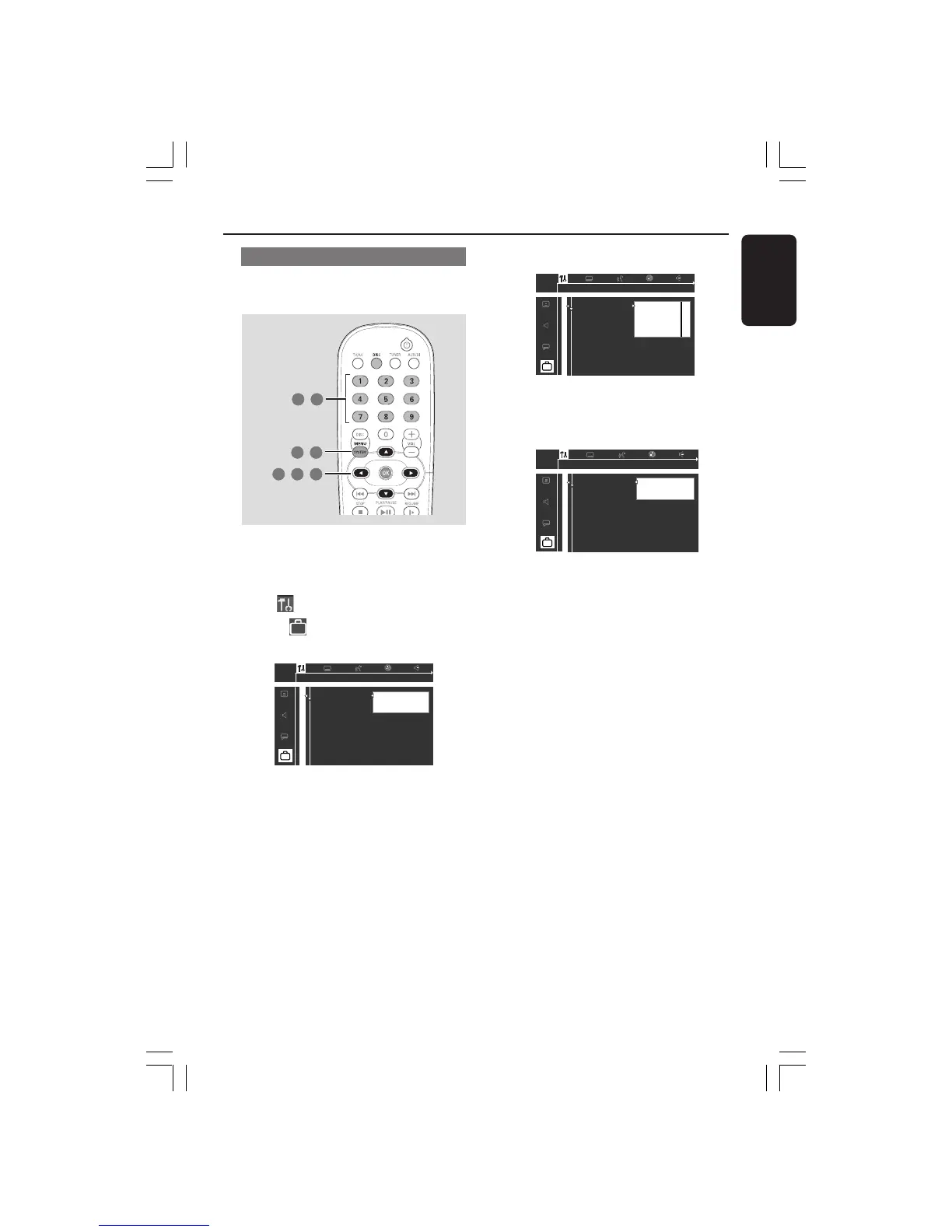
1 In disc mode, press SYSTEM MENU.
2 Use 1 2 3 4 on the remote to navigate
in the menu.
3 Select icon and press 4.
Move to
and press 2.
Move to {Access Control} and press 2.
1en
1en
st1
Access control
Status window
PBC
Help text
[ ] [ ] [ ] [ ]
Enter code
4 Use the numeric keypad (0-9) to enter
your old four-digit code.
➜ When doing this for the first time,
enter any four numbers you prefer. You
will have to enter the same code, exactly,
twice. This will set your code for the first
time.
➜ If you forget your old four-digit code,
press 9 four times when prompted for
the four-digit code. Then, enter any four
numbers you prefer, twice.
5 Move to {Change code} and press 2.
6 Use the numeric keypad (0-9) to enter
your new four-digit code. Then, enter the
same code again to reconfirm.
1en
1en
st1
Access control
Status window
PBC
Help text
[ ]
[ ] [ ] [ ]
Confirm code
7 Press SYSTEM MENU again to remove
the menu.
001-045-LX71-22-Eng 8/07/2003, 11:27 AM33



 To Next Page