10
3139 115 23481
English
Connections
1 Use the supplied speaker cables to
connect the FRONT R (red), FRONT L
(white) and CENTER (green) speakers to
the rear of the AV subwoofer by matching
the colours of the jacks.
2 Connect the AV subwoofer with the
DVD system by plugging in the inter-
connect cable from the AV subwoofer to
the TO AV SUBWOOFER jack at the
rear of the DVD system.
Helpful Hints:
– Ensure that the speaker cables are
correctly connected. Improper connections
may damage the system due to short-circuit.
–To prevent unwanted noise, do not place
the AV subwoofer too close to the DVD
system, AC power adaptor, TV or other
radiation sources.
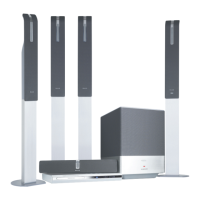
Step 3: Connecting DVD
system, AV subwoofer
and front speakers
Centre Speaker
AV Subwoofer
TO AV SUBWOOFER
➠
TO AV SUBWOOFER
Front Speakers
Step 4: Connecting wire-less
rear speakers
The rear speaker stands (grey and blue
colour stickers) are equipped with a
wire-less receiver that receives audio
signals from the DVD system. The wire-
less rear speakers provide a surround
sound entertainment experience without
the scattered wires.
● Use the supplied rear speaker cable (grey
colour) to connect the rear left and right
speakers. One end (easy connector) to
the REAR L speaker and another end
(click-fit) to the REAR R speaker.
Helpful Hints:
–To prevent unwanted noise, do not place
the rear speakers too close to the DVD
system, AC power adaptor, TV or other
radiation sources.
– Do not connect the REAR L speaker to the
power supply if not in use.
1
2
Front R
Rear L
(left) speaker
Rear R
(right) speaker
DVD System
Front L
001-047-LX85-22-Engfinal 7/8/04, 10:14 AM10


 To Next Page
 Loading...