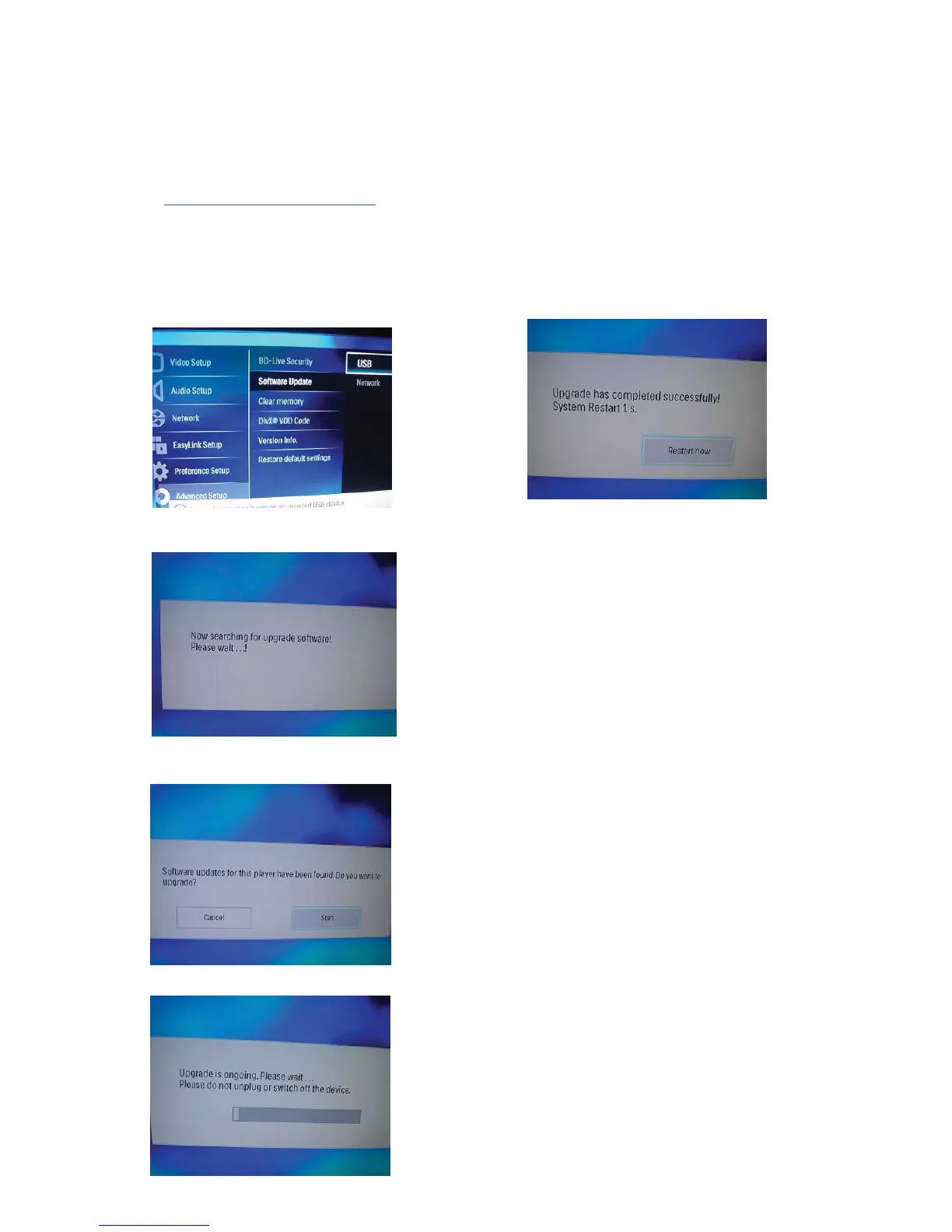
Software Upgrading Procedure
1. Download the Software from Philips support
Website:
2. Copy the Software upgrade file into USB device.
http://www.philips.com/support.
A. Connect to TV and Turn on Main Unit,
D. When Software Upgrading finish,TV screen
display
Software Upgrade finish.
Select Upgrad from USB,TV Screen Display:
TV Screen Display:
Press OK on Remote Control,
TV Screen Display:
B. Press OK on Remote Control,
C. Software Upgrading
10-1


 To Next Page