English
9
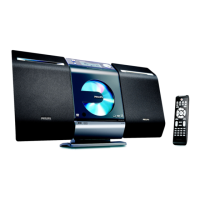
Controls
Controls on the set (illustrations
on page 3)
1 STANDBY-ON/ ECO POWER
– press briefly to switch the set on or off (standby/
ECO POWER);
– In standby or Eco Power mode: press and
hold to toggle between Standby and ECO
POWER mode (power-saving mode).
– Red indicator: lights up red when the set is
switched to ECO POWER mode.
2 SOURCE
– selects sound source DAB, FM, DISC, USB or
AUX.
– In standby or Eco Power mode: switches the
set on and selects sound source DAB, FM,
DISC, USB or AUX.
3 IR
– sensor for the infrared remote control
Helpful hints: Always point the remote control
towards this sensor.
4 PUSH OPEN
– push to unfold or fold the control panel.
5 CD OPEN • CLOSEç
– opens/closes the CD door.
6 CD door
7 VOLUME
– adjusts the volume level.
8
nn
nn
n
– 3.5 mm headphone socket
Helpful hints:
– Adjust the volume to a moderate level
before you plug in the headphones.
– Connecting headphones will switch off the
speakers.
9 ALBUM/ PRESET + /-
– CD/USB: selects albums (for MP3/WMA only).
– FM/DAB: selects a preset radio station.
4 / ¢
– CD/USB: skips or searches CD tracks/titles
backwards/forwards.
– FM/DAB: tunes to radio stations.
– Clock/Timer: adjusts the hours and minutes.
OK / ÉÅ
– CD/USB: starts or pauses playback.
– DAB: press to select an option.
– DAB: press and hold to start manual tuning.
0 DBB (Dynamic Bass Boost)
– turns the bass enhancement on/off.
! MENU
– selects DAB full scan, quick scan, manual tuning,
language and DRC value.
@ SCAN/PROGRAM
– CD/USB: programs tracks.
– FM: programs preset radio stations.
– DAB: starts DAB service scanning.
# STOP
– CD/USB: stops playback; erases a program
$ AUX-IN
– connects to the AUDIO OUT jack on the
external appliance
%
– jack for the external USB mass storage device
P001-P030_MCB275_05_Eng 2007.6.13, 10:289


 To Next Page