10
English
Connections
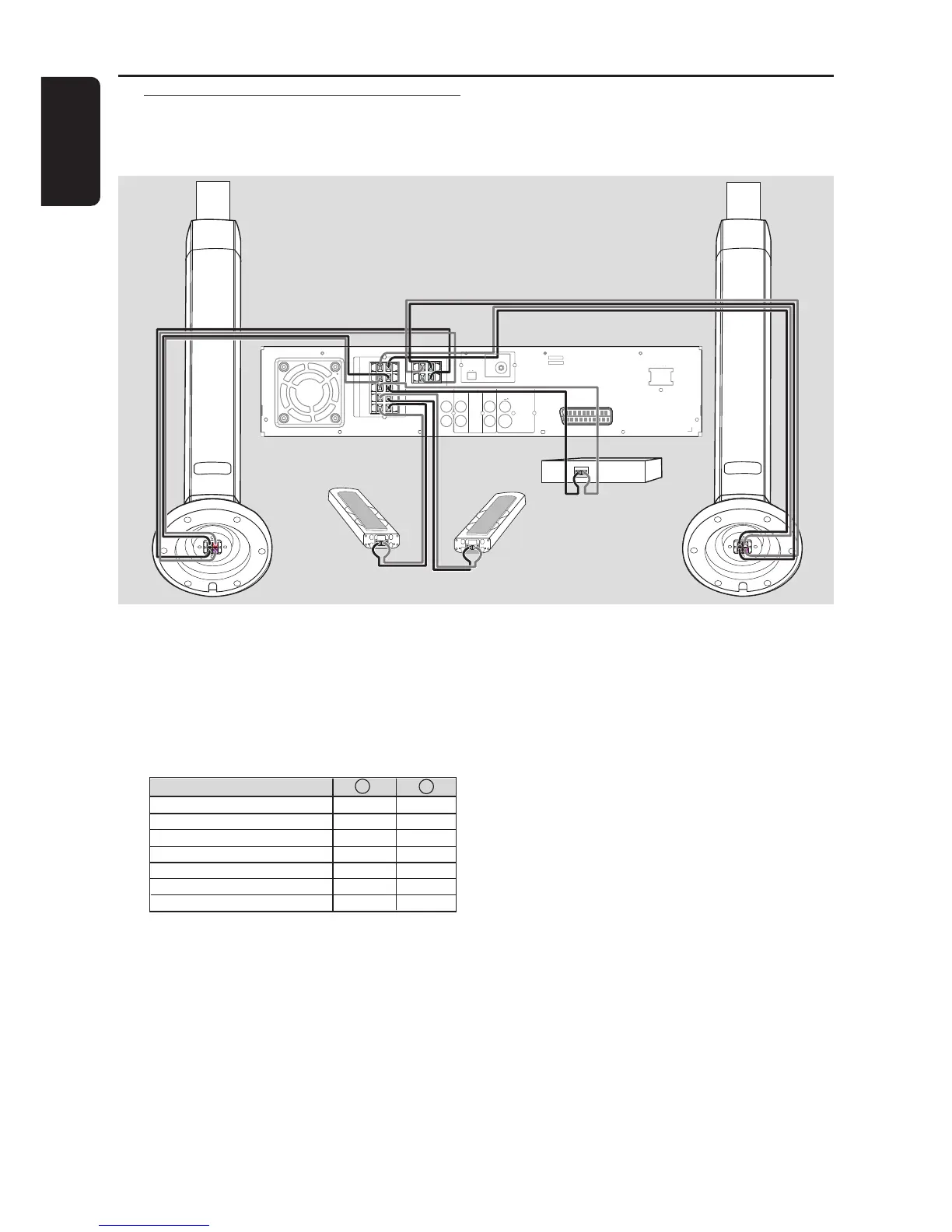
Step 3: Connecting speakers
and twin subwoofer
SCART
DIGITAL
OUT
DIGITAL
IN
AUX
IN
TV
IN
LINE
OUT
AUDIO
VIDEO
OUT
CVBS
S-VIDEO
FM ANTENNA
MW
L
R
~ AC MAINS
SPEAKER SYSTEMS (4Ω)
SURROUND CENTER FRONT
L
R
SL
SR
C
SUB-WOOFER
L
R
front speaker
with subwoofer
stand (right)
front speaker
with subwoofer
stand (left)
Surround
speaker
(right)
Surround
speaker
(left)
Centre
speaker
Connect the supplied speaker systems
using the supplied speaker cables by
matching the colours of the jacks and
speaker cables. Fully insert the stripped
portion of the speaker wire into the
jacks.
Speakers / Subwoofer - +
Front Left (FL) (L) black white
Front Right (FR) (R) black red
Center (C) black green
Surround Left (SL) black blue
Surround Right (SR) black gray
Subwoofer (L) black purple
Subwoofer (R) black purple
Helpful Hints:
– Ensure that the speaker cables are
correctly connected. Improper connections
may damage the system due to short-circuit.
– Do not connect more than one speaker to
any one pair of
+/- speaker jacks.
– Do not connect speakers with an
impedance lower than the speakers supplied.
Please refer to the SPECIFICATIONS section
of this manual.



 To Next Page