36
English
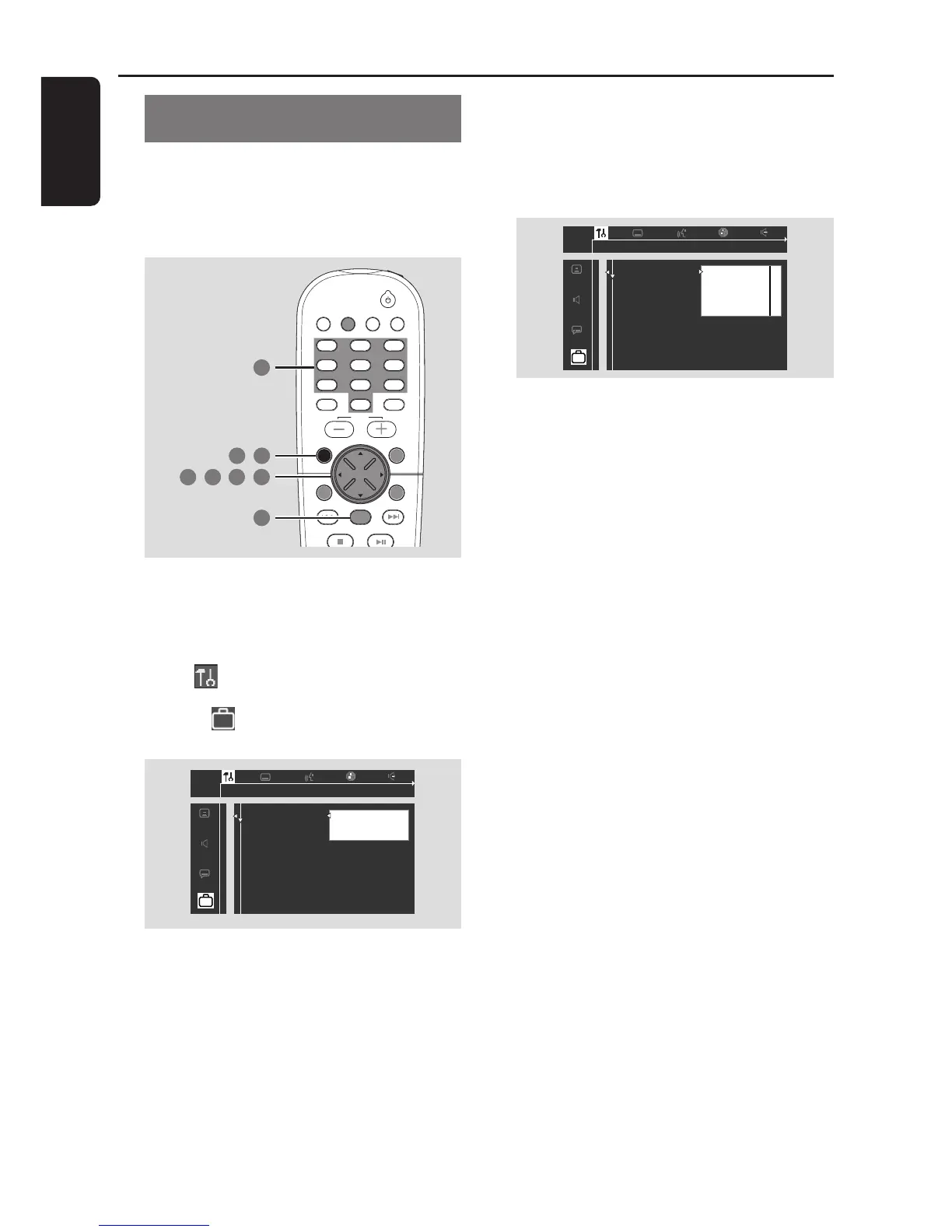
DVD Menu Options
Locking/Unlocking the DVD for
viewing
Not all DVDs are rated or coded by the
disc maker. You can prevent a specific
DVD from playing by locking or unlocking
the DVD, regardless of its rating.
TV/AV
DISC/
MEDIA
TUNER
AUX/DI
DISC MENUSYSTEM MENU
SEATING ZOOM
PREV NEXT
STOP PLAY/PAUSE
VOL
OK
456
123
789
0
SURR.
SOUND
1 7
,
6
5 6
,
4
2 3
,
,
1 In disc mode, press SYSTEM MENU.
2 Use the joystick (1 2 3 4) on the
remote to navigate in the menu.
3 Select icon and press 4.
Move to
and press 2.
Move to {Access Control} and press 2.
1en
1en
st1
Access control
Status window
PBC
Help text
[ ] [ ] [ ] [ ]
Enter code
4 Use the numeric keypad (0-9) to enter
the four-digit code. You may have to
enter the same code, exactly, twice.
➜ If not successful, see page 34 “Changing
the password.”
5 Move to {Child lock} and press 2.
6 Press 3 4 to select Ç (lock) or É
(unlock), then press OK.
➜ Locked discs will not play unless you
enter your four-digit code.
7 Press SYSTEM MENU again to remove
the menu.
Helpful Hint:
– Lock/ Unlock each side of two-sided DVDs
and each volume of multi-volume Video CDs.



 To Next Page