10 EN
Connect the main speakers
1 Find the MAIN SPEAKERS sockets on the
back panel of the main unit.
2 Insert the right speaker (NTRX900SA)
wires to "R", and left speaker
(NTRX900SB) wires to "L".
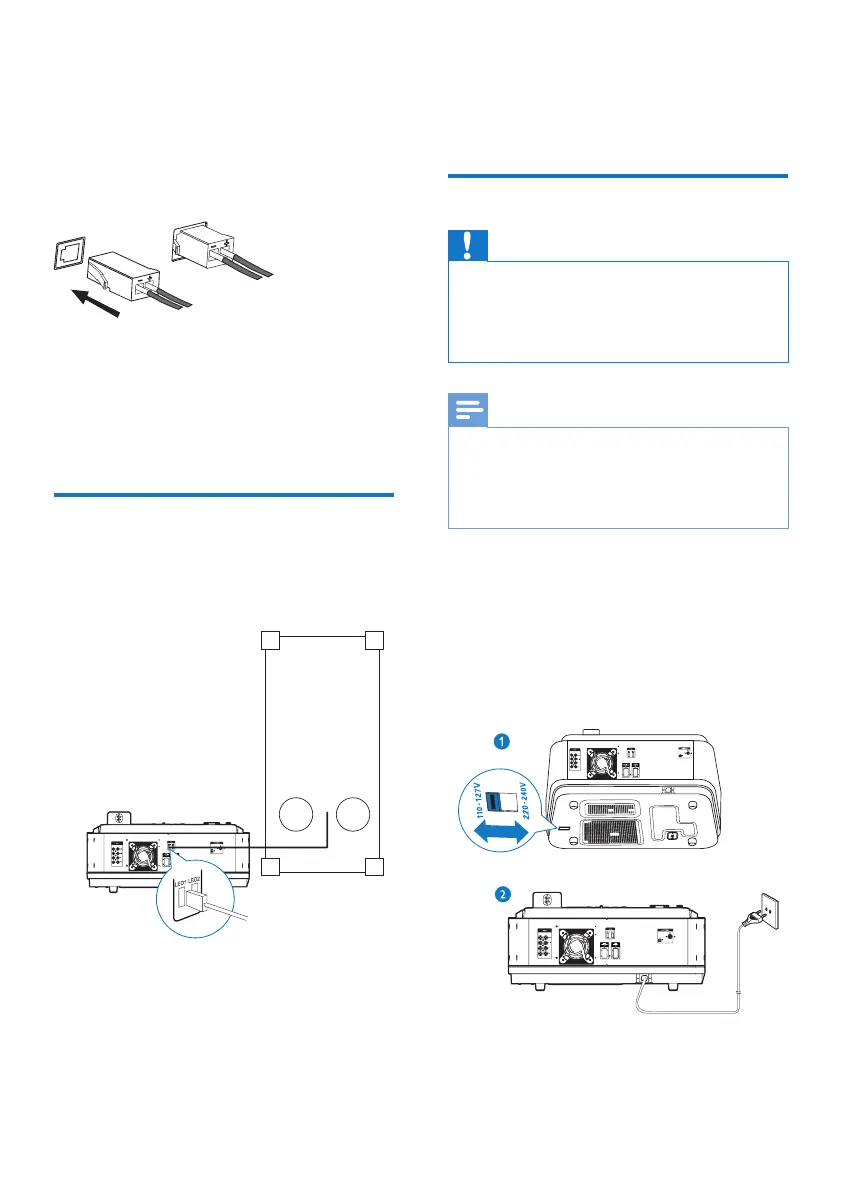
Connect the sub woofers
1 Find the SUB WOOFER sockets on the
back panel of the main unit.
2 Insert the connectors of the sub woofer
wires into the SUB WOOFER sockets.
Connect LED wires of
speakers
1 Find the LED sockets on the back of the
main unit.
2 Insert the connector of the LED wire into
the corresponding LED socket.
3 Repeat steps 1-2 to connect the other
LED wire of the speaker.
Connect power
Caution
• Risk of product damage! Make sure that you have
selected the power supply voltage that corresponds to
your local power supply.
• Risk of electric shock! When you unplug the power cord,
always pull the plug from the socket. Never pull the cord.
Note
• Before connecting to AC power, make sure that you
have completed all other connections.
• Do not plug AC power cord within one minute after
unplugging it, in case the product will be powered off
automatically due to high power component protection.
1 Adjust the voltage selector on the bottom
of the main unit to match your local power
supply.
2 Connect the AC power plug to the power
outlet.
~
~


 To Next Page