19EN
8 Other features
Mix sound
You can play from Source A (Disc/USB A/
Bluetooth/Tuner/Audio in A mode) and from
Source B (USB B/Audio in B mode) at the
same time.
1 Play from Source A.
• Disc: Select the CD source, and play a
track in the loaded disc.
• Tuner: Tune to a radio station.
• Audio in A: Select the Audio in
A source, and play audio on the
connected external device.
• USB A: Select the USB A source, and
play audio on the connected USB A
device.
• Bluetooth: Connect a Bluetooth device,
and then play audio on the device.
2 Play from Source B.
• Audio in B: Select the Audio in B
source, and then play audio on the
connected external device.
• USB B: Select the USB B source, and
then play audio on the connected USB
B device.
3 Use the CROSS FADER control to adjust
the balance between Source A and Source
B channels during playback.
Speak or sing with a
microphone
With this unit, you can speak or sing to a music
source with a microphone.
1 Turn the MIC VOL knob to the minimum
level.
2 Connect a microphone (not supplied) to
the MIC 1 or MIC 2 socket on the top
panel.
3 Press CD, TUNER, USB A, AUDIO A, or
AUX to select a source, and start play.
4 Sing through the microphone.
• To adjust the volume of the source,
press VOL +/-.
• To adjust the volume of the
microphone, turn the MIC VOL knob.
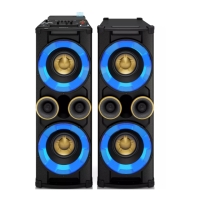
Turn the decorative light on
or off
In power-on mode, press LIGHT repeatedly
to adjust the decoration light around the
loudspeakers, or turn the light off.
Listen through a headphone
Note
• When you listen through a headphone, the loudspeaker
cannot be muted.
1 Plug a headphone into the socket on the
top panel of the main unit.
2 Rotate the OUTPUT knob to select an
audio source: Source A or Source B.
3 Rotate the VOL knob to adjust the
headphone volume.


 To Next Page