13EN
• [DEL DIR] (Delete directory): Delete
current audio folder.
• [FORMAT](Format):Deletealllesin
the USB device.
4 Press toconrmtheselection.
» Aconrmationmessageisdisplayed.
• To cancel, press .
Note
• The function is not available in USB B mode.
Caution
• If [FORMAT]isselected,allles(includingnon-audio
les)storedintheUSBdevicewillbeerased.
Record to a USB device
MP3les,radio,andaudiofromexternal
devices are recorded in .mp3 format.
ThersttimeyourecordtoaUSBdevice,
a folder is automatically created on the USB
device. Each time you record to a USB device,
therecordedlesarestoredinasubfolder
of this folder. Files and subfolders are named
numerically in the order in which they are
created.
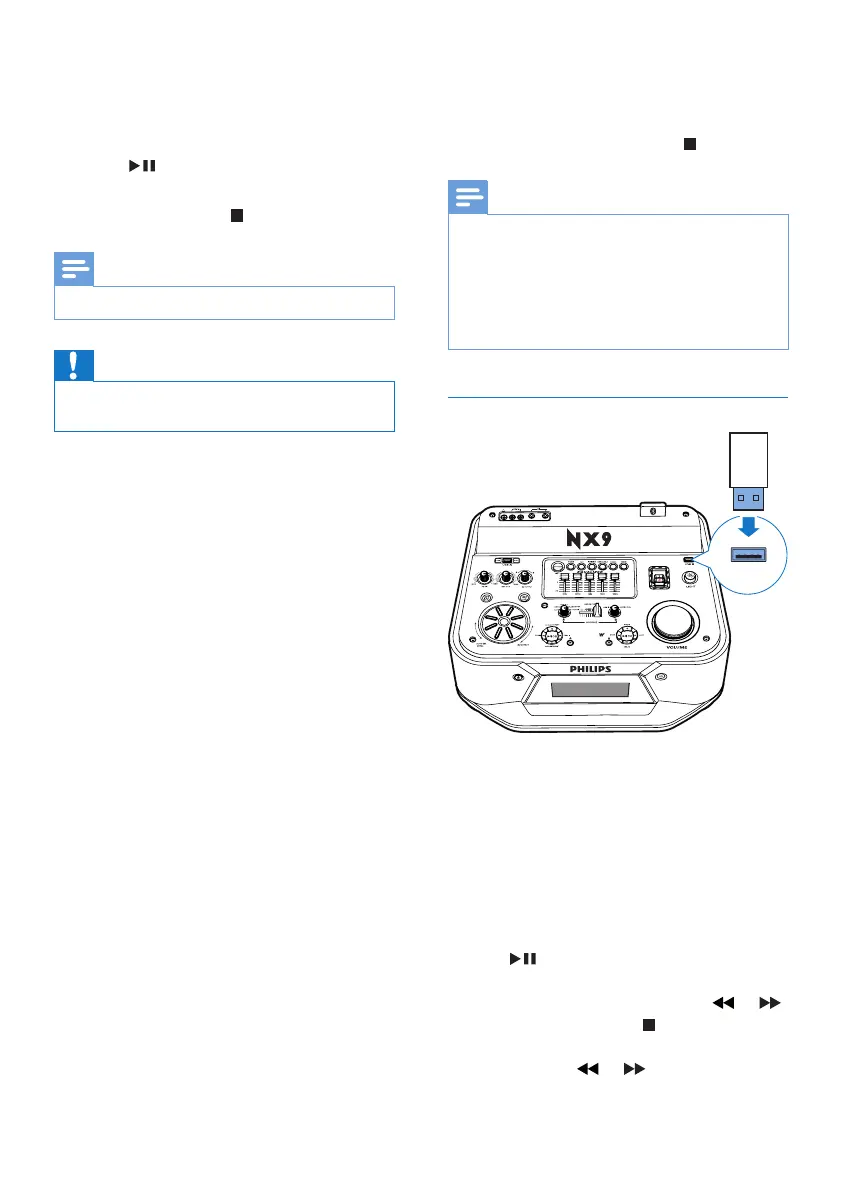
1 Connect a USB device to USB A socket.
2 Prepare the source to record from.
• Disc: Select the CD source and load
a disc, then select a track to start
recording.
• Radio: Tune to a radio station.
• AUDIO IN/AUX: Select the Audio-in
or AUX source, then connect and play
from an external device.
• USB B: Select USB B source, then
connectandselectanaudioletoplay.
3 Press USB RECORD to start recording.
• For Disc mode, press USB RECORD
to cycle through:
A [REC ONE](recordone):therstor
current track is recorded.
B [REC ALL] (record all): all tracks or the
remaining tracks are recorded.
» Play starts automatically from the
beginning of the disc or the selected
track, and the recording starts.
• To stop recording, press .
Note
• If the USB device does not have enough memory
tostoretheaudioles,a"Full memory" message is
displayed.
• This function is not available in USB B and Mix sound
mode.
• This function is not available when AUTO DJ or DJ
EFFECT effects are applied.
Play from a USB B device
1 Insert the USB plug of the device into the
USB B socket.
2 Rotate the source selector to select the
USB B source.
3 Slide CROSS FADER to the far right.
4 Use the control play panel (B) on the top
panel of the main unit to control play.
• To start, pause, or resume play, press
.
• To select an album, press +/-.
• Toselectanaudiole,press or .
• To stop play, press (B).
• Tosearchwithinanaudiole,press
and hold or , then release to
resume normal play.
;9((
2900


 To Next Page