9EN
People:
• List of your contacts, including those in
your Gmail
/
Google+/ Orkut:
• Social networking service of Google
Blogger:
• Blogger service of Google
Google Settings:
• Select your settings for Google
services.
Downloads:
• View the list of your downloads from
the Web.
ES File Explorer:
• Browse the les/ folders on PI3910,
install apps, and manage les.
KingsoftOfce:
• Create and manage your document,
text, Powerpoint and Excel les.
Drive:
• Cloud storage service of Google
Camera:
• Take photos or record videos.
Translate
• Online language translation service of
Google
Calendar:
• Add events, and set reminders for your
events.
Keep:
• Keep quick notes.
Clock:
• use the timer, alarm clock, and
stopwatch.
Calculator
Sound Recorder:
• Record and listen to voice messages.
AccuWeather
• Online weather forecast service
Use the screen
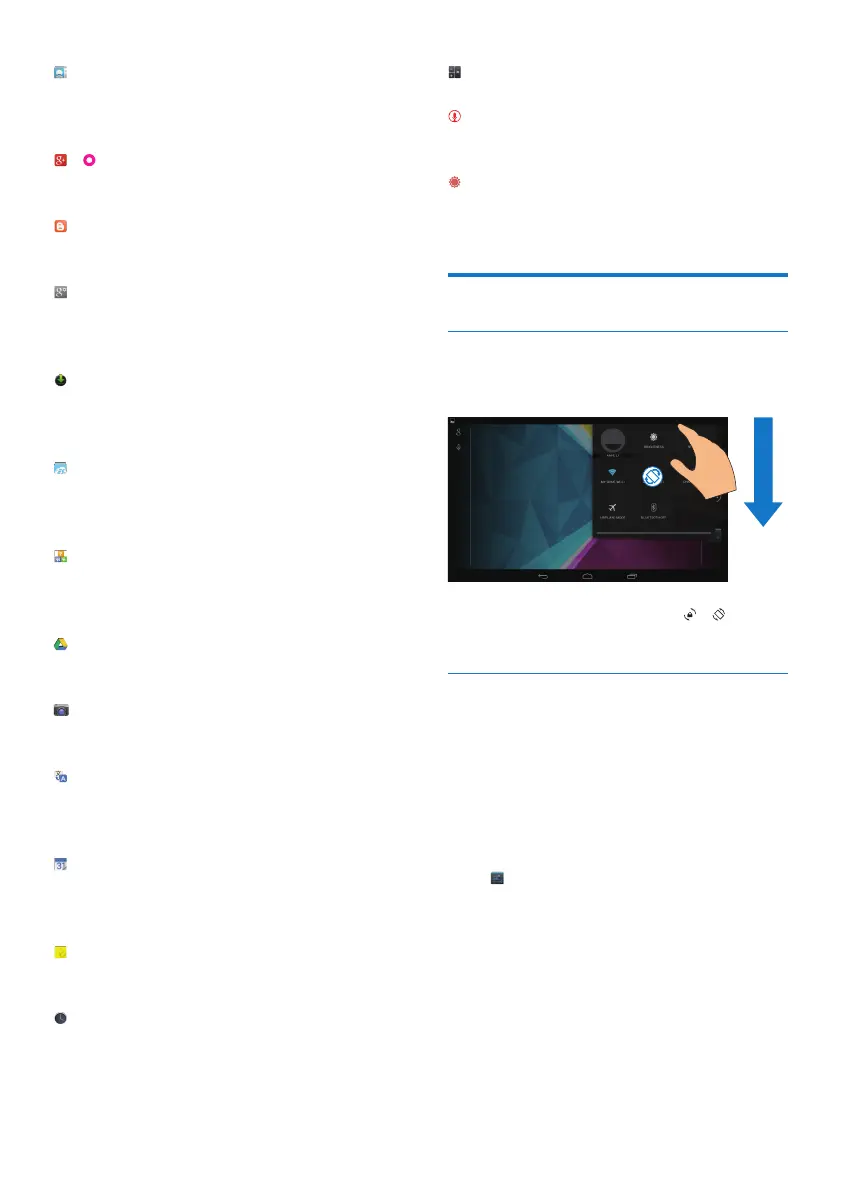
Switch screen rotation on or off
1 Drag down the top bar.
2 In the drag-down menu, tap / to
switch screen screen rotation on or off.
Lock/ unlock the screen
By locking the screen, you can lock the touch
controls on the screen (except for some apps
or widgets). Thus, undesired operations are
prevented.
Auto lock
After a time duration, the screen dims and is
locked automatically. To set the time duration,
go to > Display > Sleep.
To lock the screen manually
• Press the power/ lock button.
To unlock the screen
1 If necessary, press the power/ lock button
to display the lock.
2 Drag the lock to an icon.



 To Next Page