EasyManua.ls Logo

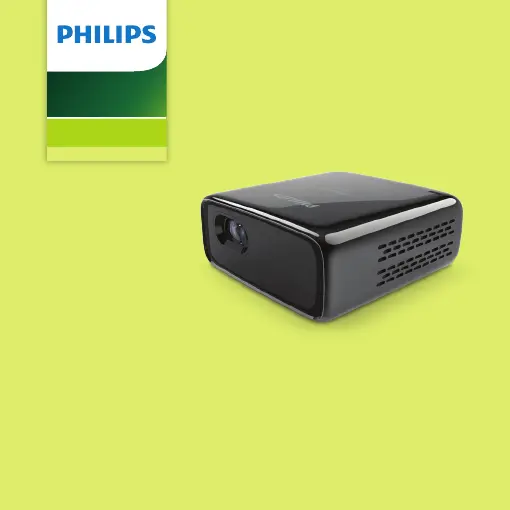
Philips PicoPix Micro - User Manual

Philips PicoPix Micro
28 pages
Print Icon
To Next Page IconTo Next Page
Loading...
Quick
Start Guide
Register your product for further support and download
the full user manual at: www.philips.com/support
Mini projector
PPX320
PicoPix Micro

Other manuals for Philips PicoPix Micro

Questions and Answers

  • S
    Sarah IngramJul 28, 2025
    Why does my Philips Projector keep turning itself off?
    • N
      Nancy RussellJul 28, 2025
      If your Philips Projector is turning itself off, it might be due to low battery power or overheating from prolonged use. Ensure the power cable is correctly connected to prevent unexpected shutdowns.
  • N
    nguyenjohnAug 6, 2025
    Why is my Philips PicoPix Micro Projector charging so slowly?
    • G
      Grace ReeseAug 6, 2025
      If your Philips Projector is charging slowly, it's likely because when the projector is powered on, the external power is primarily used to run the projector, with any remaining power used to charge the battery. For faster charging, power off the projector while charging.
  • D
    Daniel AllisonAug 16, 2025
    Why is the temperature of the Philips PicoPix Micro Projector’s surface warm?
    • K
      Karen CarlsonAug 16, 2025
      It is normal for the surface of your Philips Projector to feel warm during operation, as the projector generates moderate heat.

Summary

Philips PicoPix Micro Quick Start Guide

Package Contents Overview

Connecting External Devices

Initial Setup and Power On

Battery Charging

Projector Controls and Menu Navigation

Manual Focus Adjustment

Apple Screen Mirroring - Initial Steps

Apple Screen Mirroring - Device Pairing

Apple Screen Mirroring - Connection Confirmation

Android;Windows Screen Mirroring - Initial Steps

Android;Windows Screen Mirroring - Device Connection

Simplified EU Declaration of Conformity

Software License Agreement

Warranty Information

Customer Support Hotlines

Philips PicoPix Micro Specifications

General IconGeneral
Resolution854 x 480 (WVGA)
Projection TechnologyDLP
Light SourceLED
Light Source Life30, 000 hours
Contrast Ratio600:1
Aspect Ratio16:9
Focus AdjustmentManual
Integrated Media PlayerYes
BluetoothYes
Wi-FiYes
Wireless Screen MirroringYes
ConnectionsHDMI, USB
Audio1W speaker
BatteryLithium-ion
Power SourceBattery or USB
Weight215g
Wireless ConnectivityWi-Fi, Bluetooth

Related product manuals