EasyManua.ls Logo

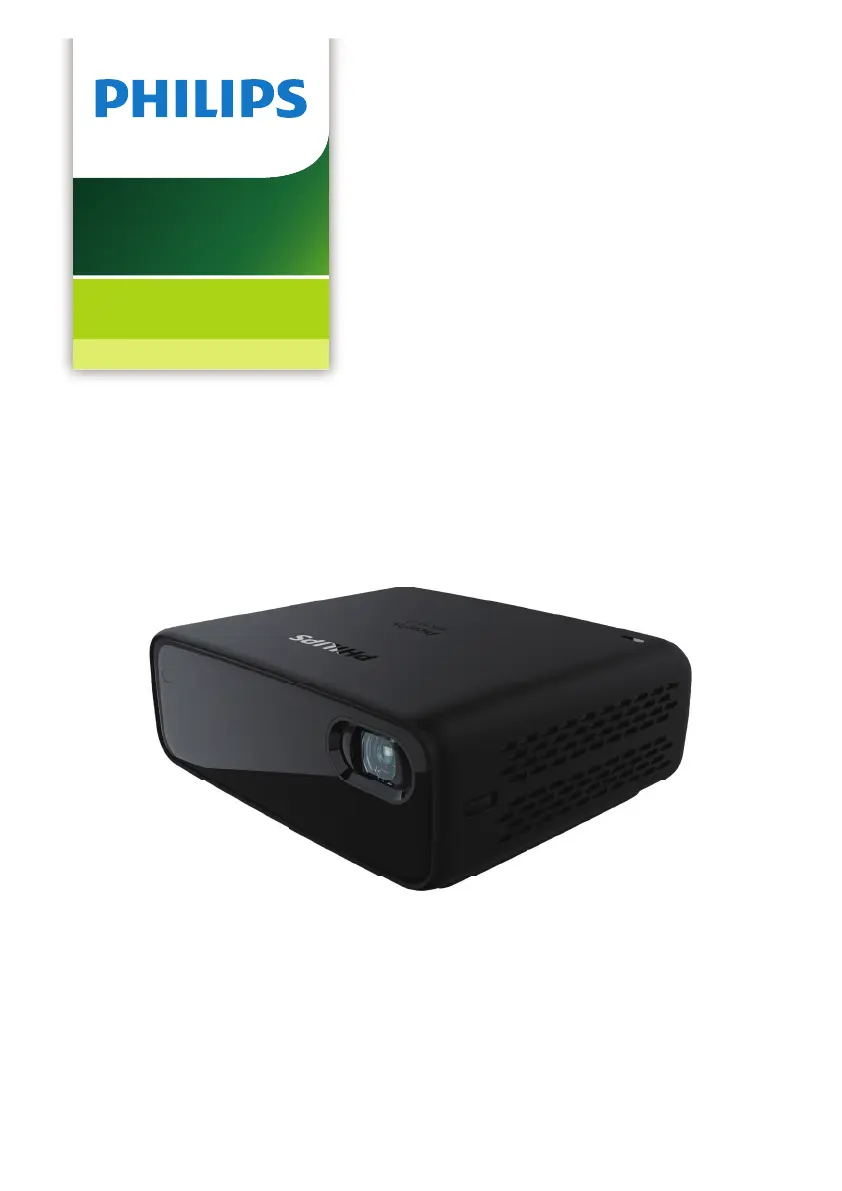
Philips PicoPix Micro 2 - User Manual

Philips PicoPix Micro 2
20 pages
Print Icon
To Next Page IconTo Next Page
Loading...
User Manual
Register your product and get support at
www.philips.com/support
PPX340
PicoPix Micro 2
Portable projector

Questions and Answers

Summary

Introduction and Setup

Whats in the Box

Lists the items included with the projector, such as the projector itself, remote, batteries, and accessories.

Customer Support Information

Provides contact details and website links for customer service and product support.

General Safety Information

Product Setup Safety

Guidelines for safely placing and connecting the projector to prevent hazards.

Product Repair and Power Safety

Instructions regarding product repairs and safe handling of the power supply.

Product Overview and Controls

Rear and Front Views

Identifies ports and components on the rear and front of the projector.

Side View and Remote Control

Details components on the side and functions of the remote control.

Connecting Devices

HDMI Connection

Connects a playback device via HDMI for image and audio output.

USB-C Connection

Connects a USB-C device for image and audio playback.

Operating the Projector

Placement and Power Connection

Guides on positioning the projector and connecting power sources, including battery use.

Remote Control and Initial Setup

Instructions for preparing the remote and powering on the projector.

Image Adjustments

Adjusting screen size, sharpness, and image shape correction.

Mounting and Placement

Guidance on using a tripod and various projector placement configurations.

Advanced Features

External Audio Output

Connect external speakers or headphones for enhanced audio.

USB Device Charging

Instructions for charging USB devices using the projector's port.

HDMI ARC and EasyLink

Activating HDMI ARC for audio and EasyLink for device control.

Changing Settings

Language and Input Source

Selecting the on-screen language and choosing the active input source.

Picture Settings

Adjusting keystone, projection mode, color, and aspect ratio.

Sound and Power Settings

Customizing sound modes and managing power consumption settings.

Restore Defaults and Other Options

Resetting to factory settings and accessing other system options.

Service and Maintenance

Built-in Battery Care

Tips to prolong the life of the built-in battery and safe handling practices.

Cleaning Instructions

Guides for cleaning the projector's lens and surfaces safely.

Software Update

Steps to check for and update the projector's software via USB.

Troubleshooting

Power and Image Issues

Solutions for problems like projector not turning on or showing images.

Audio and Connectivity Problems

Troubleshooting steps for audio issues and remote control commands.

Appendix and Compliance

Technical Specifications

Detailed technical data including display, light source, resolution, and connections.

Package Contents

Lists all items included in the projector's package.

Regulatory Compliance

Information regarding CE, FCC, and Canada regulatory statements.

Summary

Introduction and Setup

Whats in the Box

Lists the items included with the projector, such as the projector itself, remote, batteries, and accessories.

Customer Support Information

Provides contact details and website links for customer service and product support.

General Safety Information

Product Setup Safety

Guidelines for safely placing and connecting the projector to prevent hazards.

Product Repair and Power Safety

Instructions regarding product repairs and safe handling of the power supply.

Product Overview and Controls

Rear and Front Views

Identifies ports and components on the rear and front of the projector.

Side View and Remote Control

Details components on the side and functions of the remote control.

Connecting Devices

HDMI Connection

Connects a playback device via HDMI for image and audio output.

USB-C Connection

Connects a USB-C device for image and audio playback.

Operating the Projector

Placement and Power Connection

Guides on positioning the projector and connecting power sources, including battery use.

Remote Control and Initial Setup

Instructions for preparing the remote and powering on the projector.

Image Adjustments

Adjusting screen size, sharpness, and image shape correction.

Mounting and Placement

Guidance on using a tripod and various projector placement configurations.

Advanced Features

External Audio Output

Connect external speakers or headphones for enhanced audio.

USB Device Charging

Instructions for charging USB devices using the projector's port.

HDMI ARC and EasyLink

Activating HDMI ARC for audio and EasyLink for device control.

Changing Settings

Language and Input Source

Selecting the on-screen language and choosing the active input source.

Picture Settings

Adjusting keystone, projection mode, color, and aspect ratio.

Sound and Power Settings

Customizing sound modes and managing power consumption settings.

Restore Defaults and Other Options

Resetting to factory settings and accessing other system options.

Service and Maintenance

Built-in Battery Care

Tips to prolong the life of the built-in battery and safe handling practices.

Cleaning Instructions

Guides for cleaning the projector's lens and surfaces safely.

Software Update

Steps to check for and update the projector's software via USB.

Troubleshooting

Power and Image Issues

Solutions for problems like projector not turning on or showing images.

Audio and Connectivity Problems

Troubleshooting steps for audio issues and remote control commands.

Appendix and Compliance

Technical Specifications

Detailed technical data including display, light source, resolution, and connections.

Package Contents

Lists all items included in the projector's package.

Regulatory Compliance

Information regarding CE, FCC, and Canada regulatory statements.

Philips PicoPix Micro 2 Specifications

General IconGeneral
Resolution854 x 480 (WVGA)
Contrast Ratio600:1
Projection TechnologyDLP
Light SourceLED
Light Source Lifeup to 30, 000 hours
ConnectivityHDMI, USB-C, USB-A
Aspect Ratio16:9
Focus AdjustmentManual
Integrated Media PlayerYes
Throw Ratio1.2:1
Wireless Screen MirroringYes (Miracast)
BluetoothYes
Wi-FiYes
Power SourceBattery, USB-C charging
Battery Lifeup to 3 hours

Related product manuals