EasyManua.ls Logo

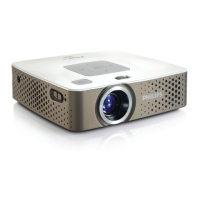
Philips PicoPix PPX3411 - User Manual

Philips PicoPix PPX3411
28 pages
Print Icon
To Next Page IconTo Next Page
Loading...
UK User Manual
Register your product and get support at
www.
p
hili
p
s.com/welcome
PPX3411
PPX3414
Question and Answer IconNeed help?

Do you have a question about the Philips PicoPix PPX3411 and is the answer not in the manual?

Summary

General Safety Information

Device Setup and Environment

Instructions for positioning and initial setup of the projector, including environmental factors.

Repairs and Power Supply

Guidelines on device repair, warranty, and correct power adapter usage.

Critical Safety Warnings

Includes warnings on battery explosion, high power LED, and hearing damage.

Device Overview

Remote Control Operation

Initial Operation and Setup

Projector Setup and Charging

Guidance on positioning, focus, power connection, and battery charging.

Initial Installation and Language

Steps for first-time setup, including language selection.

Remote Control Battery Replacement

Battery Safety and Replacement

Crucial safety information about battery handling and replacement steps.

Using the Remote Control

Connecting Playback Devices

HDMI and VGA Connections

How to connect devices via HDMI and VGA to the projector.

Advanced Connectivity Options

Headphone Connection and Safety

Hearing Safety Advice

Important warnings about using headphones at high volumes.

Storage Media Integration

Media Playback - Video Files

Media Playback - Photos and Video

Music Playback

Computer Connection via USB

Settings and Customization

Service and Battery Care

Cleaning and Lens Care

Overheating Warning and Behavior

Overheating Indicators and Shutdown

Describes overheat symbols and automatic shutdown behavior.

Troubleshooting Common Issues

Image, Connectivity, and Stand-by Problems

Solutions for image display, connection, and stand-by mode issues.

Summary

General Safety Information

Device Setup and Environment

Instructions for positioning and initial setup of the projector, including environmental factors.

Repairs and Power Supply

Guidelines on device repair, warranty, and correct power adapter usage.

Critical Safety Warnings

Includes warnings on battery explosion, high power LED, and hearing damage.

Device Overview

Remote Control Operation

Initial Operation and Setup

Projector Setup and Charging

Guidance on positioning, focus, power connection, and battery charging.

Initial Installation and Language

Steps for first-time setup, including language selection.

Remote Control Battery Replacement

Battery Safety and Replacement

Crucial safety information about battery handling and replacement steps.

Using the Remote Control

Connecting Playback Devices

HDMI and VGA Connections

How to connect devices via HDMI and VGA to the projector.

Advanced Connectivity Options

Headphone Connection and Safety

Hearing Safety Advice

Important warnings about using headphones at high volumes.

Storage Media Integration

Media Playback - Video Files

Media Playback - Photos and Video

Music Playback

Computer Connection via USB

Settings and Customization

Service and Battery Care

Cleaning and Lens Care

Overheating Warning and Behavior

Overheating Indicators and Shutdown

Describes overheat symbols and automatic shutdown behavior.

Troubleshooting Common Issues

Image, Connectivity, and Stand-by Problems

Solutions for image display, connection, and stand-by mode issues.

Philips PicoPix PPX3411 Specifications

General IconGeneral
BrandPhilips
ModelPicoPix PPX3411
CategoryProjector
LanguageEnglish

Related product manuals