EasyManua.ls Logo

Philips PicoPix Max TV PPX720/INT - User Manual

Philips PicoPix Max TV PPX720/INT
27 pages
Print Icon
To Next Page IconTo Next Page
Loading...
User Manual
Register your product and get support at
www.philips.com/support
PPX720/INT
PicoPix Max
TV
Portable projector

Questions and Answers

Summary

Introduction to the User Manual

About this User Manual

Explains the purpose and content of the user manual.

Symbols Used in this Manual

Explains warning symbols like Danger and Caution for user safety.

Whats Included in the Box

Lists all accessories and the projector unit provided in the package.

Customer Service and Support

Provides contact information for support, warranty, and online resources.

General Safety Information and Setup

Safe Product Setup and Operation

Guidelines for safe placement and operation to prevent damage or injury.

Product Repair and Maintenance Policy

Instructions against self-repair and directing to authorized service centers.

Power Supply and Product Overview

Power Supply Requirements and Cautions

Details on using certified power adapters, outlet accessibility, and safety warnings.

Top View Component Identification

Identifies and describes the function of top-mounted buttons and indicators.

Front View Component Identification

Identifies and describes front-mounted sensors, lens, and camera.

Rear View Port and Button Identification

Identifies and describes rear-mounted ports and buttons for connectivity.

Remote Control Functions and Buttons

Details the buttons and their functions on the remote control for operation.

Initial Setup Guide

Projector Placement Configurations

Guidelines for positioning the projector in various orientations (front, rear, ceiling).

Front Table Placement Instructions

Instructions for placing the projector on a table in front of the screen.

Ceiling Placement Options (Front;Rear)

Instructions for mounting the projector on the ceiling in front or behind the screen.

Rear Table and Tripod Placement

Instructions for table placement behind screen and optional tripod mounting.

Connecting External Power Supply

Steps for connecting the power adapter and cable for operation.

Built-in Battery Operation and Charging

Guidance on battery use, charging procedures, and battery care.

Remote Control Preparation and Power On

Instructions for remote battery insertion and powering the projector on/off.

Image and Display Adjustments

Screen Size and Digital Zoom Control

How to adjust screen size and use digital zoom for optimal viewing.

Auto and Manual Focus Adjustment

Steps for achieving clear focus using auto or manual modes.

Automatic Boot Autofocus and Keystone Correction

Enabling automatic focus and vertical keystone correction upon startup.

Manual 4-Corner Image Correction

Detailed steps for manually adjusting image corners for proper shape.

First-Time Setup and Configuration

Pairing Remote Control and Language Selection

Guide to connect remote control and choose the user interface language.

Wi-Fi Network and Google Account Setup

Instructions to connect to Wi-Fi and sign into Google account for app access.

Using the Home Screen and Android TV

Accessing Online Services and App Management

How to access pre-loaded apps, install new ones, and uninstall.

Android TV Navigation and Features

Overview of Android TV capabilities and how to navigate its interface.

Customizing Home Screen Channels

Guide to personalizing the home screen by showing or hiding channels.

Input Devices and Bluetooth Connectivity

Wired and Bluetooth Keyboard;Mouse Use

How to connect and pair wired/Bluetooth keyboards and mice for control.

Bluetooth Audio Streaming

Streaming Music from a Bluetooth Device

How to stream audio from devices like smartphones to the projector.

Bluetooth Reconnection and Second Speaker Pairing

How the projector reconnects to Bluetooth devices and pairs with a second speaker.

Streaming Audio to a Bluetooth Speaker

Guide on wirelessly sending audio from the projector to a Bluetooth speaker.

Chromecast Streaming and Playback Devices

Casting Content via Chromecast

Instructions on streaming videos and music from mobile devices using Chromecast.

HDMI Connection for Playback Devices

How to connect external devices via HDMI for display and audio output.

USB-C Video and Audio Connectivity

How to connect devices using USB-C for display and sound output.

SPDIF Audio Output Configuration

Guide to connect to audio systems via SPDIF for sound output.

Other Features and Connectivity

Connecting External Speakers and Headphones

How to connect audio output devices, including a hearing damage warning.

Using Easy Link (HDMI CEC) Feature

How to control connected HDMI devices with a single remote using HDMI CEC.

System Settings and Configuration

Android TV Settings Management

Guide to accessing and modifying Android TV settings like Wi-Fi and accounts.

Picture Settings and Display Adjustments

How to adjust display settings like resolution, screen position, and picture modes.

Sound Options and Audio Output Settings

How to configure sound settings, system sound, and audio output preferences.

Digital Audio, Netflix, and HDMI CEC Settings

Configuring audio formats, Netflix activation, and HDMI CEC.

Restoring Default Settings and System Options

Steps for resetting to factory defaults and accessing system options.

Projector System Settings and Input Source

How to access system settings and select the input source for display.

Image and Sound Settings Details

Comprehensive Image Adjustment Options

Detailed guide to adjusting picture preset, color, geometry, zoom, and focus.

Scheduled Shutdown and Sound Options

How to set automatic shutdown timers and select sound effects and output.

Other System Settings and Information

Accessing language, software/hardware versions, serial number, and firmware updates.

Service and Maintenance Procedures

Built-in Battery Care and Safety Precautions

Guidance on battery longevity and safety warnings regarding replacement.

Projector and Lens Cleaning Procedures

Instructions for cleaning the exterior and lens, including safety warnings.

Software Update via USB

Step-by-step guide to check for and update the projector's software using a USB drive.

Troubleshooting Common Issues

Power Cycling for Problem Resolution

Steps to power cycle the projector to resolve common operational issues.

Troubleshooting Remote Control and Connectivity

Addresses issues with remote control pairing, audio, and HDMI input problems.

Advanced Troubleshooting Scenarios

Addresses specific issues like no sound, streaming problems, overheating, and PC connection.

Appendix and Technical Data

Detailed Technical Specifications

Comprehensive technical data including optical, power, product, and connectivity specifications.

Compliance and Regulatory Information

CE Compliance and Statements

European compliance statements, operating conditions, and declaration of conformity.

FCC and Canadian Regulatory Compliance

FCC statements, labeling requirements, and Canadian regulatory compliance information.

RF Exposure and Environmental Disposal Notices

Information on RF exposure limits and environmental considerations for disposal.

Trademarks, Disclaimers, and Copyright Information

Details on trademarks, liability disclaimers, reproduction rights, and copyright.

Summary

Introduction to the User Manual

About this User Manual

Explains the purpose and content of the user manual.

Symbols Used in this Manual

Explains warning symbols like Danger and Caution for user safety.

Whats Included in the Box

Lists all accessories and the projector unit provided in the package.

Customer Service and Support

Provides contact information for support, warranty, and online resources.

General Safety Information and Setup

Safe Product Setup and Operation

Guidelines for safe placement and operation to prevent damage or injury.

Product Repair and Maintenance Policy

Instructions against self-repair and directing to authorized service centers.

Power Supply and Product Overview

Power Supply Requirements and Cautions

Details on using certified power adapters, outlet accessibility, and safety warnings.

Top View Component Identification

Identifies and describes the function of top-mounted buttons and indicators.

Front View Component Identification

Identifies and describes front-mounted sensors, lens, and camera.

Rear View Port and Button Identification

Identifies and describes rear-mounted ports and buttons for connectivity.

Remote Control Functions and Buttons

Details the buttons and their functions on the remote control for operation.

Initial Setup Guide

Projector Placement Configurations

Guidelines for positioning the projector in various orientations (front, rear, ceiling).

Front Table Placement Instructions

Instructions for placing the projector on a table in front of the screen.

Ceiling Placement Options (Front;Rear)

Instructions for mounting the projector on the ceiling in front or behind the screen.

Rear Table and Tripod Placement

Instructions for table placement behind screen and optional tripod mounting.

Connecting External Power Supply

Steps for connecting the power adapter and cable for operation.

Built-in Battery Operation and Charging

Guidance on battery use, charging procedures, and battery care.

Remote Control Preparation and Power On

Instructions for remote battery insertion and powering the projector on/off.

Image and Display Adjustments

Screen Size and Digital Zoom Control

How to adjust screen size and use digital zoom for optimal viewing.

Auto and Manual Focus Adjustment

Steps for achieving clear focus using auto or manual modes.

Automatic Boot Autofocus and Keystone Correction

Enabling automatic focus and vertical keystone correction upon startup.

Manual 4-Corner Image Correction

Detailed steps for manually adjusting image corners for proper shape.

First-Time Setup and Configuration

Pairing Remote Control and Language Selection

Guide to connect remote control and choose the user interface language.

Wi-Fi Network and Google Account Setup

Instructions to connect to Wi-Fi and sign into Google account for app access.

Using the Home Screen and Android TV

Accessing Online Services and App Management

How to access pre-loaded apps, install new ones, and uninstall.

Android TV Navigation and Features

Overview of Android TV capabilities and how to navigate its interface.

Customizing Home Screen Channels

Guide to personalizing the home screen by showing or hiding channels.

Input Devices and Bluetooth Connectivity

Wired and Bluetooth Keyboard;Mouse Use

How to connect and pair wired/Bluetooth keyboards and mice for control.

Bluetooth Audio Streaming

Streaming Music from a Bluetooth Device

How to stream audio from devices like smartphones to the projector.

Bluetooth Reconnection and Second Speaker Pairing

How the projector reconnects to Bluetooth devices and pairs with a second speaker.

Streaming Audio to a Bluetooth Speaker

Guide on wirelessly sending audio from the projector to a Bluetooth speaker.

Chromecast Streaming and Playback Devices

Casting Content via Chromecast

Instructions on streaming videos and music from mobile devices using Chromecast.

HDMI Connection for Playback Devices

How to connect external devices via HDMI for display and audio output.

USB-C Video and Audio Connectivity

How to connect devices using USB-C for display and sound output.

SPDIF Audio Output Configuration

Guide to connect to audio systems via SPDIF for sound output.

Other Features and Connectivity

Connecting External Speakers and Headphones

How to connect audio output devices, including a hearing damage warning.

Using Easy Link (HDMI CEC) Feature

How to control connected HDMI devices with a single remote using HDMI CEC.

System Settings and Configuration

Android TV Settings Management

Guide to accessing and modifying Android TV settings like Wi-Fi and accounts.

Picture Settings and Display Adjustments

How to adjust display settings like resolution, screen position, and picture modes.

Sound Options and Audio Output Settings

How to configure sound settings, system sound, and audio output preferences.

Digital Audio, Netflix, and HDMI CEC Settings

Configuring audio formats, Netflix activation, and HDMI CEC.

Restoring Default Settings and System Options

Steps for resetting to factory defaults and accessing system options.

Projector System Settings and Input Source

How to access system settings and select the input source for display.

Image and Sound Settings Details

Comprehensive Image Adjustment Options

Detailed guide to adjusting picture preset, color, geometry, zoom, and focus.

Scheduled Shutdown and Sound Options

How to set automatic shutdown timers and select sound effects and output.

Other System Settings and Information

Accessing language, software/hardware versions, serial number, and firmware updates.

Service and Maintenance Procedures

Built-in Battery Care and Safety Precautions

Guidance on battery longevity and safety warnings regarding replacement.

Projector and Lens Cleaning Procedures

Instructions for cleaning the exterior and lens, including safety warnings.

Software Update via USB

Step-by-step guide to check for and update the projector's software using a USB drive.

Troubleshooting Common Issues

Power Cycling for Problem Resolution

Steps to power cycle the projector to resolve common operational issues.

Troubleshooting Remote Control and Connectivity

Addresses issues with remote control pairing, audio, and HDMI input problems.

Advanced Troubleshooting Scenarios

Addresses specific issues like no sound, streaming problems, overheating, and PC connection.

Appendix and Technical Data

Detailed Technical Specifications

Comprehensive technical data including optical, power, product, and connectivity specifications.

Compliance and Regulatory Information

CE Compliance and Statements

European compliance statements, operating conditions, and declaration of conformity.

FCC and Canadian Regulatory Compliance

FCC statements, labeling requirements, and Canadian regulatory compliance information.

RF Exposure and Environmental Disposal Notices

Information on RF exposure limits and environmental considerations for disposal.

Trademarks, Disclaimers, and Copyright Information

Details on trademarks, liability disclaimers, reproduction rights, and copyright.

Overview

The device is a Philips PicoPix MaxTV portable projector, model PPX720/INT, designed for indoor use. It offers a range of features for projection, streaming, and connectivity, making it suitable for various entertainment and presentation needs.

Function Description

The PicoPix MaxTV is a portable projector that allows users to project images and videos onto a screen or surface. It integrates Android TV, providing access to online applications, streaming services, and games. The projector supports Bluetooth streaming, enabling users to stream music from a Bluetooth device to the projector or from the projector to an external Bluetooth speaker. It also features Chromecast built-in, allowing content streaming from Chromecast-enabled apps on mobile devices. Connectivity options include HDMI, USB-C (video), USB-A, SPDIF, and analog audio output. The device can be operated by external power or its built-in battery, offering portability.

Important Technical Specifications

  • Display Technology: TI DLP
  • Light Source: LED RGGB 4 channels
  • Color Space: 100% REC 709
  • Resolution: 1920 x 1080 pixels
  • LED Lifetime: Over 30,000 hours
  • Contrast Ratio: 1,000:1
  • Aspect Ratio: 16:9 and 4:3
  • Throw Ratio: 1.2:1
  • Screen Size (diagonal): 75 cm - 305 cm / 30" - 120"
  • Screen Distance: 78 cm - 320 cm / 31" - 126"
  • Projection Modes: Front, Rear, Front/Rear Ceiling
  • Focus Adjustment: Auto (vertical) and Manual
  • Keystone Correction: Auto (vertical) and 4-corner correction
  • Digital Zoom: Yes (80%-100%)
  • Light Sensor: Automatic brightness adjustment
  • Auto Rotate: Yes
  • Built-in Speakers: 2 x 12 W with active and passive
  • Wi-Fi: 802.11a/b/g/n/ac Dual 2.4 and 5GHz, Chromecast built-in
  • Bluetooth: Bluetooth 5.0 (for remote control, gamepad, and Bluetooth speaker when projector is off)
  • Connectivity: 1x HDMI, 1x USB 2.0, 1x USB type C (video), 1x Digital audio output (SPDIF), 1x Analog audio output
  • Power Consumption: Operating: 90 W, Standby: 0.3 W
  • Power Supply: 100-240 V~, 50/60 Hz
  • Battery: 21,000 mAh, lasts up to 4 hours
  • Dimensions (W × D × H): 158 x 150 x 119 mm
  • Weight: 1.96 kg
  • Operating Temperature: 5 °C - 35 °C
  • Storage Temperature: < 60 °C

Usage Features

  • Initial Setup: The projector guides users through an initial setup process, including language selection, Wi-Fi network configuration, and Google account sign-in. Remote control pairing via Bluetooth is also part of the initial setup.
  • Placement Flexibility: The projector can be placed in four configurations: front table, front ceiling, rear table, and rear ceiling. It supports tripod mounting for additional placement options.
  • Image Adjustment:
    • Screen Size: Determined by projection distance, with a recommended distance of 1.2 times the desired screen width. Digital zoom allows reduction of screen size from 80% to 100%.
    • Auto Focus: Automatically adjusts image focus upon repositioning or when blur is detected. Manual focus is also available.
    • Keystone Correction: Auto vertical keystone correction corrects rectangularity when the projector is tilted. Manual 4-corner correction allows fine-tuning of image shape.
    • Projection Direction: Settings can be adjusted based on the projector's installation (Front, Rear, Front Ceiling, Rear Ceiling).
  • Android TV Integration: Provides access to a home screen with online applications like Netflix, YouTube, and Google Play Store. Users can customize channels, manage apps, and use voice input for search.
  • Bluetooth Streaming:
    • From Device to Projector: Wirelessly stream music from a Bluetooth device (smartphone, tablet) to the projector.
    • From Projector to Speaker: Stream music from the projector to an external Bluetooth speaker.
    • Pairing: Requires pairing the Bluetooth device or speaker with the projector.
  • Chromecast Streaming: Built-in Chromecast allows streaming content from compatible apps on mobile devices to the projector screen, requiring both devices to be on the same Wi-Fi network.
  • Connectivity:
    • HDMI: Connects to playback devices (Blu-ray players, gaming consoles, PCs) for image and audio output.
    • USB-C (Video): Connects to USB-C devices (mobile phones, tablets, laptops) for video and audio projection.
    • USB-A: For connecting other USB devices like thumb drives and keyboards.
    • SPDIF: Connects to digital audio systems (home cinema, sound bar) for audio output.
    • Analog Audio Output: 3.5 mm jack for external speakers or headphones.
  • Easy Link (HDMI CEC): Supports HDMI CEC protocol, allowing a single remote control to manage compatible devices connected via HDMI.
  • Power Management: Can operate on external power or built-in battery. The battery lasts up to 4 hours and requires approximately 1.5 hours for a full charge. The LED indicator shows power and charging status.
  • System Settings: Users can adjust various settings for Android TV (Wi-Fi, Google account, language, date/time, keyboard, Bluetooth, apps, picture, sound, audio output) and projector system settings (input source, brightness mode, sleep timer, menu position, CEC).
  • Scheduled Shutdown: Sleep Timer allows automatic shutdown after a set period.
  • Brightness Modes: Offers predefined picture modes and custom settings for brightness, contrast, and saturation. An "Auto" brightness mode dynamically adjusts based on ambient light, and "Super Eco" mode maximizes battery life.

Maintenance Features

  • Battery Care: To prolong battery life, users are advised to charge regularly, avoid storing with a completely discharged battery, discharge slightly if unused for weeks, and keep away from heat sources. A reset key is available for charging issues.
  • Cleaning:
    • Surfaces: Use a soft, lint-free cloth. Avoid liquids, flammable cleansers, sprays, abrasives, polishes, or alcohol. Do not allow moisture to reach the interior.
    • Lens: Use a soft brush or lens cleaning paper. Do not use liquid cleaning agents to avoid damaging the coating film.
  • Software Update: Software can be updated via a USB device. Users can check the current software version and download updates from the Philips support website.
  • Factory Reset: Allows restoring the projector to its default settings, erasing all installed apps and user data.
  • Troubleshooting: The manual provides solutions for common issues such as power on/off problems, remote control malfunction, no sound/image output, streaming issues, and overheating.
  • Safety Information: Includes warnings about proper handling, ventilation, temperature exposure, liquid ingress, and battery safety (risk of explosion with incorrect battery type, no user replacement).
  • Environmental Responsibility: Information on packaging recycling, proper disposal of batteries, and electronic equipment waste according to European regulations.

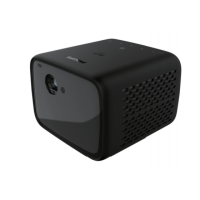
Philips PicoPix Max TV PPX720/INT Specifications

General IconGeneral
BrandPhilips
ModelPicoPix Max TV PPX720/INT
CategoryProjector
LanguageEnglish

Related product manuals











