EasyManua.ls Logo

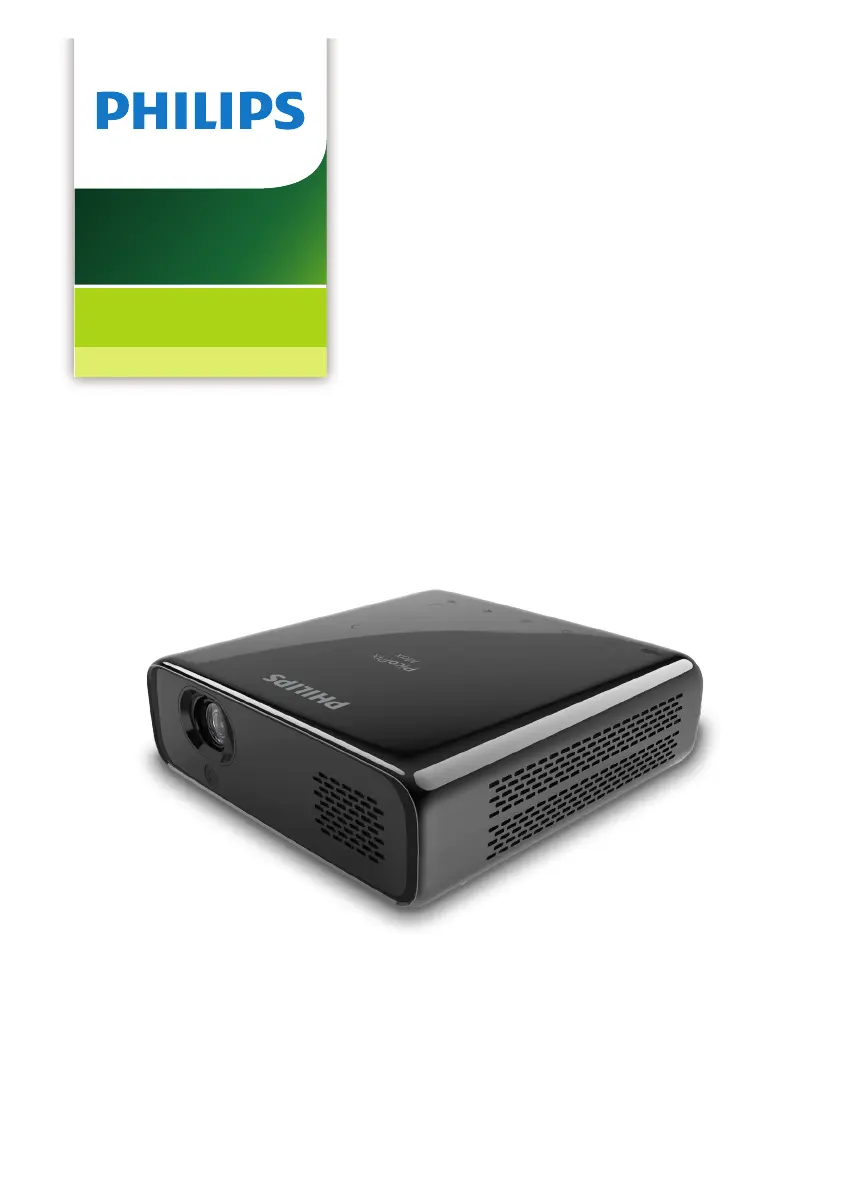
Philips PicoPix Max - User Manual

Philips PicoPix Max
28 pages
Print Icon
To Next Page IconTo Next Page
Loading...
User Manual
Register your product and get support at
www.philips.com/support
PPX620
PicoPix Max
Mobile Projector

Questions and Answers

Summary

General Safety Information

Essential Safety Guidelines

Covers general safety precautions for projector operation and handling.

Battery and Handling Hazards

Details risks associated with battery handling and potential product damage.

Product Overview and Power

Power Supply Requirements

Specifies power adapter requirements and connection details.

Eye Safety Warning

Alerts users to the danger of looking directly into the projector lens.

Initial Operation Procedures

Initial Operation Procedures (Continued)

Projector Power On and Basic Setup

Steps to turn on the projector and perform initial configuration.

Powering the Projector

Covers operation via external power and built-in battery charging.

Basic Setup

Pairing the Remote Control

Instructions for connecting the remote control via Bluetooth for pointer function.

Basic Setup (Continued)

Wi-Fi Network Setup Guide

Guide to connect the projector to a wireless network.

Bluetooth Streaming

Connecting and Streaming to Bluetooth Speakers

Steps to pair and stream audio to a Bluetooth speaker.

Connecting Playback Devices

HDMI Connectivity Guide

How to connect external devices using an HDMI cable.

USB-C Connectivity Guide

Guide for connecting devices using the USB-C port.

Connecting Playback Devices (Continued)

Connecting External Audio Devices

Instructions for connecting speakers or headphones via audio jack.

Browsing and Accessing Storage Devices

How to access and view files on connected storage media.

Wireless Projection

Screen Mirroring for iOS and Mac Devices

Instructions for mirroring iOS device and Mac screens wirelessly.

Casting Video from iOS Devices

How to cast videos from iOS devices to the projector wirelessly.

Wireless Projection (Continued)

Screen Mirroring for Android and Windows PCs

Steps for mirroring Android and Windows PC screens wirelessly.

Service and Maintenance

Built-in Battery Care and Charging

Tips for prolonging battery life and proper charging procedures.

Troubleshooting Common Issues

Troubleshooting Common Issues (Continued)

Appendix

Technical Specifications and Data

Detailed technical information about the projector's hardware and capabilities.

Summary

General Safety Information

Essential Safety Guidelines

Covers general safety precautions for projector operation and handling.

Battery and Handling Hazards

Details risks associated with battery handling and potential product damage.

Product Overview and Power

Power Supply Requirements

Specifies power adapter requirements and connection details.

Eye Safety Warning

Alerts users to the danger of looking directly into the projector lens.

Initial Operation Procedures

Initial Operation Procedures (Continued)

Projector Power On and Basic Setup

Steps to turn on the projector and perform initial configuration.

Powering the Projector

Covers operation via external power and built-in battery charging.

Basic Setup

Pairing the Remote Control

Instructions for connecting the remote control via Bluetooth for pointer function.

Basic Setup (Continued)

Wi-Fi Network Setup Guide

Guide to connect the projector to a wireless network.

Bluetooth Streaming

Connecting and Streaming to Bluetooth Speakers

Steps to pair and stream audio to a Bluetooth speaker.

Connecting Playback Devices

HDMI Connectivity Guide

How to connect external devices using an HDMI cable.

USB-C Connectivity Guide

Guide for connecting devices using the USB-C port.

Connecting Playback Devices (Continued)

Connecting External Audio Devices

Instructions for connecting speakers or headphones via audio jack.

Browsing and Accessing Storage Devices

How to access and view files on connected storage media.

Wireless Projection

Screen Mirroring for iOS and Mac Devices

Instructions for mirroring iOS device and Mac screens wirelessly.

Casting Video from iOS Devices

How to cast videos from iOS devices to the projector wirelessly.

Wireless Projection (Continued)

Screen Mirroring for Android and Windows PCs

Steps for mirroring Android and Windows PC screens wirelessly.

Service and Maintenance

Built-in Battery Care and Charging

Tips for prolonging battery life and proper charging procedures.

Troubleshooting Common Issues

Troubleshooting Common Issues (Continued)

Appendix

Technical Specifications and Data

Detailed technical information about the projector's hardware and capabilities.

Philips PicoPix Max Specifications

General IconGeneral
Resolution1920 x 1080 (Full HD)
Projection TechnologyDLP
Light SourceLED
Throw Ratio1.2:1
Battery Lifeup to 3 hours
Internal Memory16 GB
Operating SystemAndroid
BluetoothYes
Screen Sizeup to 120 inches
ConnectivityHDMI, USB
Built-in SpeakerYes
Wi-FiYes
BatteryYes
Weight850g

Related product manuals