EasyManua.ls Logo

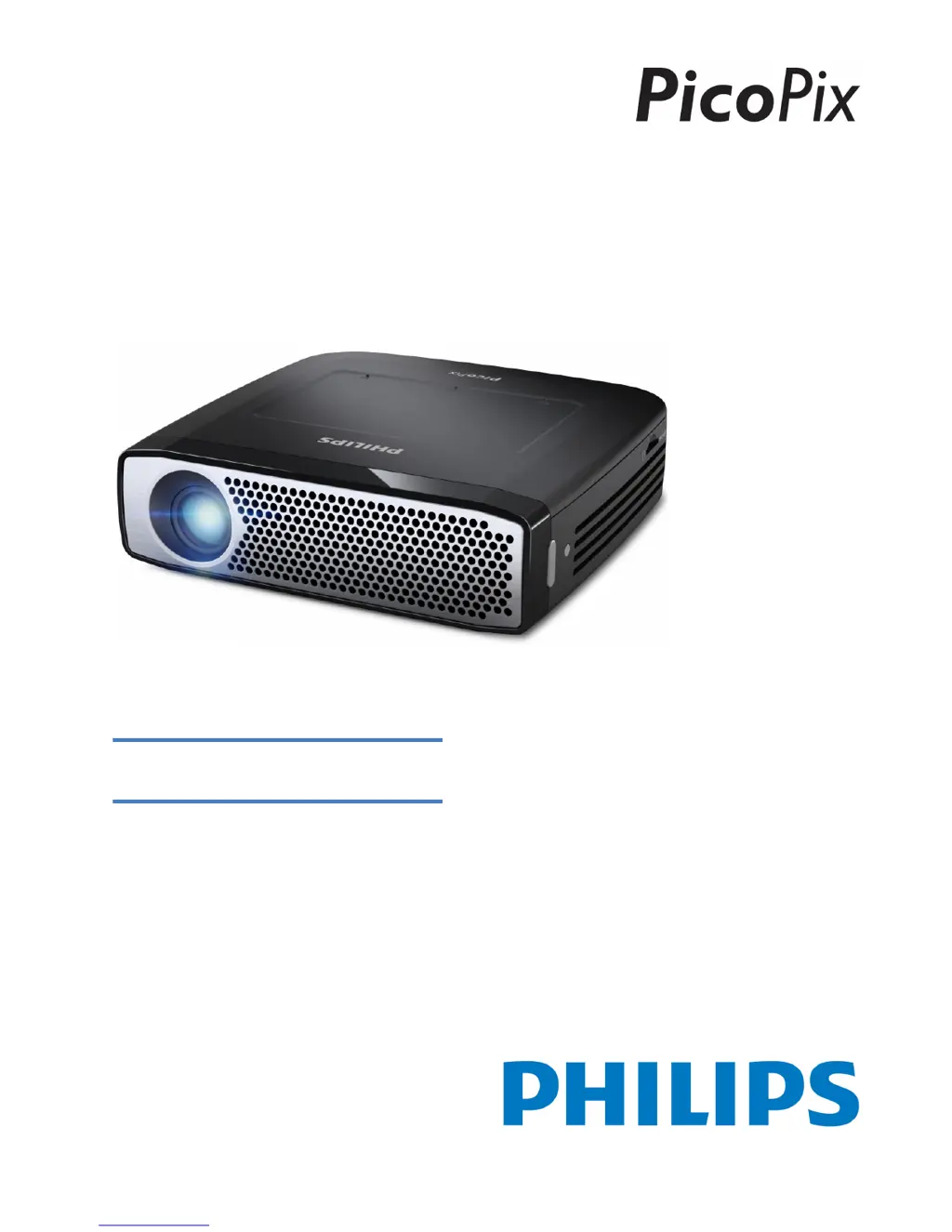
Philips PicoPix PPX 4935 - User Manual

Philips PicoPix PPX 4935
36 pages
Print Icon
To Next Page IconTo Next Page
Loading...
Register your product and get support at
www.philips.com/welcome
PPX4935
EN User Manual

Table of Contents

Other manuals for Philips PicoPix PPX 4935

Questions and Answers

Summary

Overview

Symbols Used

Explains warning symbols like Caution and Danger for user safety.

Product Highlights

Audio and Wireless Connectivity

Features like 3W speaker, aptX® Bluetooth, and wireless options.

Wired Connectivity and Media Player

Covers HDMI, MHL, and support for various media formats.

General Safety Information

Device Safety and Power

Repair Guidelines

Advises against self-repair and recommends authorized service centers.

Power Supply and Battery Safety

Details safe usage of the power adapter and battery handling.

Touchpad Navigation

Supported Gestures

Details specific touch gestures like tap, double-tap, pinch, and swipe.

Remote Control Functions

Remote Control Layout

Identifies and describes the function of each button on the remote.

Initial Operation and Setup

Setting up the Device

Guides on positioning the projector and using keystone correction.

Powering and Charging

Details connecting the power supply and charging the internal battery.

Initial Setup and Device States

Initial Setup Procedure

Guides through the first-time setup, including language and Wi-Fi.

Connecting Playback Devices

Connecting via HDMI Output

Steps to connect devices like laptops and DVD players using HDMI.

Wireless and Wired Device Connectivity

Screen Mirroring Setup

Instructions for wirelessly mirroring phone/tablet screens using Miracast/EZCast.

Memory Card and USB Storage

Memory Device Insertion Danger

Warning about removing memory devices during access to prevent data loss.

Internet and WiFi Connectivity

Setting Up a WiFi Network

Guide to connect to a wireless network, including password entry.

Advanced WiFi Setup and Hotspot

WiFi Hotspot Functionality

Explains how to activate and configure the device as a WiFi hotspot.

DLNA Media Sharing

DLNA Network Alliance

Introduces DLNA for sharing media over a home network.

Playing Media via DLNA

How to access and play media from DLNA-compatible devices.

Bluetooth Connectivity

Bluetooth Pairing and Settings

Guide to pair external speakers and configure Bluetooth settings.

Media Playback and Navigation

Media File Operations

Android Apps Management

Installing New Apps

Guides on installing apps via APK files or the Aptoide Store.

Device Settings and Configuration

Wireless and Network Configuration

Details settings for WiFi, Hotspot, VPN, Mobile Networks, and DLNA.

Media Playback Settings

Covers image adjustments, sound, video player, and music player settings.

Advanced Settings and Maintenance

Service and Maintenance

Battery Care and Charging

Guidelines for battery lifespan, charging indicators, and precautions.

Battery Replacement Warning

Danger notice against self-replacement of the battery.

Troubleshooting Common Issues

Troubleshooting Table

Lists common problems and their solutions for sound, image, and connectivity.

Summary

Overview

Symbols Used

Explains warning symbols like Caution and Danger for user safety.

Product Highlights

Audio and Wireless Connectivity

Features like 3W speaker, aptX® Bluetooth, and wireless options.

Wired Connectivity and Media Player

Covers HDMI, MHL, and support for various media formats.

General Safety Information

Device Safety and Power

Repair Guidelines

Advises against self-repair and recommends authorized service centers.

Power Supply and Battery Safety

Details safe usage of the power adapter and battery handling.

Touchpad Navigation

Supported Gestures

Details specific touch gestures like tap, double-tap, pinch, and swipe.

Remote Control Functions

Remote Control Layout

Identifies and describes the function of each button on the remote.

Initial Operation and Setup

Setting up the Device

Guides on positioning the projector and using keystone correction.

Powering and Charging

Details connecting the power supply and charging the internal battery.

Initial Setup and Device States

Initial Setup Procedure

Guides through the first-time setup, including language and Wi-Fi.

Connecting Playback Devices

Connecting via HDMI Output

Steps to connect devices like laptops and DVD players using HDMI.

Wireless and Wired Device Connectivity

Screen Mirroring Setup

Instructions for wirelessly mirroring phone/tablet screens using Miracast/EZCast.

Memory Card and USB Storage

Memory Device Insertion Danger

Warning about removing memory devices during access to prevent data loss.

Internet and WiFi Connectivity

Setting Up a WiFi Network

Guide to connect to a wireless network, including password entry.

Advanced WiFi Setup and Hotspot

WiFi Hotspot Functionality

Explains how to activate and configure the device as a WiFi hotspot.

DLNA Media Sharing

DLNA Network Alliance

Introduces DLNA for sharing media over a home network.

Playing Media via DLNA

How to access and play media from DLNA-compatible devices.

Bluetooth Connectivity

Bluetooth Pairing and Settings

Guide to pair external speakers and configure Bluetooth settings.

Media Playback and Navigation

Media File Operations

Android Apps Management

Installing New Apps

Guides on installing apps via APK files or the Aptoide Store.

Device Settings and Configuration

Wireless and Network Configuration

Details settings for WiFi, Hotspot, VPN, Mobile Networks, and DLNA.

Media Playback Settings

Covers image adjustments, sound, video player, and music player settings.

Advanced Settings and Maintenance

Service and Maintenance

Battery Care and Charging

Guidelines for battery lifespan, charging indicators, and precautions.

Battery Replacement Warning

Danger notice against self-replacement of the battery.

Troubleshooting Common Issues

Troubleshooting Table

Lists common problems and their solutions for sound, image, and connectivity.

Philips PicoPix PPX 4935 Specifications

General IconGeneral
Display TechnologyDLP
Light sourceLED
Contrast ratio1000:1
Throw Ratio1.2:1
Internal memory8 GB
Integrated MP4 playerYes
Integrated Office ViewerYes
Wireless screen mirroringYes
WifiYes
Input PortsHDMI, USB, Micro SD
Built-in SpeakerYes
LED lifetime30000 hours
Lamp Life30, 000 hours
BluetoothYes
Recommended useBusiness
Power supplyAC 100-240V, 50/60Hz
Internal batteryYes
Native Resolution854 x 480 pixel

Related product manuals