EasyManua.ls Logo

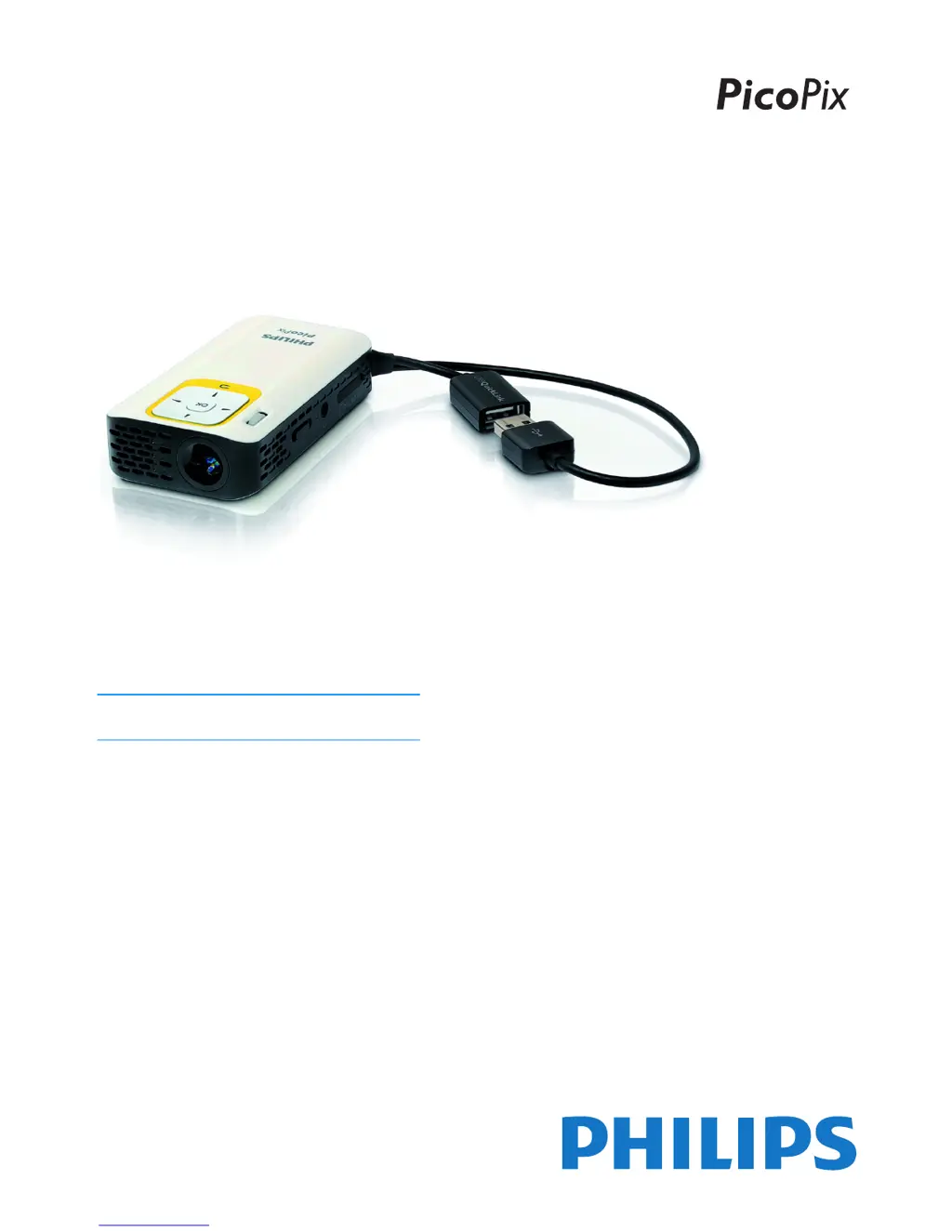
Philips PicoPix PPX2230 - User Manual

Philips PicoPix PPX2230
25 pages
Print Icon
To Next Page IconTo Next Page
Loading...
UK
PPX2230
PPX2330
User Manual
Register your product and get support at
www.philips.com/welcome

Other manuals for Philips PicoPix PPX2230

Questions and Answers

  • V
    vbarrettAug 7, 2025
    What to do if my Philips PicoPix PPX2230 switches to stand-by mode?
    • E
      Eric RodriguezAug 7, 2025
      Your Philips Projector might switch to stand-by mode for two reasons. First, if the device runs for a long time, it may overheat, triggering the stand-by mode. A warning symbol will appear before it switches off. Allow the device to cool down, then press any key to resume playback. Second, insufficient battery capacity can also cause this. Connect the projector to a power supply to resolve this.
  • R
    Renee GrossAug 11, 2025
    Why is there no sound from my external device connected to the Philips Projector?
    • K
      Kimberly DavisAug 11, 2025
      If you're not getting any sound from an external device connected to your Philips Projector, there are a few things you can check: * Ensure the cables connecting the external device are properly connected. * Verify the volume is turned up on the external device. * Try using the original cables from the device manufacturer, as other cables may not function correctly.
  • D
    davidlopezAug 16, 2025
    What to do if only the initial screen appears on my Philips PicoPix PPX2230 Projector when connected to an external device?
    • L
      Leon WilliamsonAug 16, 2025
      If your Philips Projector only shows the initial screen when connected to an external device, try the following: First, check that the cables are connected to the correct sockets. Second, make sure that the external device is switched on. Finally, ensure that the video output of the external device is activated.
  • J
    Jill JensenAug 19, 2025
    How to fix bad sound quality with my computer connection to the Philips PicoPix PPX2230?
    • B
      Bobby HunterAug 20, 2025
      If you're experiencing poor sound quality when connecting your computer to the Philips Projector, check the following: Ensure the audio cable is connected to either the computer's headphone socket or the line-out socket. Also, make sure the volume setting on your computer isn't set too high.
  • D
    doconnorAug 25, 2025
    What to do if my Philips PicoPix PPX2230 Projector cannot be switched on?
    • S
      Sharon FranklinAug 25, 2025
      If your Philips Pocket Projector isn't turning on, connect it to your computer or a compatible power supply to recharge the internal battery. Ensure the projector is switched off while charging.
  • A
    abrownAug 28, 2025
    What to do if only the initial screen appears on my Philips Projector when connected to a computer?
    • M
      Molly MirandaAug 28, 2025
      If your Philips Projector is only displaying the initial screen when connected to your computer, make sure the necessary software on your computer has been started.
  • J
    jcookSep 2, 2025
    Why does my Philips PicoPix PPX2230 change brightness levels when playing videos via USB?
    • G
      grussoSep 2, 2025
      The Philips Projector may change from maximum to minimum brightness when playing videos over USB if the environment temperature is too high. To resolve this, use the device in lower ambient temperatures.

Philips PicoPix PPX2230 Specifications

Technology and Optical IconTechnology and Optical
display technologyDLP
light sourceRGB LED
LED light source lifespan30, 000 hours
brightnessup to 30 lumens
native resolution640 x 360 pixels
contrast ratio1500:1
colour temperature6500 Kelvin
throw ratio1.6:1
screen size (diagonal)25.4 cm–152.4 cm
screen distance0.354 m–2.125 m
focusmanual
Memory IconMemory
internal memory2 GB
external memory supportmicro SD/SDHC
Sound IconSound
internal speaker power1 W
Power IconPower
battery life (standard mode)2 hours
battery life (bright mode)1.5 hours
internal battery3.7 V @ 2600 mAh
power adapter5 V/2 A
Operating Environment IconOperating Environment
operating temperature range5–40° C
storage temperature range (packed)-25–60° C
storage temperature range (unpacked)0–45° C
operating relative humidity15–85% RH
storage relative humidity (packed)5–93% RH
storage relative humidity (unpacked)15–85% RH
Weight and Dimensions IconWeight and Dimensions
packed dimensions130 x 90 x 70 mm
unpacked dimensions96.7 x 54 x 22 mm
packed weight246 g
unpacked weight0.130 kg

Related product manuals