4-7 PL22.06-A_DC
How to remove the Cell Assembly
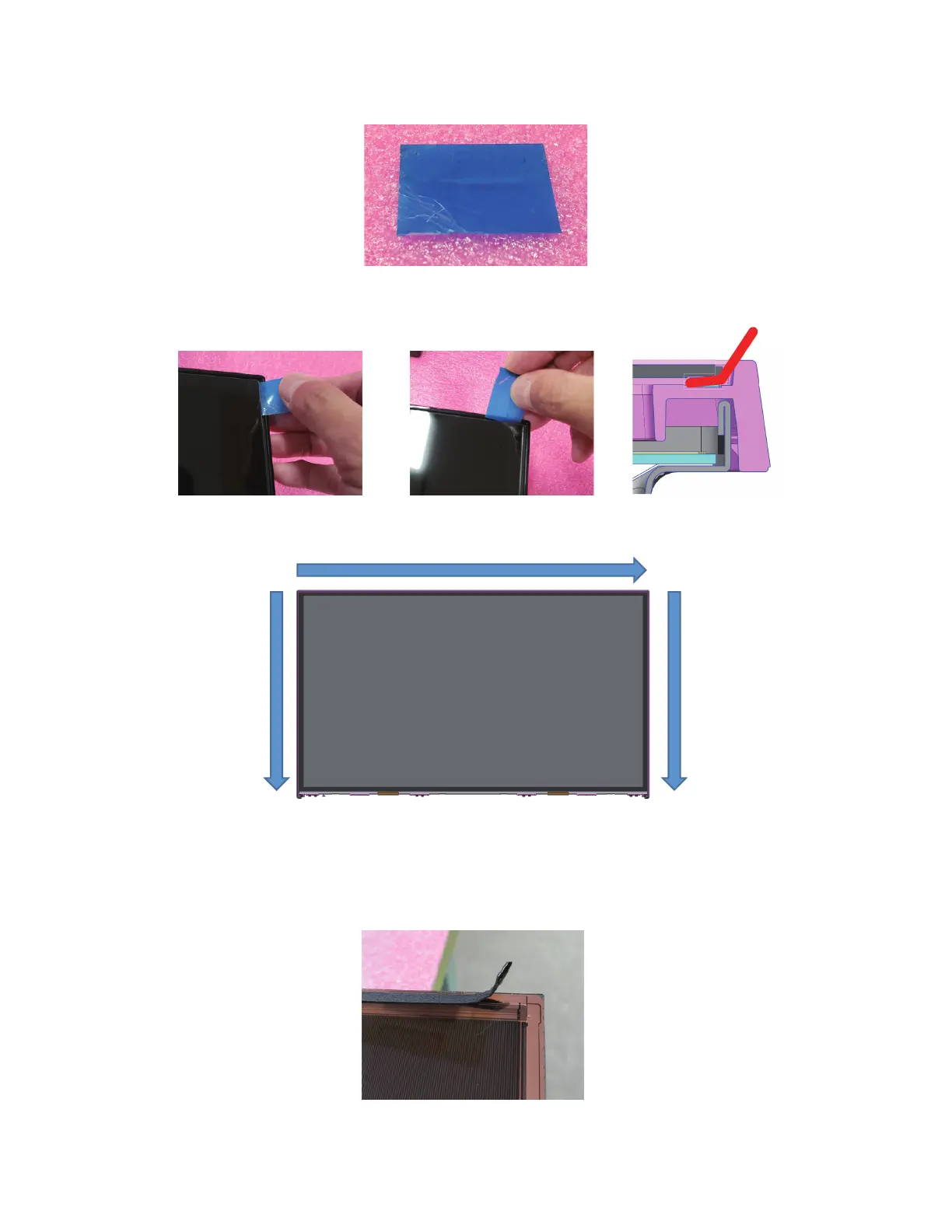
1. Prepare a piece of plastic board - approx. 0.15 mm thickness, firm and flexible.
2. Insert the piece of plastic board into the gap between the cell and the outer periphery until it sticks in the
urethane layer of the Double Side Tape.
3. While the plastic board is stuck in, slide it along the three sides to cut up the Double Side Tape and remove
the cell.
Note:
• The cell will be reusable by cleanly peeling off the remaining Double Side Tape on the cell.
• If damage (such as a break, a chip, etc.) is found on the cell, replace the cell.



 To Next Page