EasyManua.ls Logo

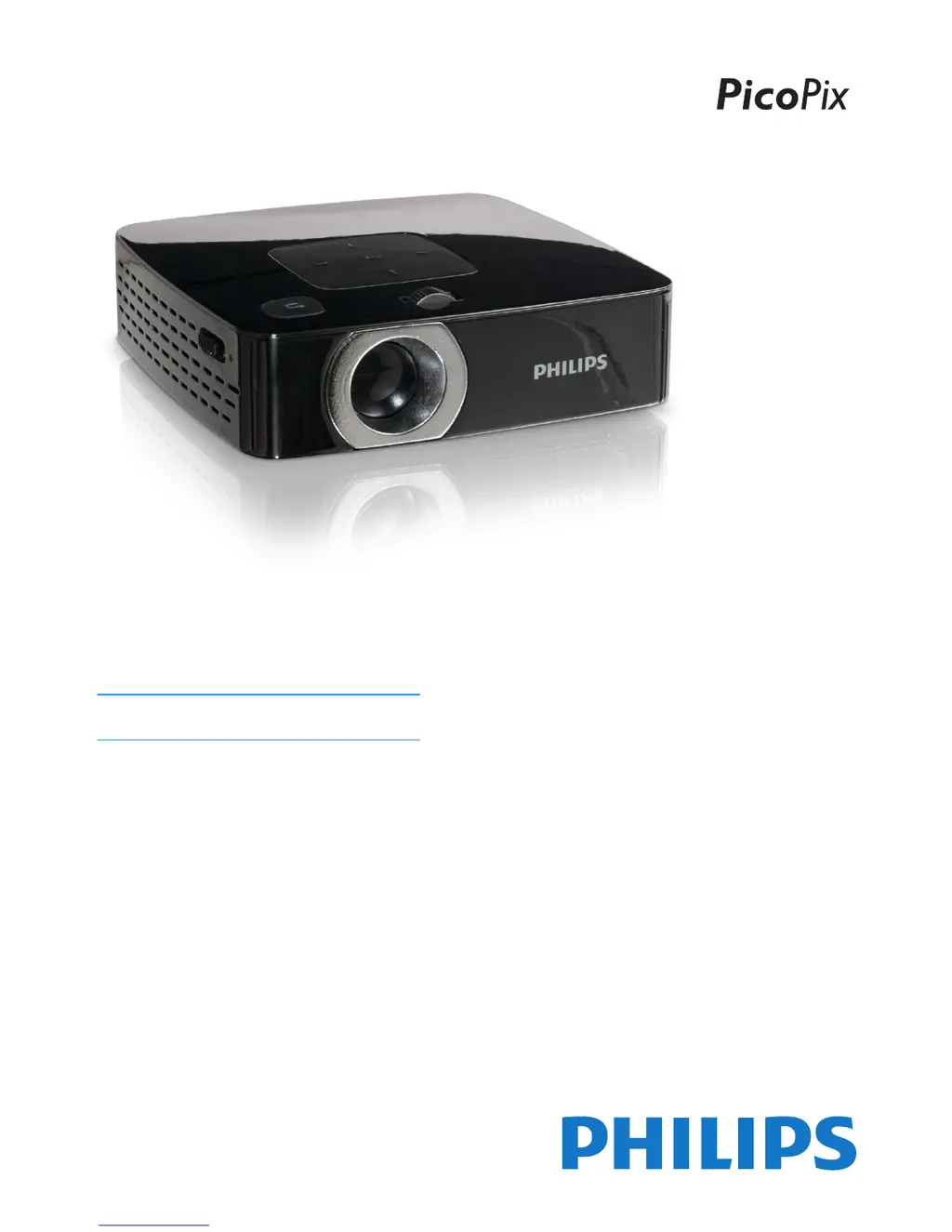
Philips PPX2480/EU - User Manual

Philips PPX2480/EU
28 pages
Print Icon
To Next Page IconTo Next Page
Loading...
EN
PPX2450
PPX2480
User Manual
Register your product and get support at
www.philips.com/welcome

Questions and Answers

  • M
    Mrs. Megan SotoJul 30, 2025
    What to do if Philips PPX2480/EU has bad sound quality with computer connection?
    • K
      Kathryn WilsonJul 30, 2025
      If you experience bad sound quality when connecting your computer, consider the following: * Check if the audio cable is connected to the computer's headphone socket or the line-out socket. * Ensure the volume setting on the computer is not set too high.
  • E
    Emily ReeseAug 3, 2025
    What to do if only initial screen appears on Philips PPX2480/EU and not the image from the connected computer?
    • J
      juliemooreAug 4, 2025
      If only the initial screen appears and not the image from the connected computer, please check: * That the VGA-output of the computer is switched on. * If the resolution of the computer is set to 800x600.
  • T
    Terry RiveraAug 8, 2025
    What to do if Philips PPX2480/EU Projector switches to stand-by mode?
    • M
      Misty AtkinsonAug 8, 2025
      The device may switch to stand-by mode in two cases: 1. If the device is running for a long period of time, the surface becomes hot, and a warning symbol appears on the projection. After the device has cooled down, you can continue playback by pressing any key. 2. When the battery does not have sufficient capacity, connect the device to the power supply.
  • J
    joanne32Aug 14, 2025
    What to do if only initial screen appears on Philips PPX2480/EU and not the image from the external device?
    • R
      ruthshieldsAug 14, 2025
      If you only see the initial screen and not the image from the external device, check the following: * Ensure the cables are connected to the correct sockets. * Verify that the external device is switched on. * Confirm that the video output of the external device is activated.
  • E
    Edward RossAug 19, 2025
    Why Philips Pocket Projector cannot be switched on?
    • J
      jessicataylorAug 19, 2025
      If your Philips Pocket Projector cannot be switched on, connect the supplied power supply to recharge the internal battery.
  • H
    hgregoryAug 25, 2025
    What to do if there is no sound from the external connected device on Philips PPX2480/EU Projector?
    • M
      Monica PettyAug 25, 2025
      If there is no sound from the external connected device, check these: * Check the cables to the external device. * Set the volume on the external device. * Only the original cables from the device manufacturer may function.

Summary

General Safety Guidelines

Safe Device Setup and Environment

Guidelines for proper placement, ventilation, and operating environment.

Power Supply and Battery Safety

Instructions for safe power connection, charging, and battery handling.

Critical Operational Warnings

Specific warnings regarding battery safety, LED light, and hearing damage.

Initial Device Setup and Operation

First-Time Setup and Power Connection

Steps for initial device placement, connection, and battery charging.

Connecting External Playback Devices

HDMI and VGA Input Connections

How to connect devices using HDMI and VGA interfaces for playback.

Storage Media Management

Inserting and Using Memory Cards

Steps for inserting and accessing SD/MMC memory cards.

Connecting USB Storage Devices

Instructions for connecting USB storage devices via the adapter cable.

Media Playback and File Operations

Video Playback and Format Support

How to play video files, adjust playback settings, and supported formats.

Photo Slideshows and Display

Guides on viewing photos individually and creating slideshows.

Computer Connectivity via USB

Troubleshooting Common Issues

Philips PPX2480/EU Specifications

General IconGeneral
Resolution854 x 480 pixels
Projection TechnologyDLP
Contrast Ratio1000:1
Lamp Life30, 000 hours
Battery Life2 hours
Light sourceLED
Focus adjustmentManual
Aspect ratio16:9
Internal memory8 GB
Integrated MP4 playerYes
Wi-FiNo
BluetoothNo
BatteryBuilt-in rechargeable
ConnectivityHDMI, USB
Projection distance0.5 - 3 meters
Screen size (diagonal)50 - 100 inches

Related product manuals